README.md
July 25, 2025 · View on GitHub
Initial Setup
Getting setup locally takes less than 5 minutes!
Requirements:
- Node.js version 20+ (check with: node -v)
- Yarn package manager (install with: npm install -g yarn)
- Open a terminal and clone the repo:
git clone https://github.com/11x-dev/hint-feature-bug.git
- Navigate to the root of the project:
cd hint-feature-bug
- Open the project in your IDE, then return to your original terminal for step 4:
code .
- Install packages and start the frontend server:
yarn install && npm run dev
- View the website in your browser:
http://localhost:18888/
Estimated Time
Estimated time for this bug fix is 1 - 2 hours.
Hints and Solution
If you need a hint or want to see a possible solution, navigate to this document here
Coding Challenge
The real codebase uses a submodule that is located at online-go.com, which includes another submodule at online-go.com/submodules/goban. To ensure nothing breaks when those submodules are updated, the code has been manually added. The main online-go.com submodule can be found at https://github.com/online-go/online-go.com
There are 2 bugs with the hint feature:
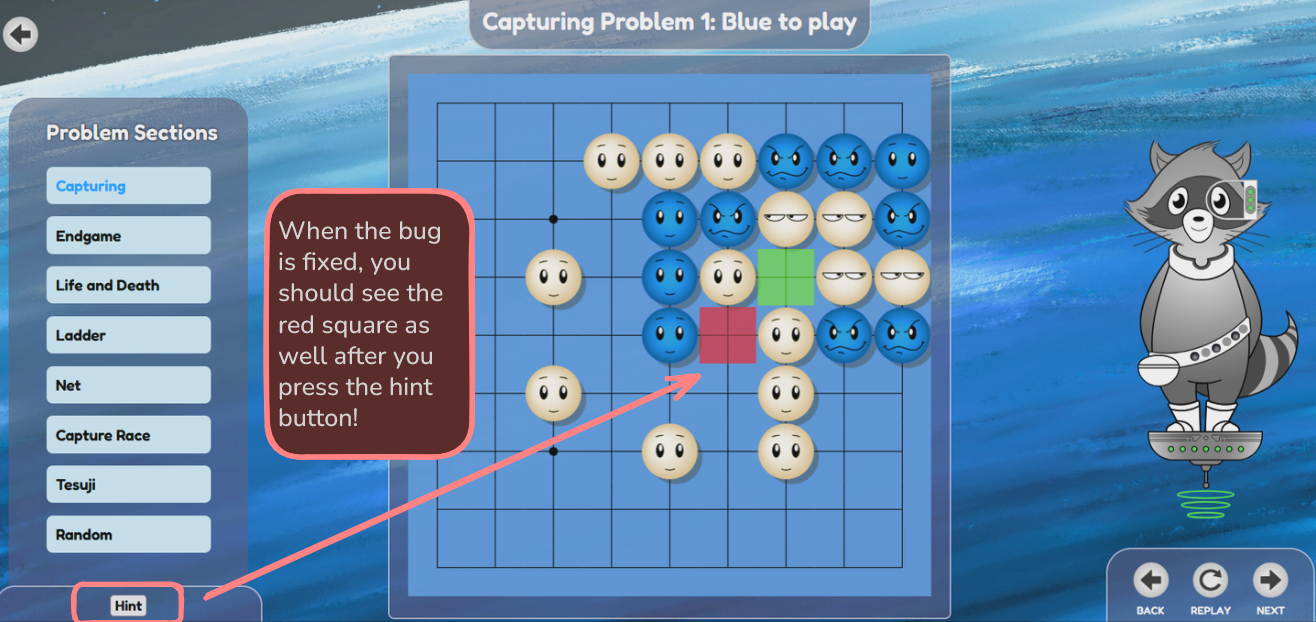
Bug 1: Clicking the hint button only shows the correct next move (green squares on the board), but not the wrong next move (red squares on the board)
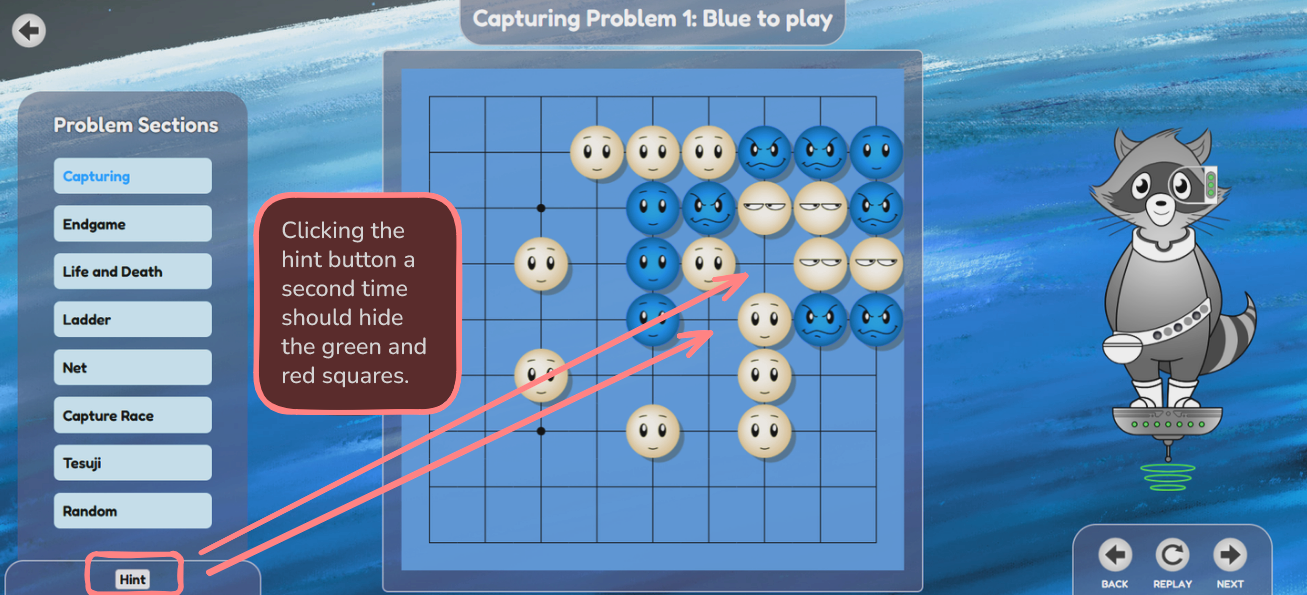
Bug 2: Clicking the hint button a second time is not hiding the green and red squares on the board
The hint button is found on this page in the bottom left corner:
http://localhost:18888/learn-to-play/8/problems/capturing/1
Requirements
- Clicking the hint button shows both green and red squares
- Clicking the hint button while the green and red squares are visible properly removes them
This challenge is based on a real bug from a production codebase. Feel free to use any resources you like while solving it.
Enjoyed the challenge? Give this repo a ⭐️ to help others find it too!