DSH Plugin Menu
August 16, 2026 · View on GitHub
简体中文 | English
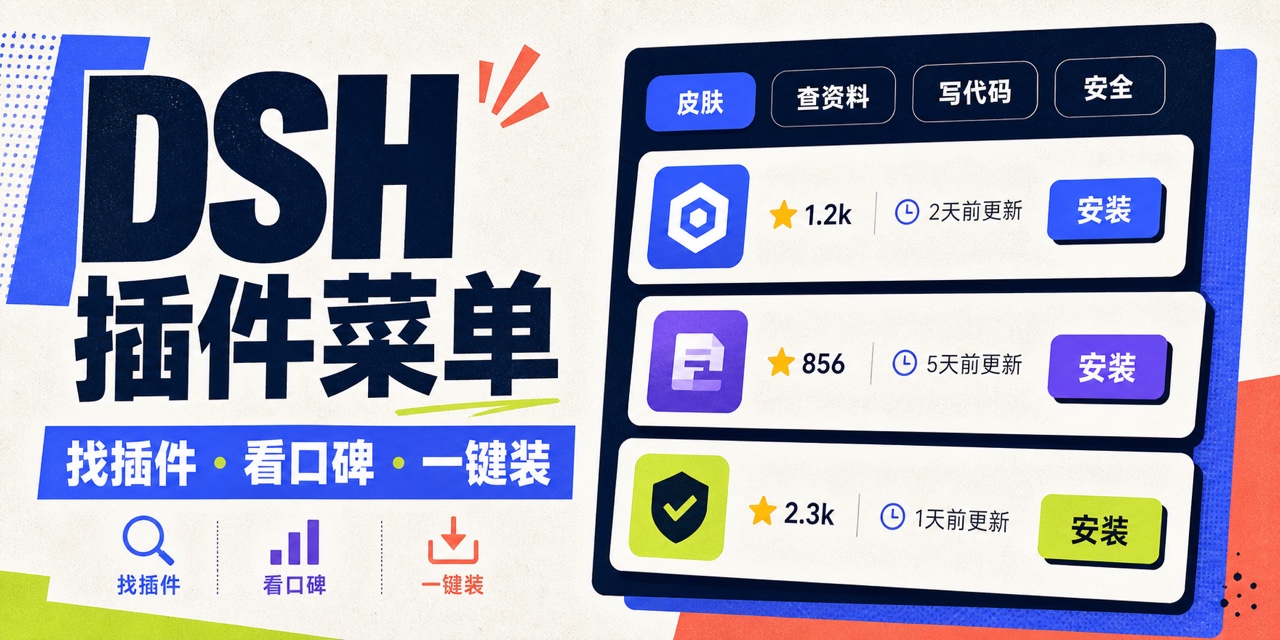
A Chinese-first, bilingual plugin catalog and profile manager for DeepSeek Harness. It reorganizes community plugins into plain-language categories and adds a Plugin Menu entry to the bottom of the Web UI sidebar. From one screen, you can search, filter, compare public signals, install, remove, and manage every out-of-tree plugin in the current profile.
npm package | GitHub releases | Report an issue
What problem does it solve?
Plugin marketplaces often rely on labels such as “UI,” “Developer Tools,” “Runtime,” or “Information Retrieval.” This plugin uses categories that are easier to understand at a glance:
- Looks & layout
- Research
- Coding
- Images & visual creation
- Memory
- Automation
- Messaging
- File management
- Model connectors
- Safety
- Small skills
- Better conversations
- Fun extras
- Plugin management
- Other
Classification is based on transparent, testable keyword rules. Inputs include the plugin name, Chinese and English descriptions, GitHub topics, and the source catalog category. Each plugin is assigned to one plain-language category; the rules live in src/catalog.ts.
Features
- Sidebar entry: registers with DSH's
sidebar.footer.actionslot instead of replacing the official sidebar. - Full catalog: reads the installable
awesome-dsh-plugincatalog online; the bundled offline snapshot currently contains 824 entries. - Public signals: shows GitHub stars, most recent maintenance time (
pushed_at), license, archive status, forks, and issue data. - Search and filters: searches by name, purpose, author, repository, and GitHub topics.
- Sorting: sorts by stars, recent maintenance, date added, or name.
- Install and remove: uses the official
dsh plugin --profile web add/removeworkflow outside the agent sandbox. - Installed-plugin management: reads the current profile's real dependencies and distinguishes “running,” “loads after restart,” and ordinary dependencies.
- Offline fallback: uses the bundled catalog and GitHub-metrics snapshot when the network is unavailable.
- Chinese and English UI: follows the current DSH language.
Installation
The package is available on npm. The official CLI workflow is recommended:
npx -y @deepseek-ai/dsh plugin --profile web add dsh-plain-plugin-menu
npx -y @deepseek-ai/dsh web
You can also install a prebuilt tarball without authorizing install-time build scripts:
npx -y @deepseek-ai/dsh plugin --profile web add /absolute/path/to/dsh-plain-plugin-menu-0.1.1.tgz
npx -y @deepseek-ai/dsh web
To install from a source checkout:
npm install
npm run check
npx -y @deepseek-ai/dsh plugin --profile web add .
npx -y @deepseek-ai/dsh web
When installing directly from a Git repository, pnpm 10+ blocks dependency prepare scripts by default. Only after reviewing the source should you follow pnpm's prompt and add the exact package key to allowBuilds in that profile's pnpm-workspace.yaml, then retry. The npm release and prebuilt tarballs created by npm pack do not require this authorization.
After installation, Plugin Menu appears at the bottom of the sidebar. Changes to the installed plugin set require a DSH restart before they enter the next Web startup graph; the menu displays this state explicitly.
Configuration
The bundle provides its default configuration in cordis.patch.yml:
- insert:
    - id: plain-plugin-menu
      name: dsh-plain-plugin-menu
      config:
        profile: web
        catalogTtlMinutes: 15
        githubPages: 10
        operationTimeoutMinutes: 15
Every field is validated by a Schemastery schema:
profile: the DSH profile to manage; defaults toweb.catalogTtlMinutes: public catalog cache lifetime, from 1 to 1,440 minutes.githubPages: maximum GitHub topic-search pages per refresh, from 1 to 10 pages with 100 results each.operationTimeoutMinutes: install or removal timeout, from 1 to 60 minutes.
To change these values, override the row with the same id in the profile's own cordis.patch.yml. DSH patches replace the entire config object instead of deep-merging it, so repeat every field.
The optional GITHUB_TOKEN environment variable increases the GitHub API rate limit. The plugin sends it only in the Authorization header of GitHub requests; it is never sent to the browser.
Security boundaries
Installing a plugin invokes pnpm outside the DSH agent sandbox. Third-party install scripts and plugin code are therefore not sandboxed. This project reduces the risk in the following ways:
- It installs only entries from the community installable catalog that can be converted to an ordinary npm package name or a constrained
github:owner/repo[#path:/subdir]source. - Archived repositories cannot be installed directly.
- Child processes receive argv arrays; the plugin does not concatenate POSIX shell commands.
- A removal target must already exist in the current profile's
dependencies. - Every write request requires both a same-origin
Originand a custom request header to reduce browser cross-site request forgery. - Request bodies are limited to 4 KiB, and only one install or removal operation can run at a time.
- Browser-visible logs are truncated and the DSH home path is replaced with
$DSH_HOME.
Stars, recent maintenance, and license information are public signals—not a security audit or a quality guarantee. Users should still review source code, authorship, release history, and install scripts. Production environments should pin a commit.
Development
Node.js 22.19+ or 24+ is required:
npm install
npm run typecheck
npm test
npm run build
npm pack
Refresh the bundled snapshots with:
npm run snapshot
The Host entry is emitted to lib/index.js, while the browser build emits the DSH client-module factory to client/client.js. package.json declares both dsh.bundle and dsh.client, allowing one Loader entry to mount both the Node HTTP bridge and the browser menu.
DSH plugin-development findings
Based on the official master branch as of 2026-08-16:
- A plugin is fundamentally a TypeScript or JavaScript module exporting
apply(ctx, config?); object andServiceclass forms are also supported. ctxis the capability registry. Events, tools, slots, and effects registered through it are cleaned up in reverse order when the plugin unloads.- Dependencies belong in
inject; Cordis waits until those services are available before applying the plugin. - A configurable plugin should export a matching
Configtype and Standard Schema. Deployment-specific values should not be hard-coded. - An installable distribution is an npm package declaring
dsh.bundle.patch; the patch inserts the actual plugin row. - A profile is an ordered stack of bundles, not a plugin.
dsh plugin --profile <name> add/removemanages profile dependencies through pnpm and synchronizesdsh.profile.bundles. - Web plugins are two-sided packages: a Host Loader entry plus a
dsh.clientbrowser entry. Browser UI must compose through DSH slots instead of modifying official core pages. - DSH is still in developer preview and explicitly warns about breaking changes. This package should rerun integration tests after each DSH upgrade.
Official references:
- DeepSeek Harness README
- Your first plugin
- Plugin configuration
- Packaging and installing plugins
- Architecture
- CLI profile and plugin behavior
License
MIT