Test Junkie [](https://twitter.com/intent/tweet?text=Test+Junkie+is+one+of+the+most+powerful+testing+frameworks+on+Python+that+you+did+not+hear+of+and+you+are+missing+out!&url=https%3A%2F%2Ftest-junkie.com&hashtags=automation,testing,python&originalreferer=https%3A%2F%2Fgithub.com%2F&twp=tweetbutton)
August 19, 2023 · View on GitHub






Test Junkie 

Installation
From your favorite terminal:
pip install test-junkie or python -m pip install test-junkie
Basic Usage
Save code bellow into a Python file. Lets say C:\Development\TestJunkie\demo.py.
from test_junkie.decorators import Suite, beforeTest, afterTest, test, beforeClass, afterClass


@Suite()
class ExampleTestSuite:

    @beforeClass()
    def before_class(self):
        print("Hi, I'm before class")

    @beforeTest()
    def before_test(self):
        print("Hi, I'm before test")

    @afterTest()
    def after_test(self):
        print("Hi, I'm after test")

    @afterClass()
    def after_class(self):
        print("Hi, I'm after class")

    @test()
    def something_to_test1(self):
        print("Hi, I'm test #1")

    @test()
    def something_to_test2(self):
        print("Hi, I'm test #2")

    @test()
    def something_to_test3(self):
        print("Hi, I'm test #3")


# and to run this marvel programmatically, all you need to do . . .
if "__main__" == __name__:
    from test_junkie.runner import Runner
    runner = Runner([ExampleTestSuite])
    runner.run()
    # OR use Test Junkie's CLI: `tj run -s C:\Development\TestJunkie\demo.py`
CLI
Starting from version 0.6a6 there is now full CLI
support and the above test suite can also be executed with tj run -s C:\Development\TestJunkie\demo.py
For more examples, see CLI documentation.
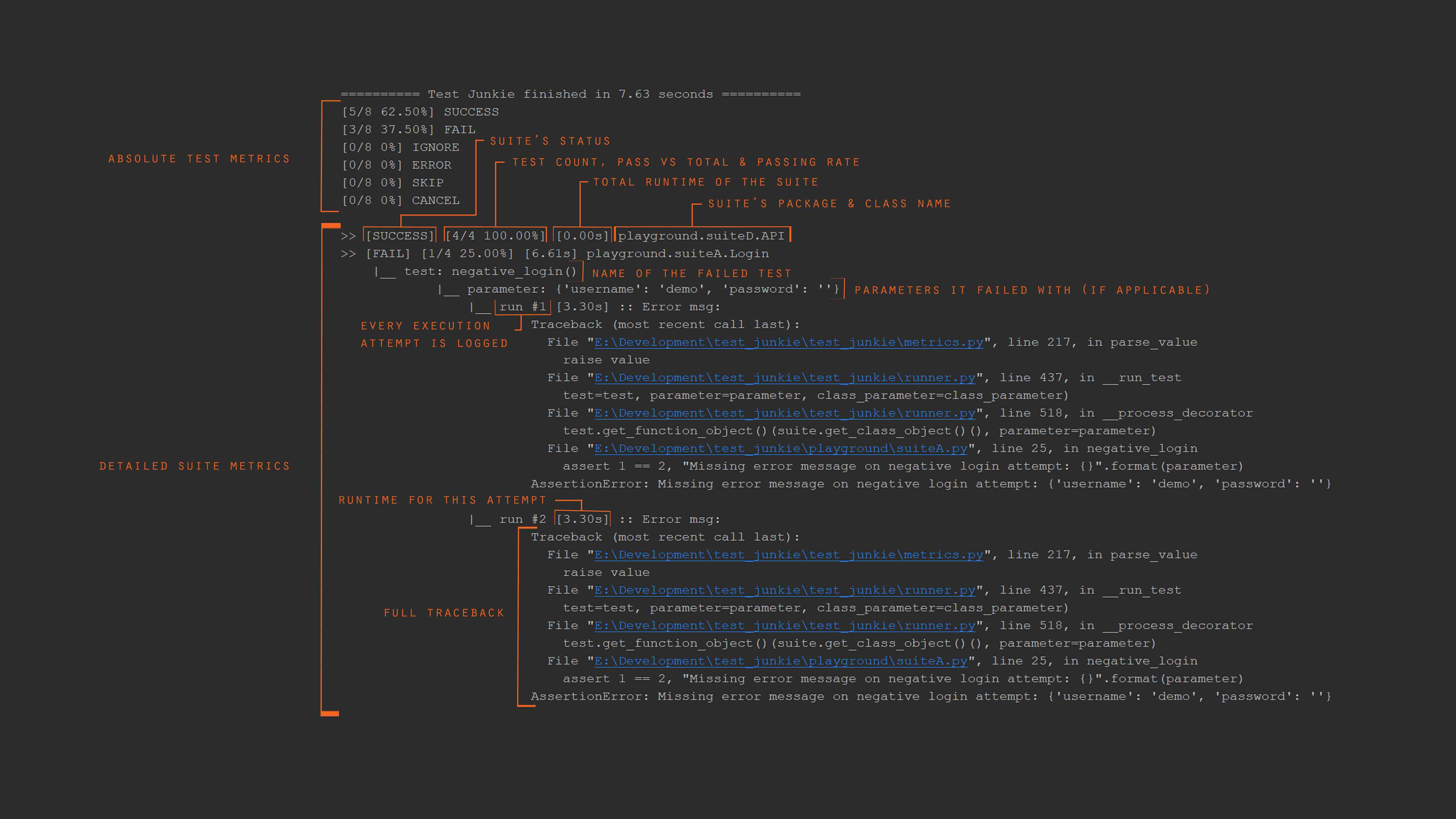
Output Example