README.md
October 10, 2020 · View on GitHub
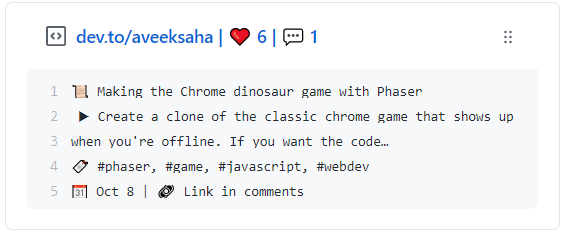
blog-box
📝 Update a pinned gist to show your latest dev.to blog post
📌✨ For more pinned-gist projects like this one, check out: https://github.com/matchai/awesome-pinned-gists
Setup
Prep work
- Create a new public GitHub Gist (https://gist.github.com/)
- Create an access token with the
gistscope and copy it. (https://github.com/settings/tokens/new) - Get your
Dev.touser name (https://dev.to/settings)
Project setup
- Fork this repo
- Go to the repo Settings > Secrets
- Add the following environment variables:
- GH_TOKEN: The GitHub access token generated above.
- GIST_ID: The ID portion from your gist url:
https://gist.github.com/Aveek-Saha/8335e85451541072dd25fda601129f7d. - DEV_USERNAME: Your
Dev.toaccount username.
Credits
This code was inspired by @matchai's bird-box.