init.nvim
April 19, 2026 · View on GitHub

Why?
Modern Vim distributions are really huge and bloated with way too many fancy features that you won't ever use or need, for example directory trees like Nerd tree, you don't need a tree, you can view a project structure with fzf which is faster and has search. Another example is ThinkVim has a separate extension for formatting while also having ALE which can do that as well, this double functionality is very common, thats one of the things this distro avoids, KISS!
Features
- Lua-first Neovim config
- Native LSP powered by Neovim, Mason, Conform, and Blink
- Lazy-managed plugins with modular config under
lua/config/andlua/plugins/ - Ayu-based theme with automatic light/dark switching, custom floats, and a custom statusline
- Modern Snacks-based picker and scrolling workflow
- Noice-powered command line and notifications
- Simple, intuitive shortcuts
Supported Languages
Built-in LSP and formatter setup is included for Bash, C/C++, CSS, HTML, JSON, Lua, Python, TypeScript, XML, and YAML. Mason installs the configured language servers and formatters automatically on startup.
Requirements
- Linux (not tested on other platforms)
- Neovim
0.11+ - Properly set up environment
Setup
To check if your current environment is correctly set up run :CheckHealth.
Environment
- python3:
pip3 install --user pynvim - javascript:
npm install -g neovim
Tools
- Any patched nerd font
- tmux (not required but recommended)
- git
- ripgrep
- a C toolchain for
clangd/clang-format
Most language servers and formatters are installed automatically through Mason.
Installation
After installing the requirements:
git clone https://github.com/Blacksuan19/init.nvim ~/.config/nvim- Start
nvimand it will do the rest - press enter if there are any errors (don't worry its fine)
Plugins
Plugins are managed by lazy.nvim, with language servers and formatters handled
by Mason.
| Plugin | Functionality |
|---|---|
| lazy.nvim | plugin management |
| blink.cmp | completion UI |
| conform.nvim | formatting |
| gitsigns.nvim | git signs in the gutter |
| mason.nvim | external tool management |
| mason-lspconfig.nvim | LSP server installation bridge |
| mason-tool-installer.nvim | auto-installs tools on startup |
| mini.nvim | icons, comments, move, surround |
| nvim-lspconfig | LSP server configs |
| alpha-nvim | start screen |
| neovim-ayu | colorscheme |
| noice.nvim | command line and message UI |
| nvim-notify | notifications |
| rainbow-delimiters.nvim | rainbow bracket highlighting |
| friendly-snippets | VS Code-style snippet collection for Blink |
| blink-cmp-conventional-commits | conventional commit suggestions for Blink |
| blink-cmp-tmux | tmux pane text as a Blink completion source |
| blink-cmp-words | English words and synonyms for Blink |
| snacks.nvim | indent guides, picker, smooth scrolling |
| auto-dark-mode.nvim | automatic theme switching |
| MatchTag | matching HTML/XML tags |
| vim-fugitive | best git integration around |
| tmux-navigator | seamless movement between Vim and tmux panes |
| vim-eunuch | some common Linux commands |
Keyboard shortcuts
To learn the default Vim shortcuts run Tutor and or checkout this
vim adventures.
Essentials
| Mapping | functionality |
|---|---|
; | commands key |
, | leader key |
leader + w | save changes |
leader + e | sync plugins with Lazy |
Enter | enter empty line in normal mode |
S-Enter | enter empty line above |
F2 | trim trailing whitespace |
F6 | open the start screen |
Visual Mode Essentials
| Mapping | functionality |
|---|---|
ctrl + j | move selected text to bottom |
ctrl + k | move selected text to top |
ctrl + h | move selected text to the left |
ctrl + l | move selected text to the right |
Navigation
ctrl + hjkl navigation also supports tmux panes.
| Mapping | functionality |
|---|---|
leader + q | confirm and delete current buffer |
\ | alias for leader + q |
ctrl + q | confirm and quit Neovim |
ctrl + l | move to the split on the right |
ctrl + k | move the split above |
ctrl + j | move to the split on below |
ctrl + h | move the split to the left |
Tab | switch to the next buffer(normal mode) |
S-Tab | switch to the previous buffer |
IDE Features
| Mapping | functionality |
|---|---|
OR | organize imports |
leader + a | run code action |
leader + s | format file with available formatter |
leader + rn | rename globally |
leader + jd | jump to definition |
leader + jy | jump to type definition |
leader + ji | jump to implementation |
leader + jr | jump to references |
K | show current symbol documentation |
]g | next diagnostic |
[g | Previous diagnostic |
Picker windows
| Mapping | functionality |
|---|---|
leader + f | files viewer |
leader + c | show editor commands |
leader + / | search in current folder files |
leader + sh | search / history |
leader + b | show open buffers |
leader + t | search current buffer lines |
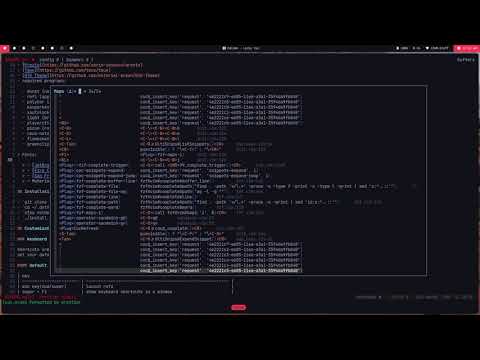
F1 | show keyboard shortcuts for current mode |
Git
| Mapping | functionality |
|---|---|
leader + gd | git diff split |
leader + gc | git commits |
leader + gb | git blame |
leader + gs | git status picker |
Custom commands
| Command | Functionality |
|---|---|
Format | format file with any available formatter |
OR | organize imports |
Files | open the file picker |
Rg | grep project files |
Buffers | list open buffers |
Commands | list editor commands |
BTags | search current buffer lines |
Commits | show git commits |
Customizations
This config is organized as a small Lua codebase rather than a single init file.
Core editor behavior lives under lua/config/, while plugin declarations and
plugin-specific setup live under lua/plugins/. That makes it easier to change
one part of the setup without digging through unrelated settings.
If you want to customize behavior, the most useful places to look are:
-
lua/config/options.luafor editor options -
lua/config/keymaps.luafor global mappings -
lua/config/autocmds.luafor editor automation -
lua/config/theme.luaandlua/config/statusline.luafor appearance -
lua/plugins/*.luafor plugin choices and plugin-specific behavior -
Disabling Plugins: remove or edit the relevant spec under
lua/plugins/and adjust any matching config underlua/config/ -
Managing LSP tools: use
:Mason,:MasonToolsInstall, and:MasonToolsUpdate -
Formatting: use
:Formatto format the current buffer with Conform -
Adding Bookmarks: to add bookmarks to the start page, find the Alpha start screen config in
lua/plugins/alpha.lua -
Reloading config: a full Neovim restart is still the most reliable way to apply changes across this Lua config, especially plugin spec edits
For deeper customization, read through the relevant Lua module and then check the upstream plugin documentation for any extra options you want to enable.
Demos
Project files with fuzzy finder

Project wide search

Git Status

workflow demo
Credits
All the Credit goes to the Neovim team for making most of the extensions possible and better (async), and to all the plugins developers, and the hackers who spend time Finding good shortcuts and tricks to make this an even more superb experience.