Intergalactic Recovery
January 12, 2023 · View on GitHub
Write-up author: jon-brandy
DESCRIPTION:
Miyuki's team stores all the evidence from important cases in a shared RAID 5 disk. Especially now that the case IMW-1337 is almost completed, evidences and clues are needed more than ever. Unfortunately for the team, an electromagnetic pulse caused by Draeger's EMP cannon has partially destroyed the disk. Can you help her and the rest of team recover the content of the failed disk?
HINT:
- NONE
STEPS:
- First, unzipt the
.zipfile given, then jump to the extracted directory.
INSIDE
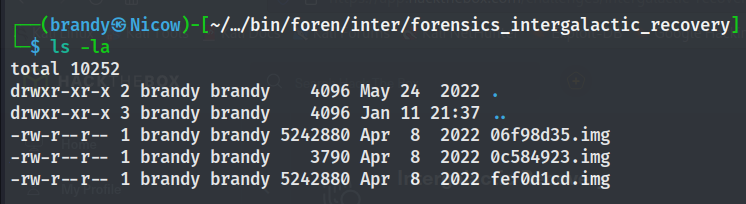

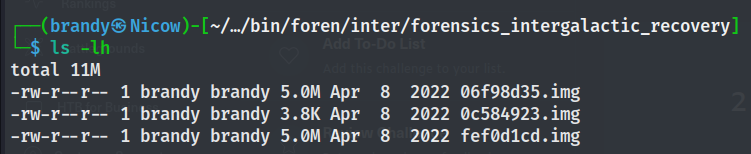
- When tried to see the disk size, we know that
0c584923.imgmight be corrupted because the size is so small. - Based on the description, this chall shall related to RAID 5.
- Well i won't explain about RAID 5, you can read the documentation about it here:
https://www.techtarget.com/searchstorage/definition/RAID-5-redundant-array-of-independent-disks
https://www.forensicfocus.com/articles/making-complex-issues-simple-a-unique-method-to-extract-evidence-from-raid-with-lost-configuration/
- First, we need to XOR the file with same sizes so we can get the recovered disk, to do this i use pwntools.
THE SCRIPT
from pwn import *
import os

os.system('clear')

disk1 = read('fef0d1cd.img')
disk2 = read('06f98d35.img')
disk3 = xor(disk1, disk2)

write('disk3.img', disk3) # save the recovered disk
- After run the script, strings the
disk3.imgto see if we can get any clue.
RESULT
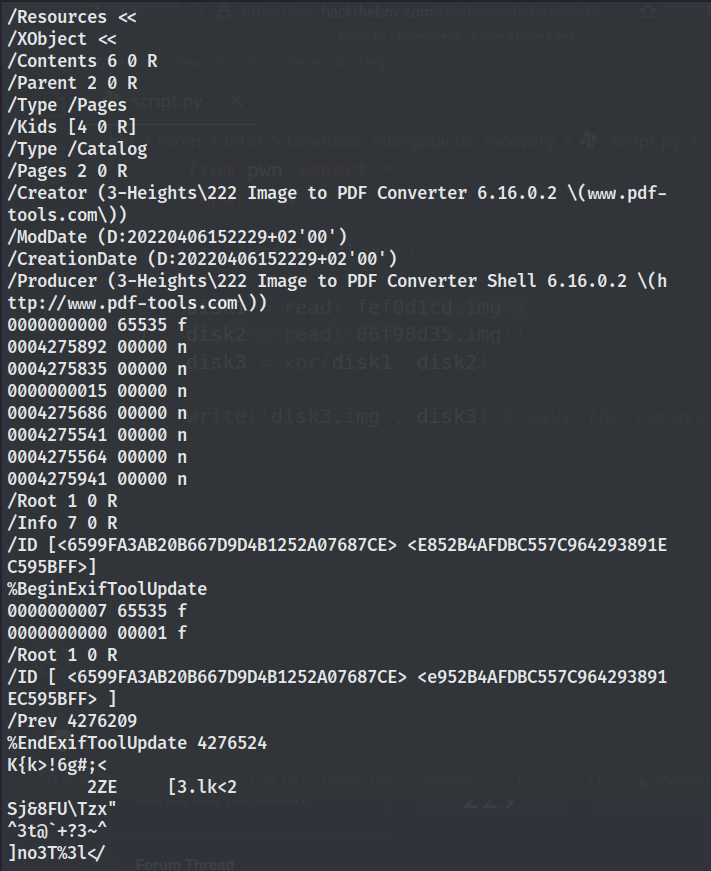
- Seems like there's a pdf file inside it, let's run foremost.
RESULT


- Yep it's obviously still corrupted, because we still need to reconfigure the raid 5.
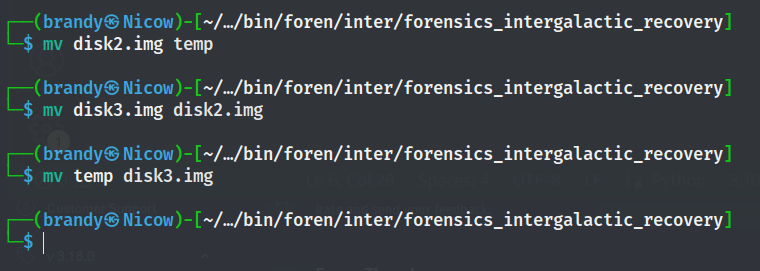
- Now before going any further, i already done it to the end and still can't open the pdf file. So i did a small outsource about this problem and found out that we need to switch the disk2 and disk3. What i intend to say is, we need to change the order of the disk. So the disk2 shall renamed to disk3, and disk3 shall renamed to disk2
- Now let's use losetup to setup and control loop devices.
sudo losetup /dev/loop1 disk1.img
sudo losetup /dev/loop2 disk2.img
sudo losetup /dev/loop3 disk3.img
- Next, let's use mdadm, it's used for manage MD devices aka Linux Software RAID
sudo mdadm --create --level=5 --raid-devices=3 /dev/md0 /dev/loop1 /dev/loop2 /dev/loop3

FOLLOW THIS STEP TO MOUNT THE DISK

sudo mount /dev/md0 /mnt/raid

- Check what we get inside.

- Let's copy that to our current directory, then open the pdf file.
RESULT

- Got the flg!
FLAG
HTB{f33ls_g00d_t0_b3_1nterg4l4ct1c_m0st_w4nt3d}