FindSurface Omniverse Demo
July 13, 2026 · View on GitHub
CurvSurf FindSurface™ demo application for NVIDIA Omniverse Kit.
FindSurface / FindSurface Omniverse Extension
This repository is organized as an NVIDIA Kit App Template project so Omniverse
developers can build, launch, and package the demo with the standard repo
tooling.
Overview
FindSurface Omniverse Demo shows a complete FindSurface workflow in Omniverse: importing point clouds, selecting seed points in a custom viewport, detecting analytic surfaces, capturing inliers, saving workspaces, and exporting detected geometry as USD.
The app is split into two local Kit extensions:
source/extensions/com.curvsurf.findsurface_omniverse: app-owned UI, import, picking, workspace, and export workflows.source/extensions/com.findsurface.bootstrap: reusable FindSurface SDK wrapper, detection core API, and USD schema resources.
NVIDIA Omniverse Kit binaries are not included in this repository. The Kit App Template tooling downloads the required Kit SDK components and registry extensions from NVIDIA's official distribution endpoints during build or thin package installation. Use of NVIDIA Omniverse Kit is governed by NVIDIA's applicable license terms.
See what it looks like in action in the video below.
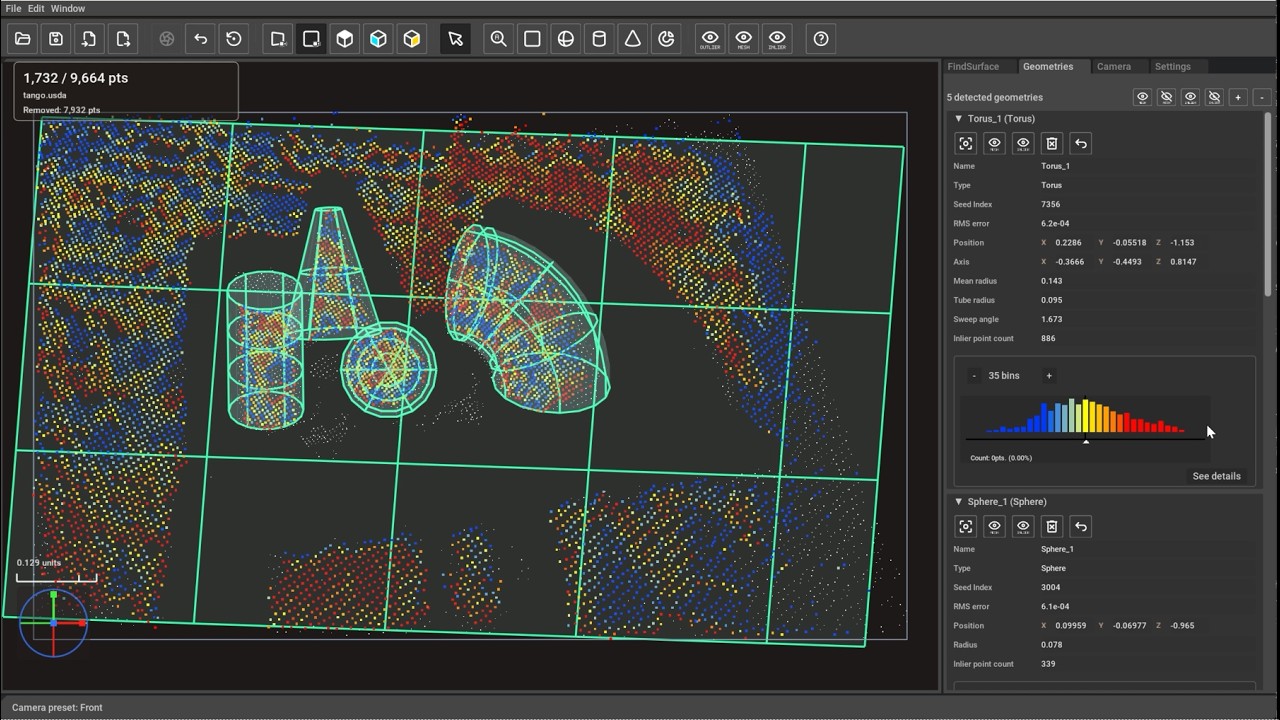
Click the thumbnail above or here to watch the video on YouTube.
From Source
Clone the repository, including submodules when the reusable FindSurface extension is managed as one:
git clone --recurse-submodules https://github.com/CurvSurf/FindSurface_Omniverse_Demo.git
cd FindSurface_Omniverse_Demo
Build and launch on Windows:
.\repo.bat build -c
.\repo.bat build
.\repo.bat launch
Build and launch on Linux:
sudo apt install build-essential cmake
./tools/build_picker.sh
./repo.sh build -c
./repo.sh build
./repo.sh launch
repo launch defaults to the release-facing demo app. Diagnostic .kit files
remain available for validation and troubleshooting; launch them explicitly
when needed, for example:
.\repo.bat launch findsurface.debug-validation.kit
The first build downloads Kit SDK components into _build/ and shared Packman
or Omniverse caches. A compatible NVIDIA GPU driver is still required to run the
app.
The repo.bat and repo.sh entrypoints force Python UTF-8 mode before NVIDIA
repo tooling starts. This keeps dependency bootstrap independent of the host
locale on Windows machines that use non-UTF-8 ANSI code pages.
Thin Release Package
The thin release zip does not include NVIDIA Omniverse Kit binaries. After receiving the zip file, extract it, open the extracted folder in a terminal, download Kit with the bundled installer script, then launch the demo.
Windows users run:
.\pull_kit_sdk.bat
.\com.curvsurf.findsurface_omniverse_demo.kit.bat
Linux users run:
./pull_kit_sdk.sh
./com.curvsurf.findsurface_omniverse_demo.kit.sh
The first pull_kit_sdk run downloads the required Kit runtime from NVIDIA's
distribution endpoints. A compatible NVIDIA GPU driver is still required to run
the demo. When the zip is built from WSL, it is a Linux package; use a Windows
built zip when you need Windows launch scripts and Windows Kit binaries.
Preset sample files are packaged under
exts/com.curvsurf.findsurface_omniverse/data/presets/. If no recent file
location has been saved yet, the app opens Import at the point-cloud presets
folder and Load at the workspace presets folder.
Native FindSurface SDK
The native FindSurface SDK binaries are distributed separately from this source
repository. On startup, the demo tries to download the required FindSurface.dll
or libFindSurface.so from the configured release endpoint. If the download
fails or the file is missing, the app opens with detection disabled and shows a
setup dialog.
See NATIVE_SDK.md for automatic download settings and the manual install paths for development checkouts and thin packages.
Repository Layout
source/apps/          Kit application files.
source/extensions/    Local FindSurface Kit extensions.
                      Preset sample files live in the app extension data folder.
source/native/        App-owned native point-picking helper source.
tools/                Kit App Template tooling plus project launch, validation,
                      and packaging scripts.
tests/                Python unit tests for import, detection, picking, and
                      export behavior.
images/               Manual screenshots and copied toolbar icons.
See MANUAL.md for the UI guide and usage workflow.
Validation
Run focused Python tests from the repository root:
python -m unittest discover tests
Licensing Notes
The native FindSurface SDK is owned by CurvSurf, Inc. NVIDIA Omniverse Kit and NVIDIA registry extensions are downloaded from NVIDIA distribution endpoints and are governed by NVIDIA's applicable terms. See THIRD_PARTY_NOTICES.md for third-party notices.