copilotkit-claude-bridge
February 17, 2026 · View on GitHub
Build your own GUI for Claude Code.
Claude Code is powerful — but the terminal isn't for everyone, and the opinionated GUIs popping up don't let you build the experience you want. This library gives you the escape hatch: connect Claude Code's full capabilities to any React UI through CopilotKit, and design the interface yourself.
Tool approval dialogs, model switching, permission modes, MCP servers, multi-session management — it's all exposed. You decide how it looks and works.
Demo
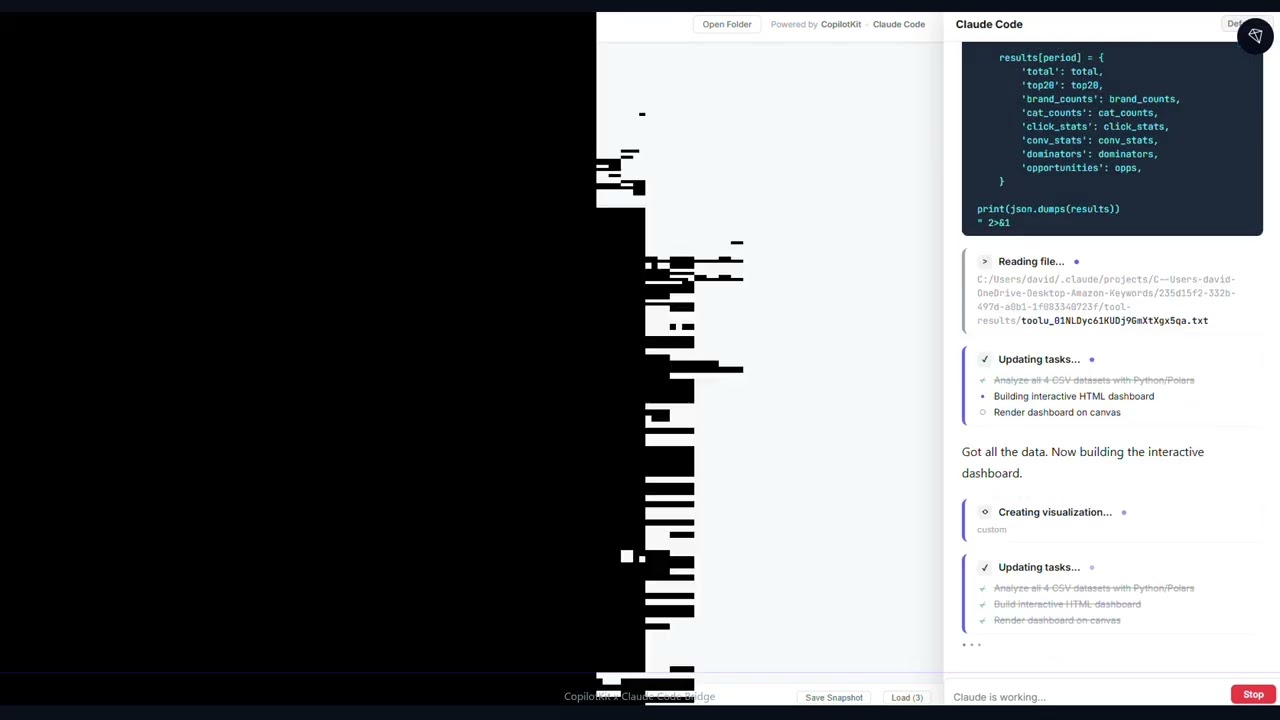
The included demo app (File Analysis Studio) shows what's possible — a three-panel workspace where Claude spawns interactive visualizations, manages files, and collaborates through inline UI components:
How It Works
The bridge spawns Claude Code CLI in SDK mode, translates its streaming NDJSON protocol into AG-UI events, and serves an HTTP endpoint that CopilotKit connects to.
Your React UI (CopilotKit)
        │
        │  AG-UI protocol over HTTP
        ▼
┌─────────────────┐
│  Bridge Server   │  ← translates between AG-UI and Claude's NDJSON
└────────┬────────┘
         │  WebSocket
         ▼
   Claude Code CLI
   (full SDK mode)
Everything Claude Code can do in the terminal — file editing, bash commands, MCP tools, slash commands, skills, agents — is available through the bridge. Your UI just needs to talk to CopilotKit.
What You Get
- Full Claude Code power — every tool, every capability, nothing stripped out
- Tool approval in your UI — approve, deny, or modify tool calls before they execute
- Model switching — swap between Sonnet, Opus, and Haiku at runtime
- Permission modes — default, plan, acceptEdits, bypassPermissions, dontAsk
- Multi-session — run multiple Claude instances against different project directories
- MCP server management — connect, disconnect, and configure MCP servers
- Session capabilities — tools, slash commands, skills, agents, cost tracking, and more
- Embeddable — use standalone or plug into Express, Hono, or any Node.js HTTP server
Quick Start
1. Install
npm install copilotkit-claude-bridge
Prerequisites: Node.js >= 18 and Claude Code CLI installed and authenticated.
2. Server
import { CopilotKitClaudeBridge } from "copilotkit-claude-bridge";

const bridge = new CopilotKitClaudeBridge({ httpPort: 3000 });
await bridge.start();
await bridge.spawnSession("./my-project");

console.log("CopilotKit runtime → http://localhost:3000");
3. Frontend
import { CopilotKit } from "@copilotkit/react-core";
import { CopilotChat } from "@copilotkit/react-ui";
import "@copilotkit/react-ui/styles.css";

function App() {
  return (
    <CopilotKit runtimeUrl="http://localhost:3000" agent="default">
      {/* Use CopilotChat, CopilotSidebar, CopilotPopup — or build your own */}
      <CopilotChat />
    </CopilotKit>
  );
}
That's it. CopilotKit auto-discovers the agent and routes messages through the bridge. From here, you can build whatever UI you want — the bridge handles the protocol translation.
API Reference
CopilotKitClaudeBridge
Main class. Extends EventEmitter.
const bridge = new CopilotKitClaudeBridge(config?: BridgeConfig);
Config options:
| Option | Default | Description |
|---|---|---|
httpPort | 0 (random) | HTTP server port |
wsPort | 0 (random) | WebSocket server port |
host | "127.0.0.1" | Host to bind to |
agentId | "default" | Agent ID for AG-UI discovery |
agentDescription | "Claude Code AI agent" | Agent description |
claudeCliPath | "claude" | Path to Claude CLI binary |
corsOrigins | ["*"] | CORS origins for HTTP server |
controlRequestTimeout | 30000 | Timeout for control requests (ms) |
autoInitialize | false | Auto-initialize on CLI connect |
systemPrompt | "" | System prompt for initialize |
appendSystemPrompt | "" | Appended system prompt |
Session Management
// Lifecycle
await bridge.start();                              // Start servers → { wsPort, httpPort }
await bridge.stop();                               // Stop everything

// Sessions
const id = await bridge.spawnSession("./project"); // Spawn Claude CLI, returns session ID
await bridge.killSession(id);                      // Kill a session
bridge.setActiveSession(id);                       // Route AG-UI requests to this session
bridge.activeSessionId;                            // Current active session (getter)
bridge.sendMessage(id, "hello");                   // Send a user message
Tool Approval
When Claude wants to use a tool (run a command, edit a file), your UI receives a tool_approval_request custom event. Respond with:
bridge.approveToolSimple(sessionId, requestId, originalInput); // Approve as-is
bridge.approveTool(sessionId, requestId, {                     // Approve with modifications
  allow: true,
  updatedInput: modifiedInput,                                 // Required when allowing
});
bridge.denyTool(sessionId, requestId, "reason");               // Deny
Control Requests
bridge.sendInitialize(id, options);          // Initialize session (hooks, MCP, system prompt)
bridge.interrupt(id);                        // Abort current turn
bridge.setModel(id, "claude-opus-4-6");      // Switch model
bridge.setPermissionMode(id, "plan");        // Change permission mode
bridge.setMaxThinkingTokens(id, 10000);      // Set thinking budget
bridge.rewindFiles(id, messageId);           // Undo file changes to a checkpoint
MCP Management
bridge.getMcpStatus(id);                     // Status of all MCP servers
bridge.mcpReconnect(id, "server-name");      // Reconnect a server
bridge.mcpToggle(id, "server-name", false);  // Enable/disable
bridge.mcpSetServers(id, serverConfigs);     // Configure servers
bridge.mcpMessage(id, "server-name", msg);   // Send JSON-RPC message
Session Info
bridge.getCapabilities(id);  // Tools, model, commands, skills, agents, MCP
bridge.getInitData(id);      // Available models, account info
bridge.getSessionIds();      // All session IDs
bridge.getSessionInfo(id);   // Full session info
bridge.getRequestHandler();  // (req, res) => void for Express embedding
Events
| Event | Payload | Description |
|---|---|---|
session:status | (sessionId, status) | Status changed (starting, connected, active, idle, etc.) |
session:message | (sessionId, message) | Raw Claude message received |
session:capabilities | (sessionId, capabilities) | Capabilities available |
ports | (wsPort, httpPort) | Servers started |
Multi-Session
const bridge = new CopilotKitClaudeBridge({ httpPort: 3000 });
await bridge.start();

const frontend = await bridge.spawnSession("/path/to/frontend");
const backend  = await bridge.spawnSession("/path/to/backend");

bridge.setActiveSession(frontend); // Route chat to frontend session
bridge.setActiveSession(backend);  // Switch to backend session

await bridge.killSession(frontend); // Next available auto-activates
Embedding in Express
import express from "express";
import { CopilotKitClaudeBridge } from "copilotkit-claude-bridge";

const app = express();
const bridge = new CopilotKitClaudeBridge({ wsPort: 3001 });

await bridge.start();
await bridge.spawnSession(process.cwd());

app.use(bridge.getRequestHandler());
app.listen(3000);
Protocol Translation
The bridge translates Claude Code's streaming NDJSON into AG-UI events that CopilotKit understands:
| Claude NDJSON | AG-UI Event(s) |
|---|---|
system/init | STATE_SNAPSHOT (capabilities, tools, model, MCP) |
stream_event (text) | TEXT_MESSAGE_START / CONTENT / END |
stream_event (tool_use) | TOOL_CALL_START / ARGS / END |
control_request (can_use_tool) | CUSTOM (tool_approval_request) |
result | CUSTOM (result_stats) + RUN_FINISHED |
system/status | CUSTOM (system_status) |
tool_progress | CUSTOM (tool_progress) |
tool_use_summary | CUSTOM (tool_use_summary) |
On agent/connect, the bridge sends a STATE_SNAPSHOT with the full session state:
{
  "agentId": "default",
  "status": "connected",
  "model": "claude-sonnet-4-5-20250929",
  "permissionMode": "default",
  "tools": ["Task", "Bash", "Glob", "Grep", "Read", "Edit", "Write", "..."],
  "cwd": "/path/to/project",
  "slashCommands": ["bug", "commit", "compact", "..."],
  "skills": ["pdf", "commit", "..."],
  "mcpServers": [{ "name": "my-server", "status": "connected" }],
  "totalCostUsd": 0,
  "numTurns": 0
}
Demo App — File Analysis Studio
A full-featured demo is included in test-app/ — a three-panel workspace where Claude Code spawns interactive visualizations, manages files, and collaborates through rich inline UI.
Features
Workspace layout:
- Resizable three-panel design: file tree, dynamic canvas, and chat sidebar
- File tree browser for navigating the workspace directory
- Canvas with save/load/delete snapshots for persisting visualizations
10 visualization types Claude can spawn on the canvas:
- Data tables (read-only and editable)
- Line, bar, and pie charts
- JSON viewer, key-value grids, progress dashboards
- Tabbed containers for grouped analysis
- Custom HTML/CSS/JS in sandboxed iframes
5 interactive UI components rendered inline in chat:
- Confirmation dialogs, multi-choice selectors, input forms
- Draft review/edit interfaces, multi-step progress trackers
Rich tool rendering — Bash commands, file edits, writes, reads, glob/grep results, and todo lists all render as styled cards instead of raw JSON.
Export — Save any canvas visualization as PNG or HTML.
Running the demo
# 1. Build the library
npm install && npm run build

# 2. Install demo dependencies
cd test-app && npm install

# 3. Start the bridge server (terminal 1)
npx tsx src/server.ts

# 4. Start the frontend (terminal 2)
npx vite
Open http://localhost:5173, enter a project folder path, and start chatting.
Management API (port 3002)
| Method | Endpoint | Description |
|---|---|---|
GET | /api/sessions | List all sessions |
POST | /api/sessions | Create session ({ "workingDir": "/path" }) |
PUT | /api/sessions/:id/activate | Switch active session |
PUT | /api/sessions/:id/model | Change model |
POST | /api/sessions/:id/permission-mode | Change permission mode |
POST | /api/sessions/:id/interrupt | Interrupt current operation |
POST | /api/sessions/:id/initialize | Send initialize |
GET | /api/sessions/:id/capabilities | Get capabilities |
GET | /api/sessions/:id/mcp | Get MCP status |
DELETE | /api/sessions/:id | Kill session |
GET | /api/files | List directory contents |
GET | /api/events | SSE stream for tool approval requests |
Troubleshooting
| Problem | Solution |
|---|---|
| "Claude CLI not found" | Ensure claude is in your PATH, or set claudeCliPath |
| "No active Claude session" | CLI hasn't connected yet — wait a few seconds, check for Session <id>: connected in logs |
| No response from agent | Check server logs for Single transport: method="agent/run" |
| CORS errors | Default is corsOrigins: ["*"] — ensure your frontend origin is included if changed |
| Session stuck on "starting" | Check terminal for [bridge][stderr:...] — CLI may have failed to start |
| Control request timed out | Increase controlRequestTimeout (default 30s) |
Development
npm install
npm run build     # ESM + CJS + types (tsup)
npm test          # Vitest
npm run typecheck # Type check
License
MIT