dedukti-editor [](https://travis-ci.com/lachhebo/dedukti-editor) [](https://david-dm.org/lachhebo/dedukti-editor)
July 23, 2018 · View on GitHub
Screenshots
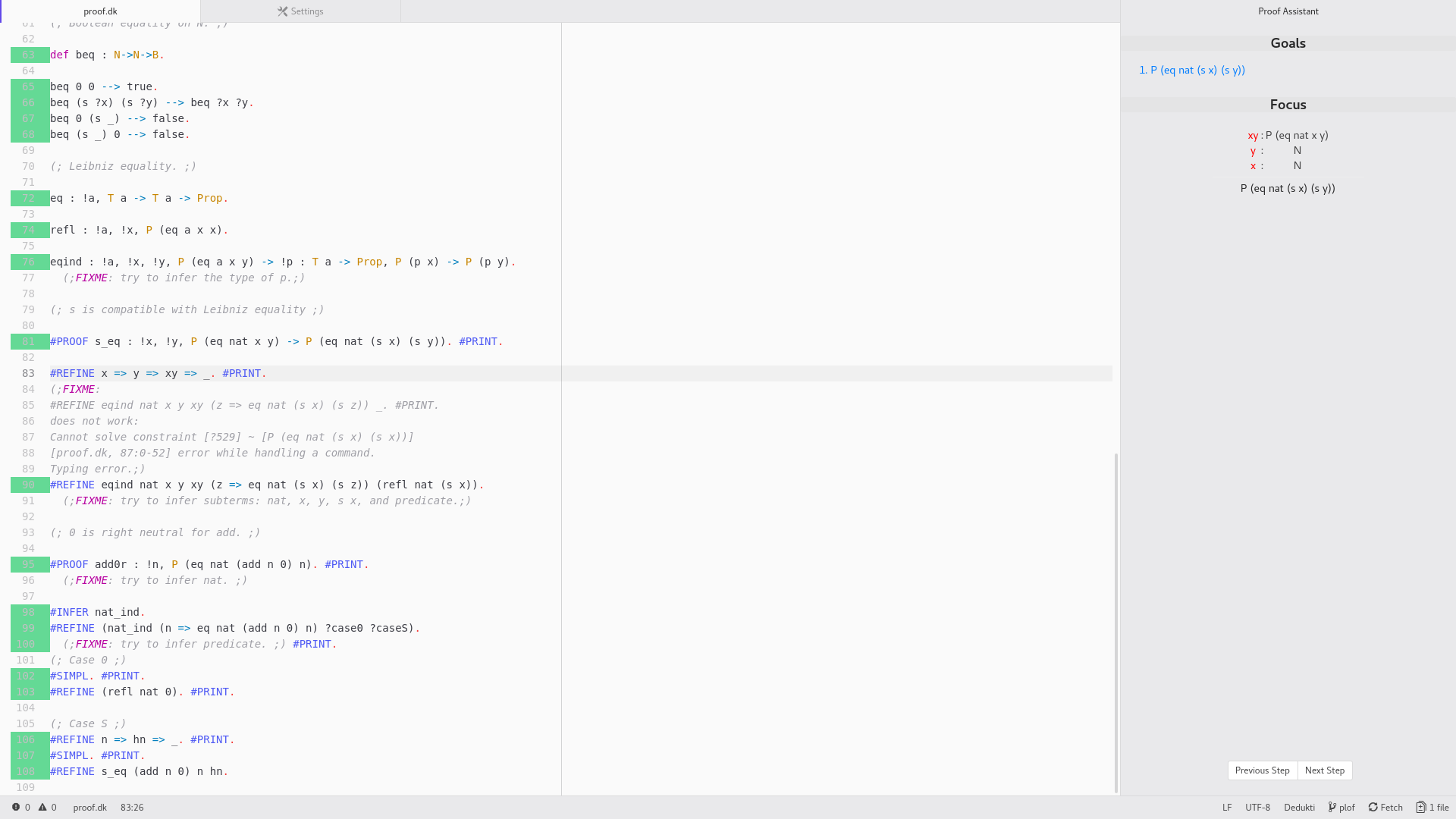
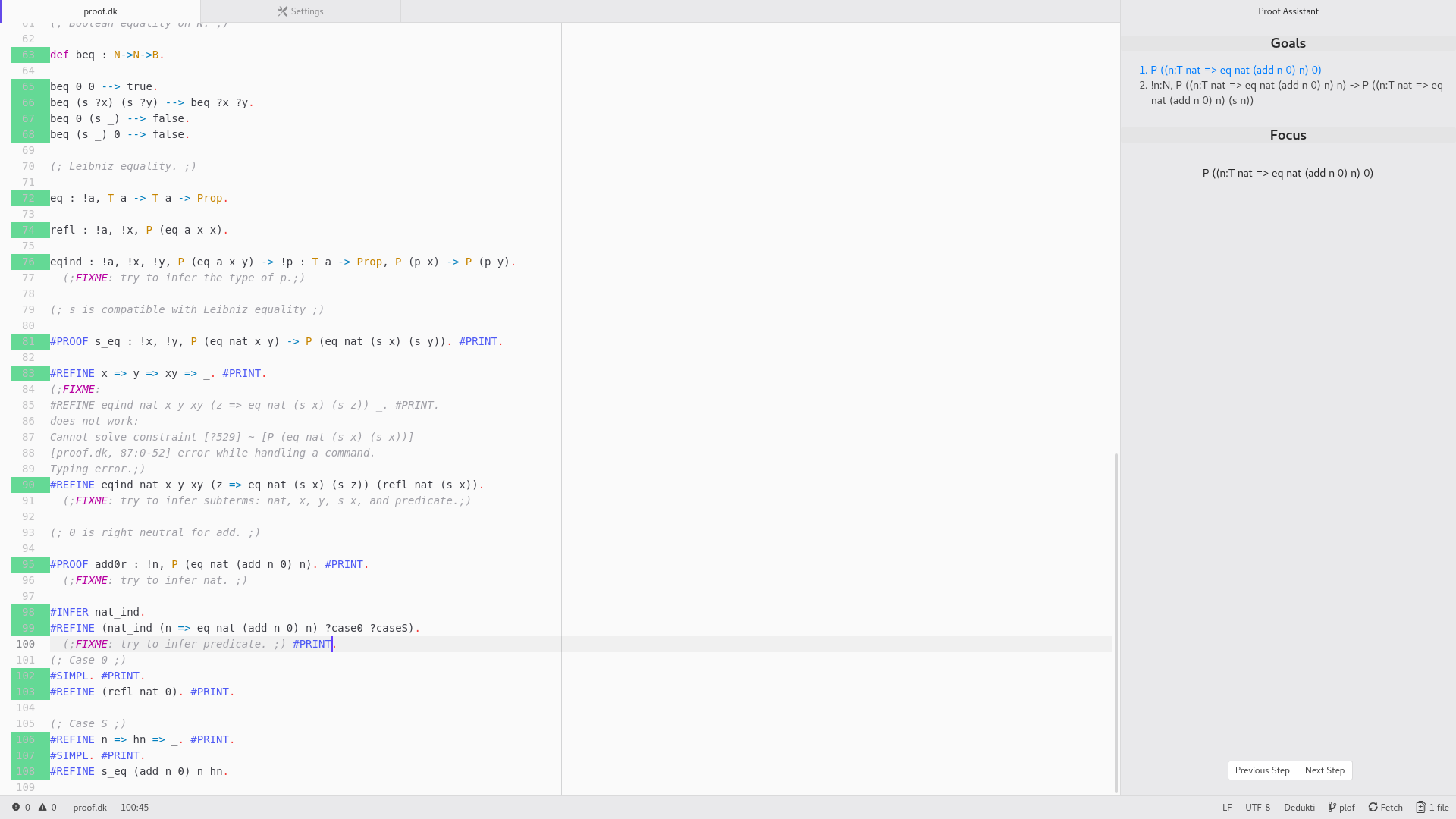
Installation
You need atom-ide-ui, to install it, run :
$ apm install atom-ide-ui
Installing the Dedukti Language Server:
dedukti-editor needs a language server for Dedukti. The easiest method is to use the OPAM package manager:
$ opam switch 4.06.1
$ eval `opam config env`
$ opam repository add deducteam https://scm.gforge.inria.fr/anonscm/git/opam-deducteam/opam-deducteam.git
$ opam install ocamlfind ocamlbuild bindlib earley earley-ocaml
$ opam install lambdapi-lsp
In case the installation doesn't work, don't forget to update your packages :
$ opam update
$ opam upgrade
Utilisation
Features
- Check proofs
- Display errors message and where errors spring from
- List the unresolved goals depending on the cursor position
- List the hypothesis linked to the current goal
- Buttons and key bindings to navigate within a proof
- Basic synthax for dk file
- Style manager
- Unicode caracters manager
- Incremental updates
- Update Manually
Keybindings :
| Key | Action |
|---|---|
| alt-down | Next step |
| alt-up | Last step |
Development instructions
If you want to contribute to development of the mode you can clone this repository from GitHub:
$ git clone https://github.com/lachhebo/dedukti-editor.git
$ cd dedukti-editor
$ apm install
$ apm link
Note that apm install will place the package in
~/.atom/packages/dedukti-editor/
Debug :
To debug, open a developper console (Ctrl+Shift+I).
If you want to inspect the communication between Atom and the language server, execute the following piece of code in the Console.
atom.config.set('core.debugLSP', true)
Reload the window and you should see every messages.