Squad Mortar Overlay
January 29, 2025 · View on GitHub

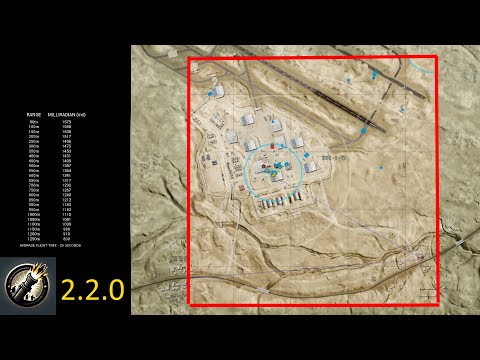
Features
How to make it run?
- Go to https://github.com/Devil4ngle/SquadMortarOverlay/releases.
- Download
squadMortarOverlay.exe. - Run
squadMortarOverlay.exe.
Unsupported Screen Size
If your screen size is not supported, please join Discord so I will add it: Squadmortar Overlay Discord.
Will this program get you banned?
No, this program won't get you banned. Here's why it's completely safe:
The program is just a transparent window that sits on top of your screen, similar to having a calculator window open. It never interacts with Squad in any way - it doesn't inject code, read memory, or send inputs/keystrokes to the game.
Looking at the code:
-
It only takes screenshots of what's already on your screen using pyautogui.screenshot() in image_layering.py (look here) - no different than using Windows' built-in screenshot tools like PrintScreen or Snipping Tool
-
Creates a transparent overlay window using standard Windows functionality (tkinter)
This program simply displays the same information that SquadCalc provides in a different format. According to the definition of cheating - "using a third party tool to gain an unfair advantage" - SquadCalc is technically cheating since it provides advantages through automated calculations. However, all players don't view it as such and it's widely accepted as a legitimate tool, and that's why this program is completely fine too.
Credits
This project uses SquadCalc, created by @sh4rkman.
The source code can be found at SquadCalc GitHub.
Special thanks to @sh4rkman for not only creating the original SquadCalc but also for the help with SquadCalc throughout the development of this project.
Note
- The frontend site of the project can be found on SquadCalc->smcConnector.js.
- Brave browser doesn't work with the Overlay
Buy Me a Coffee :coffee: