Tutorial for Vscode & Docker
May 26, 2024 · View on GitHub
This tutorial can help you learn how to use docker in VScode.
Pre-requirments
- Download & install VScode
- Download & install Docker
- Download & install Nvida_Container_Toolkit
Usage
Install extentions in VScode
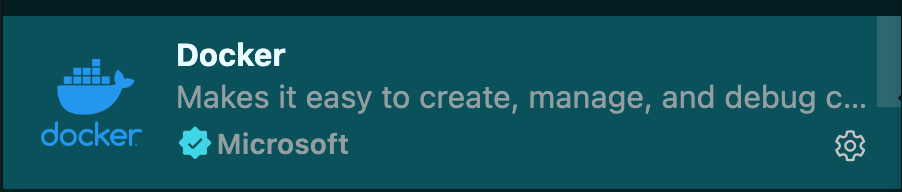
- Docker, Dev Container.

Create & overwrite Dev Configuration Files
- Add the dev configuration files shown as follows:
- Click the left bottom of the VScode and select
Add Dev Container Configuration Files.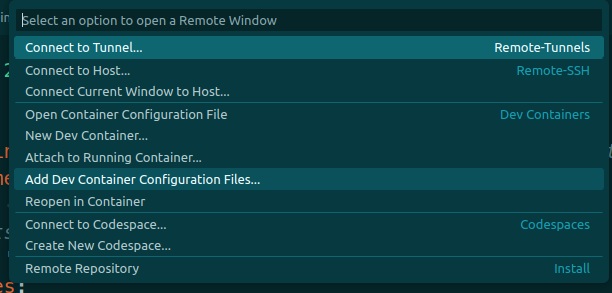
- Select
Docker Outside of Docker Compose.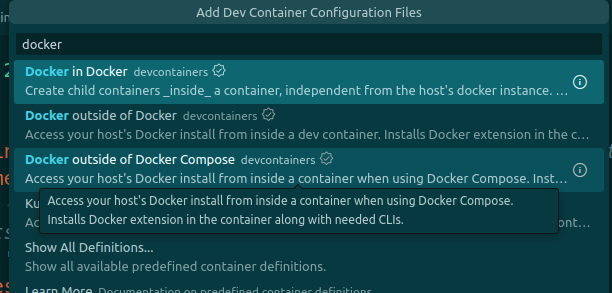
- Then click
okuntil the.devcontainerfolder was created. You can find there are 3 files in this folder. Based on your requirements, please overwrite these three files. Generally, usingdevcontainer.jsonanddockercompose.yamlcan meet the requirements of the Deep Learning. We give a basic example shown as follows:
This is the devcontainer.json:
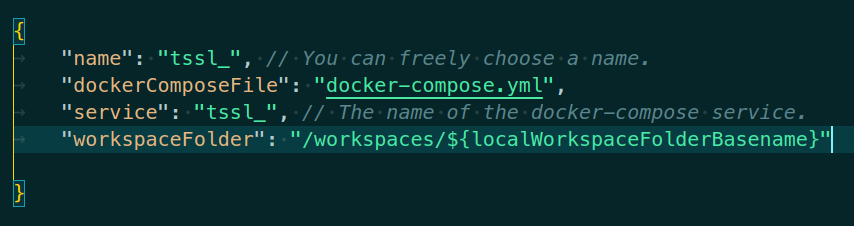 This is the
 docker-compose.yaml:
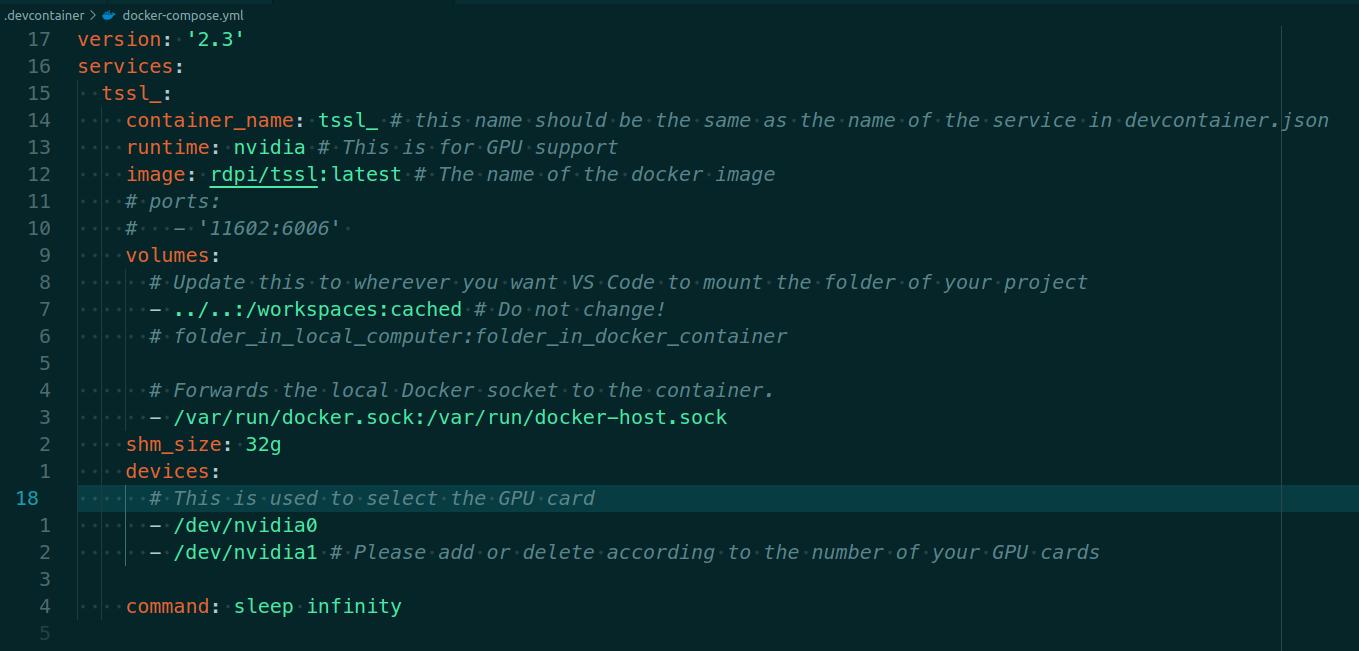
Create & Open the container
After overwriting the files in .devcontainer, lets open the container.
- Click the left bottom of the VScode, and select
Reopen in Containershown as follows:
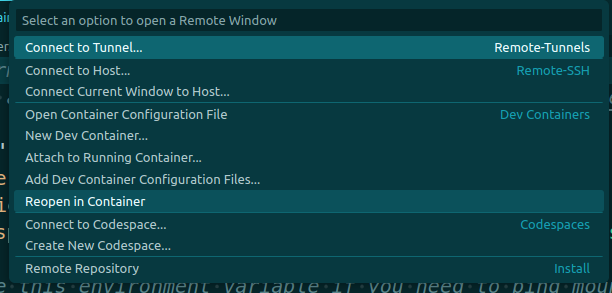
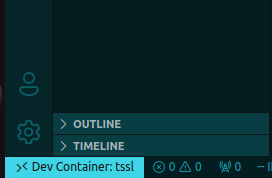
Then a new window is created. Please watch the left bottom of VScode, the DevConiner will display.
Now, lets enjoy the Docker journey!😊
Note:You can find an example for .devcontainer in this link .devcontainer.
If you find our work useful in your research, please consider giving a star😊!