Neural Amp guitar plugin
July 25, 2026 · View on GitHub
Guitar plugin made with JUCE, using black-box modelling with neural networks to reproduce the pre-amp section of my old Akai 4000DB reel-to-reel tape machine.
Machine learning is used to train a model of the left (or mono) channel gain knob, using conditioned parameters for an accurate representation of the amplified tone in different configurations.

The training was made using the GuitarML Automated Amp Modelling submodule with a multi-parameterization model. This repository is an implementation of the paper "Real-Time Guitar Amplifier Emulation with Deep Learning". Real-time processing within the plugin was achieved using RTNeural, which is an inference engine highly optimized for audio applications.
Taking inspiration from Neural DSP products, the goal of the project is to develop a basic machine learning plugin in a similar fashion, to model a highly non-linear amplification circuit.
The model was trained at 44.1 kHz. At higher host sample rates, the plugin uses RTNeural's linearly interpolated recurrent sample-rate correction so the LSTM's time behavior remains tied to the training rate. The 44.1 kHz path uses an exact 1-sample recurrent delay. RTNeural does not support recurrent correction below the training rate, so lower host rates use the 44.1 kHz recurrence behavior.
A free VST3 plugin is available for trial in releases.
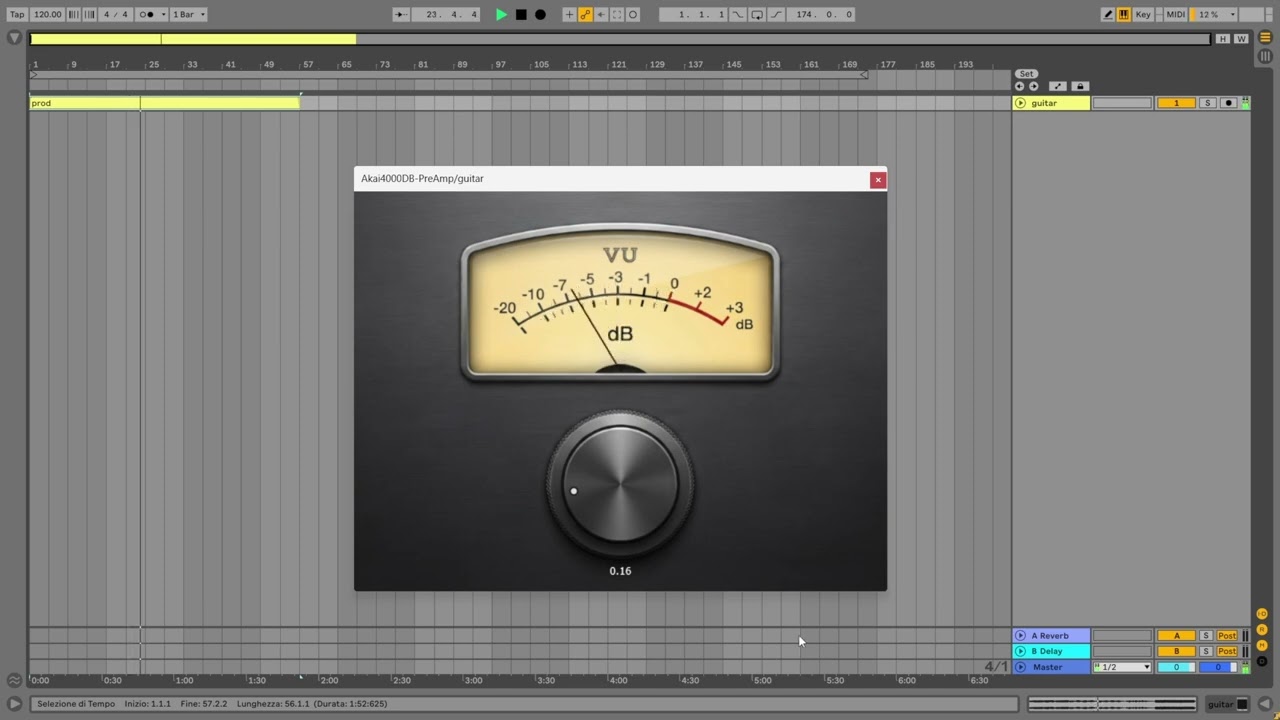
Step-to-step development
For the training data, a 3-minute long audio of my clean guitar was recorded. The audio was passed through the device at five steps for the full range of the gain knob (0.0, 0.25, 0.50, 0.75, 1.0), resulting in five different output samples of 3 minutes each. It is important to rename every file with the correct parameter configuration in hundredths at the end (e.g. 0.0 -> audio-000.wav, 0.25 -> audio-025.wav, etc.). Open the Models/Parameterization-Config.json to have a better understanding of the correct filenames. The training model is an LSTM layer followed by a dense layer.
Note: the training data needs to be in mono / WAV file format (FP32 WAV for best results).
Pre-processing
Prerequisites:
- Python==3.8.7
Cloning the repository:
git clone https://github.com/EnrcDamn/4000DB-NeuralAmp.git
cd ./4000DB-NeuralAmp
git submodule update --init --recursive
Move the audio files into a new Data/ folder. Run this command to create the folder:
mkdir Data/
Install the dependencies and process the data to split it into train and test sets:
pip install -r requirements.txt
python data_preprocessing.py
At this point, navigate to the Automated-GuitarAmpModelling submodule and move the processed file (you can find them in the Data/processed/ directory) into a folder named Recordings/:
cd Automated-GuitarAmpModelling
mkdir Recordings/
Training
To train the model, you need to replace the configs in the ./Automated-GuitarAmpModelling/Configs with our custom parameterization json file:
cd ../Models
cp Parameterization-Config.json ../Automated-GuitarAmpModelling/Configs
At this point, it is recommended to install the ./Automated-GuitarAmpModelling/requirements.txt dependencies in a new virtual environment (mine is working fine with Python 3.8.7):
cd ../Automated-GuitarAmpModelling/
pip install -r requirements.txt
Preparing the data and creating the training instructions:
python prep_wav.py "4000DB-Parameterized" -p "./Configs/Parameterization-Config.json"
If latency was introduced during recording, you can specify the offset in samples of the target audio as an argument, such as -ls 256 to shift it accordingly.
Training the model:
python dist_model_recnet.py -l RNN3-4000DB-Parameterized -eps 250 --seed 39 -is 2
The LSTM layer needs to be configured with a hidden size of 20 (./Automated-GuitarAmpModelling/Configs/RNN3-4000DB-Parameterized.json). The training instructions must then be modified to included the extra inputs to the model as -is <parameters + audio channels>. That is, the number of inputs to the model must be the number of parameters plus the number of audio channels. In our case:
- prepared input WAVs are 2-channel: guitar input + one normalized parameter. So
-is 2is correct. - targets are mono, matching the default
-os 1.
Build plugin
The plugin is being built through a simple CMake file, also provided by RTNeural.
First, we need to add JUCE to the workspace. The easiest way is to add it as a submodule:
git submodule add https://github.com/juce-framework/JUCE.git JUCE
git submodule update --init --recursive
Important note: depending on the system you want to build for, you'll also need to set the VST3 format accordingly on the ./CMakeLists.txt file. I am on Windows so I will use set(FORMATS VST3 Standalone), but for example if you want to compile for macOS, use set(FORMATS AU VST3) instead.
The trained models appearing in .\Automated-GuitarAmpModelling\Results should be moved in the .\Models folder. By default, Models\CMakeLists.txt is using the model_best.json version (with the lowest val loss).
cmake -B cmake-build
cmake --build cmake-build --config Release