ThinkPad-T495-Hackintosh
April 11, 2025 · View on GitHub
Hackintosh for ThinkPad T495.


Prerequisites
| My Hardware | |
|---|---|
| Laptop Model | ThinkPad T495 |
| CPU | AMD Ryzen 5 3500U 4c8t |
| Graphics | Integrated AMD Radeon Vega 8(set to 2GB) |
| Wi-Fi Card | AX200 |
| SSD | SN580 512GB |
| Audio | Conexant CX8070 |
| macOS | 12.0-14.7 |
| Feature | Status |
|---|---|
| Keyboard | Working |
| Trackpad | Working |
| USB Ports | Working |
| GPU Acceleration | Working |
| Wi-Fi | Working |
| Bluetooth | Working |
| Audio | Partially Working(see below) |
| AirPlay | Working |
| Sidecar | Not Working |
| HDMI | Untested |
| Type-C Display | Untested |
| Fingerprint | Won't Work at All |
| AirDrop | Won't Work at All |
| iPhone Mirroring | Won't Work at All |
| DRM-related stuff | Won't Work at All |
Installation Steps
- Clone or download this repository.
- Place the
EFIfolder into your bootable USB drive for macOS installation. - Boot from the USB drive and install macOS as per standard procedures.
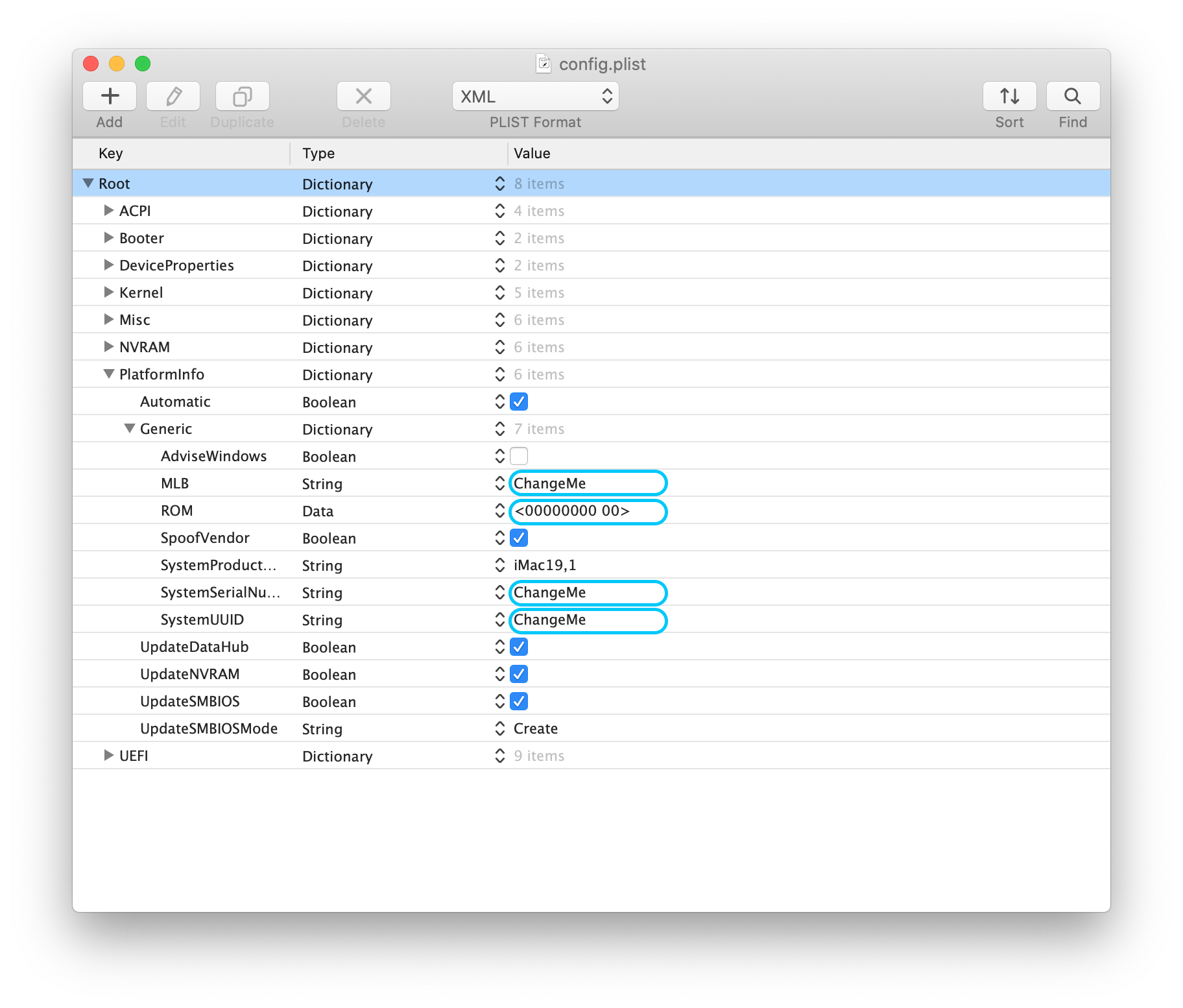
Important! Important! Important!
YOU MUST modify SN/UUID/MLB/ROM values in config.plist file. ROM value is the MAC address of your motherboard built-in network card, check it on BIOS settings.(I don't have network card so no need for me.))
BIOS Settings
- Disable: TPM, Secure Boot, Memory Protection
- Enable: UEFI Only, AMD Virtualization, Hyper Thread
Further Improvements
1. Audio support from AppleALC2. Power Management-
- Readme in Chinese