Gorgeous GRUB Installer
January 14, 2026 · View on GitHub




Beautiful interactive GRUB theme installer
Arrow navigation • Search • Animations • 45+ themes
Features
- Interactive UI — arrow key navigation, real-time search
- 45+ themes — from gaming to minimalist
- Quick install — one command from GitHub
- Smart search — by name or description
- Management — install, apply, remove themes
- Resolution settings — easily change GRUB resolution
Demo
╭───────────────────────────────────────────────────╮
│           Gorgeous GRUB Installer                 │
│                                                   │
│       Beautiful themes for your bootloader        │
╰───────────────────────────────────────────────────╯

Current theme: grubphemous
Installed themes: 4

▸ Install new theme
  Apply installed theme
  Remove theme
  Set resolution
  Exit
Installation
Requirements
- Linux with GRUB/GRUB2
git,sudogum(optional, for beautiful UI)
Install gum
# Arch Linux
paru -S gum

# Ubuntu/Debian
sudo mkdir -p /etc/apt/keyrings
curl -fsSL https://repo.charm.sh/apt/gpg.key | sudo gpg --dearmor -o /etc/apt/keyrings/charm.gpg
echo "deb [signed-by=/etc/apt/keyrings/charm.gpg] https://repo.charm.sh/apt/ * *" | sudo tee /etc/apt/sources.list.d/charm.list
sudo apt update && sudo apt install gum

# Fedora
sudo dnf install gum
Quick start (one command)
curl -sL https://raw.githubusercontent.com/FLEXIY0/gorgeous-grub-installer/master/gorgeous-grub.sh | bash
Full installation
git clone https://github.com/FLEXIY0/gorgeous-grub-installer.git
cd gorgeous-grub-installer
./gorgeous-grub.sh
Usage
Interactive mode
./gorgeous-grub.sh
Use ↑↓ to navigate, Enter to select.
Command line
# List all themes
./gorgeous-grub.sh --list

# Search theme
./gorgeous-grub.sh --search doom

# Install theme
./gorgeous-grub.sh --install "Grubphemous"
Theme Categories
| Category | Examples |
|---|---|
| Gaming | Minegrub, DOOM, Dark Souls, Hollow Knight, Celeste |
| Cyberpunk | Cyberpunk 2077, CRT-Amber, Matrix, Virtuaverse |
| Anime | YoRHa, Persona 5, Genshin Impact |
| Minimal | Catppuccin, Sleek, HyperFluent, Elegant |
| Sci-Fi | Space Isolation, SteamOS, Descent |
Preview
| Grubphemous | Minegrub |
|---|---|
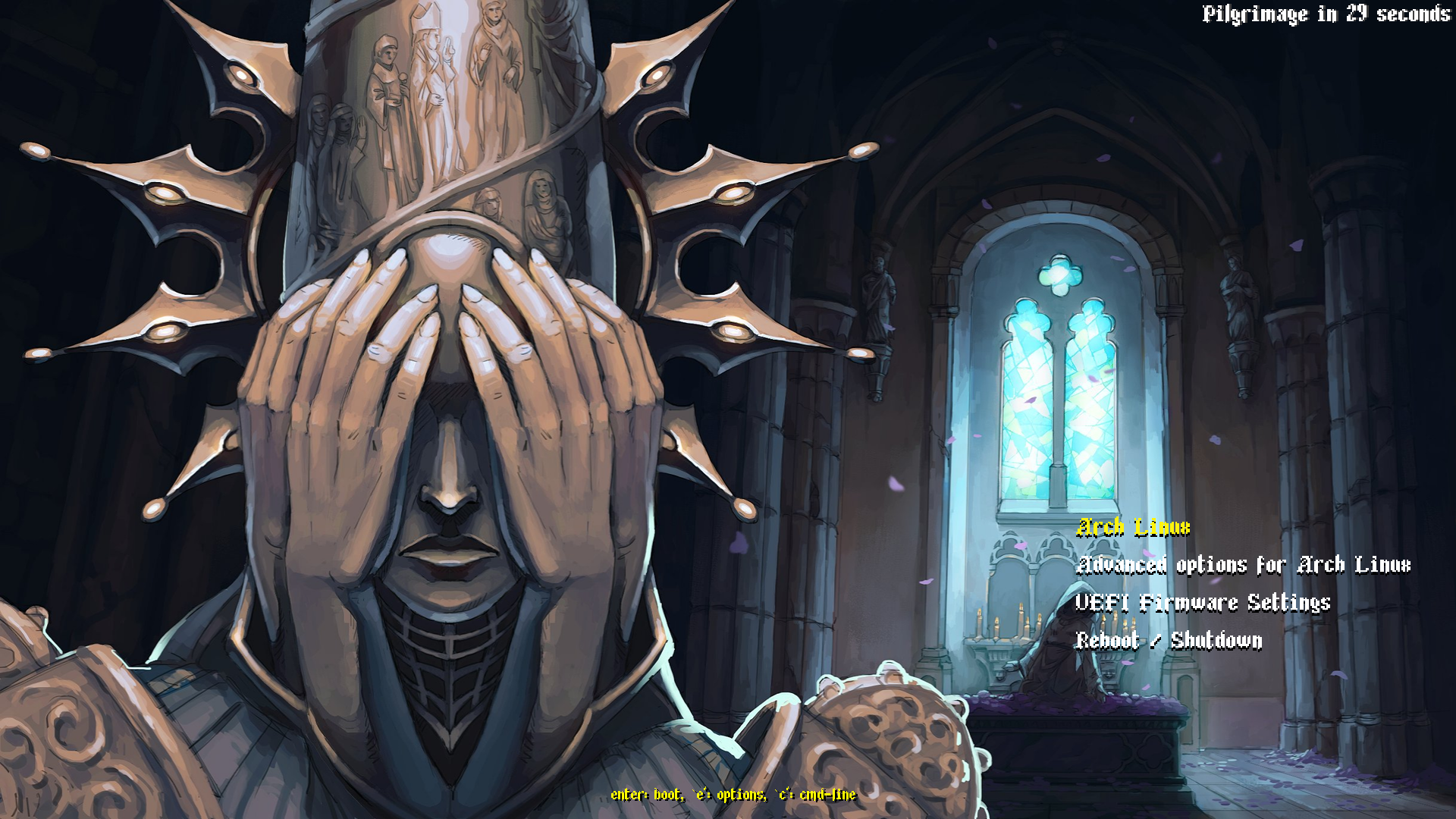 | 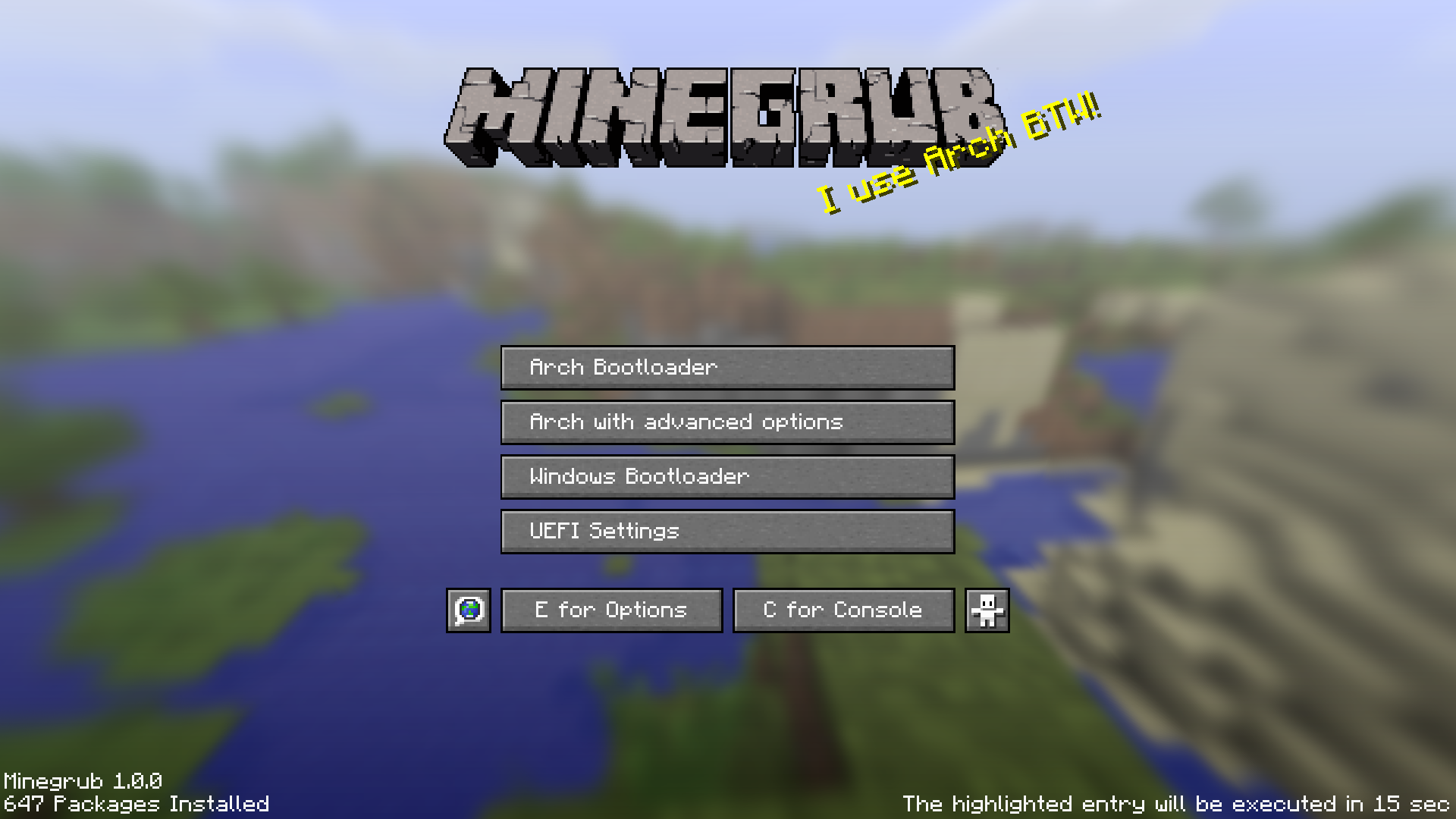 |
| Catppuccin | DOOM |
|---|---|
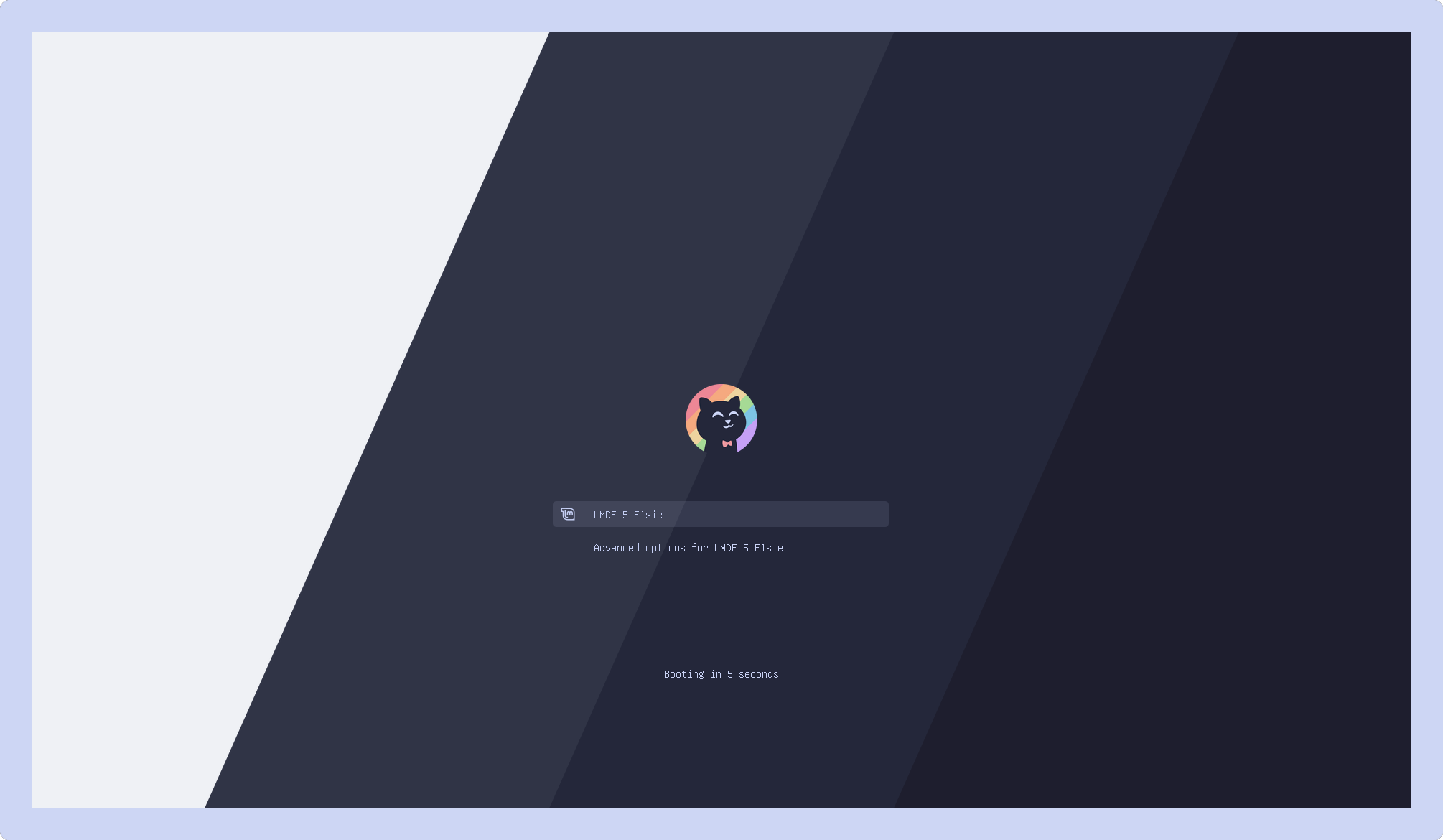 |  |
How it works
- Select theme from list
- Script automatically clones repository
- Theme is copied to
/boot/grub/themes/ - GRUB config is updated
- Reboot and enjoy
License
MIT License — see LICENSE
Credits
- Jacksaur/Gorgeous-GRUB — theme collection
- Charm — Gum tool
If you like this project — give it a ⭐