Spyrhoo Zsh Theme
December 12, 2022 · View on GitHub



Spyrhoo Zsh Theme
😎 Make your Oh My Zsh prompt even cooler and simpler with the Spyrhoo Zsh Theme.
Show Translations
Installation Instructions
Install the git package first, then proceed with the install Oh My Zsh (if not installed). Next, you type:
Method |
Command |
curl |
bash -c "$(curl -fsSL https://raw.githubusercontent.com/FajarKim/spyrhoo-zsh-theme/master/tools/install.sh)" |
wget |
bash -c "$(wget -qO- https://raw.githubusercontent.com/FajarKim/spyrhoo-zsh-theme/master/tools/install.sh)" |
fetch |
bash -c "$(fetch -o - https://raw.githubusercontent.com/FajarKim/spyrhoo-zsh-theme/master/tools/install.sh)" |
As an alternative, you can first download the install.sh script and run it afterwards:
$ wget https://raw.githubusercontent.com/FajarKim/spyrhoo-zsh-theme/master/tools/install.sh
$ bash install.sh
If successfully installed, then run the zsh command. Then, run the command omz theme set spyrhoo.
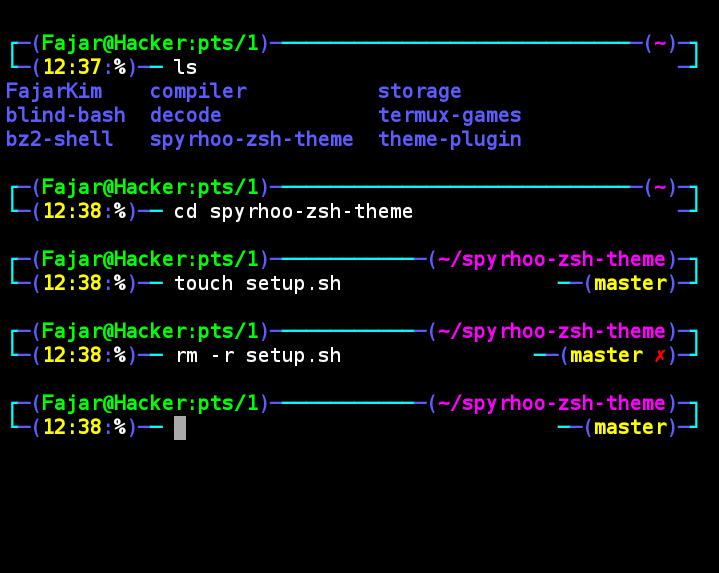
Screenshot
Contact
Please contact my contact below if there are problems or questions regarding this theme. Don't forget to follow!


