ROLLER
August 6, 2026 · View on GitHub





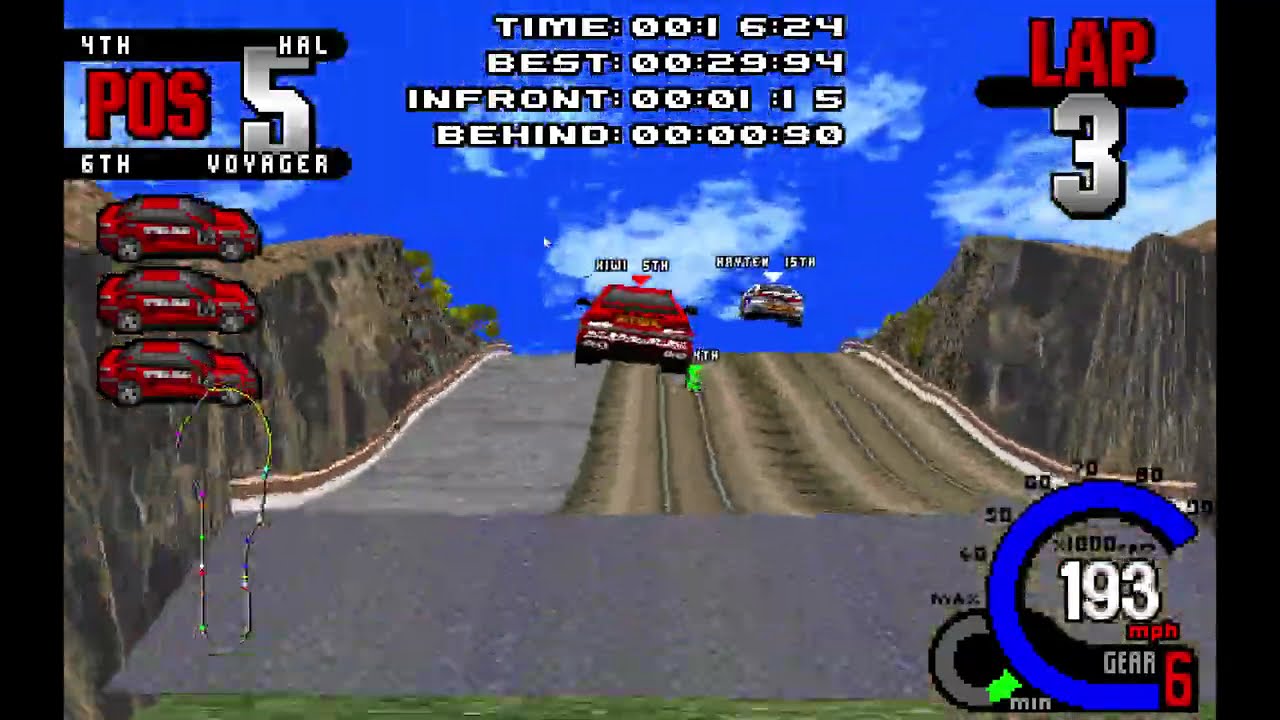
This project aims to implement all the functionality of the 1995 game Whiplash/Fatal Racing in a way that builds and runs on modern PCs. Where necessary, DOS-specific functions are substituted with SDL and Windows/Unix equivalents. For instruction-matching decomp, see https://github.com/FatalDecomp/ROLLER-matching
Play
Play ROLLER in your browser with the bundled freeware demo, or import an image of a legally owned retail disc for the full game. No install is required.
Native installations require assets from a retail copy of the game. Download the latest native version from the releases page and extract it wherever you want. On initial launch, select a CD image (CUE/BIN or ISO) to extract the assets. Press the ` key to access additional settings.
About
Debug symbol dump generated with wdump, part of: https://github.com/open-watcom/open-watcom-v2
Useful tool in generating nice asm output with symbols from wdump applied: https://github.com/fonic/wcdatool
Directions on how to use wcdatool and get remote debugging working with open watcom: https://www.youtube.com/watch?v=bG9tEZOSrQg
Note: wdump symbol offsets do not account for DOS4GW.EXE. Load FATAL.EXE_split_dos4g_payload.exe (FATAL.EXE with DOS4GW.EXE split off, generated by wcdatool) into Ida/Ghidra to have matching symbol offsets.
Hashes of executables used for decomp:
FATAL.EXE
md5: 812EEE1404ECDFD87FF765281DF89720SHA256: 7789768C0A6CDC213EAF7B1AD8CC125531EB3FE7C213ECCAC6188E58F428687E
FATAL.EXE_split_dos4g_payload.exe
md5: 05C2B0730641663133D76DD2CA552B4CSHA256: A4AD4131DBBFF9884DA4687D8B579B81117E6D23525950D942DF2DF585E2A11E
External Dependencies Used:
- SDL3.2.22: https://github.com/libsdl-org/SDL
- SDL_Image3.2.4: https://github.com/libsdl-org/SDL_image
- WildMIDI 0.4.6: https://github.com/Mindwerks/wildmidi
- libcdio-2.3.0: https://github.com/libcdio/libcdio
- Nuklear 4.13.2: https://github.com/Immediate-Mode-UI/Nuklear
Build
Video instructions: https://www.youtube.com/watch?v=QEDGhvvZ9XU
Clone the repository
git clone https://github.com/zizin13/roller.git
cd roller
Install prerequisites
The easiest way to install is to use mise:
mise install
Build and run the project
Using default settings
zig build run
A custom data folder
zig build -Dassets-path=/path/to/fatdata run
Prepare the playable demo assets
The browser build uses the hash-pinned Whiplash demo selected by ADR 0002.
zig build web automatically downloads, verifies, and extracts only its
FATDATA tree before packaging it at /demo/fatdata:
zig build web
For an offline build, prepare the tree from a previously downloaded copy, then
point the web build at it. The explicit tree is verified against the same E3.S2
file count, size, and tree SHA-256 before emcc runs:
python scripts/fetch_demo_assets.py --source /path/to/whipdemo.zip
zig build web -Ddemo-assets-path=zig-out/fatdata-demo
The bundle contains roller-<sha256>.data plus a deterministic
bundle-manifest.json with raw byte sizes and SHA-256 hashes.
Testing
Rendering snapshot tests
git lfs install        # one-time, the baselines are LFS-tracked
zig build test-snapshots
Captures the indexed framebuffer of every intro replay at hand-picked ticks and
runs git diff against the checked-in baselines. Any pixel change shows up as a
tracked-file diff that GitHub renders as a side-by-side image diff in PRs.
On a non-canonical host (anything other than the pinned reference machine) use
-Dscratch to capture into zig-out/snapshot-scratch/ without touching the
LFS-tracked baselines.
See tests/snapshots/README.md for the full
developer workflow (blessing intentional pixel changes, troubleshooting, etc.)
and
docs/adr/0001-rendering-snapshot-tests.md
for the policy decisions.