README.md
May 23, 2026 · View on GitHub
⚠️ This project is archived. Last active development was in 2018. The code is preserved here for reference purposes only and is no longer maintained.


PiSpot Show
Turn any HDMI display into a self-updating Wi-Fi voucher kiosk with live weather, powered by Raspberry Pi.





Overview
PiSpot Show is a headless Raspberry Pi appliance that drives hotel lobby TVs and public-area monitors. Every hour it generates a fresh time-limited Wi-Fi voucher from the Spotipo captive-portal API, pulls a live weather forecast, and composites everything into a branded Full-HD image rendered directly to the Linux framebuffer -- no desktop environment required.
A PiJuice HAT provides battery-backed power management with RTC wake/sleep scheduling, a hardware watchdog, and graceful low-voltage shutdown, making the device suitable for unattended 24/7 operation.
Originally developed and deployed in 2018 for the company GPConnect. Part of the PiSpot ecosystem:
| Project | Description |
|---|---|
| PiSpot Watch | Wrist-wearable e-ink voucher device |
| PiSpot Show (this repo) | HDMI kiosk display for lobby TVs |
| PiSpot Deployment | Fleet provisioning and Vault configuration |
Features
- Hourly voucher rotation -- generates a new Spotipo Wi-Fi voucher every hour with configurable duration, speed limits, device caps, and data quotas.
- Live weather overlay -- fetches temperature, "feels like", daily min/max, conditions, and forecast summary from the Dark Sky API with matching weather icons.
- Full-HD branded output -- 1920x1080 image composited with Pillow using custom Raleway typography, logos, SSID, voucher code, weather data, and current date.
- Framebuffer rendering -- pushes images directly to
/dev/fb0viafbi, bypassing X11/Wayland entirely for a minimal, kiosk-grade display pipeline. - PiJuice power management -- battery UPS with RTC wake-up alarms (e.g. 09:00 weekdays), scheduled shutdown via cron, hardware watchdog (5s), wake-on-charge at 20%.
- Boot splash screen -- displays branding immediately on power-on via a dedicated systemd unit, before the main service starts.
- Ansible deployment -- single playbook provisions packages, creates users, generates SSH keys, clones the repo, registers services, configures WiFi, and optimizes GPU/USB power.
- 3D-printable enclosure -- FreeCAD parametric designs and ready-to-print STLs for a custom case with button panel and lid.
- Error resilience -- on API failure, renders an error screen and retries after 60 seconds without crashing.
Videos
In Action

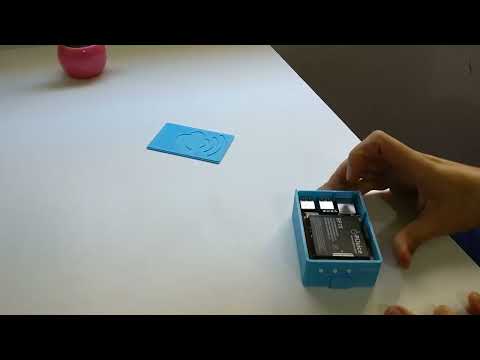
Assembly
Photos


See all photos in docs/photos/.
Architecture
                         +------------------+
                         |   HDMI Display   |
                         |   (1920x1080)    |
                         +--------+---------+
                                  |
                         +--------+---------+
                         |   Raspberry Pi   |
                         |   + PiJuice HAT  |
                         +--+-----+------+--+
                            |     |      |
                  +---------+  +--+--+  ++----------+
                  |            |     |  |            |
          +-------v---+ +-----v-+ +-v--v------+ +---v--------+
          | Spotipo   | | Dark  | | Pillow    | | fbi        |
          | WiFi API  | | Sky   | | (image    | | (framebuf  |
          | (voucher) | | (wx)  | |  render)  | |  display)  |
          +-----------+ +-------+ +-----------+ +------------+
- main.py runs in an infinite loop as a systemd service.
- Each hour, it POSTs to the Spotipo API to create a time-limited voucher.
- It GETs the current weather from Dark Sky (with localized language support).
- Pillow composites the voucher code, SSID, weather data, date, and branding onto a 1920x1080 PNG.
fbipushes the image to the Linux framebuffer.- piJuice_stop.py is called via cron to trigger a timed shutdown; the PiJuice RTC alarm handles the next wake-up.
Hardware
| Component | Purpose |
|---|---|
| Raspberry Pi 3 (or later) | Main compute board |
| PiJuice HAT (1680 mAh) | Battery UPS, RTC alarms, watchdog, wake-on-charge |
| HDMI display (TV or monitor) | Guest-facing 1920x1080 voucher screen |
| MicroSD card (8 GB+) | Raspbian OS + application |
| Power supply (5 V / 2.5 A) | Board + HAT power |
Getting Started
1. Clone
git clone https://github.com/GeiserX/PiSpot-Show.git
cd PiSpot-Show
2. Configure API keys
Edit main.py and set your credentials:
Spotipo_Key  = "YOUR-SPOTIPO-TOKEN"
Darksky_Key  = "YOUR-DARKSKY-KEY"
Also update the Spotipo endpoint URL, SSID name, and weather coordinates.
3. Deploy with Ansible
ansible-playbook -i inventory deployment-files/main.yml
The playbook handles: system packages (fbi, pijuice-base, imagemagick), Python dependencies, dedicated user with scoped sudo, SSH key generation, service registration, WiFi, timezone, and GPU/USB power optimization.
4. Configure PiJuice schedule
Set the RTC wake alarm via pijuice_cli (e.g. 09:00 weekdays) and add the shutdown cron:
crontab -e
# 0 17 * * * /usr/bin/python3 /opt/PiSpot_HDMI/piJuice_stop.py
Configuration
Voucher parameters
Set in the API request body inside main.py:
| Parameter | Default | Description |
|---|---|---|
duration_val | 4 | Voucher validity period |
duration_type | 2 | Duration unit (1=min, 2=hour, 3=day) |
num_devices | 10 | Max concurrent devices per voucher |
speed_dl | 1024 | Download speed limit (Kbps) |
speed_ul | 256 | Upload speed limit (Kbps) |
bytes_t | 0 | Data cap (0 = unlimited) |
PiJuice events
Defined in pijuice_config.JSON:
- Low battery -- halt and power off
- Watchdog reset -- automatic reboot (5s period)
- Wake-on-charge -- boot at 20% battery
- Button / forced power off -- graceful halt
3D-Printable Enclosure
The Case/ directory contains a complete enclosure designed in FreeCAD:
| File | Description |
|---|---|
Caja.stl | Main housing body |
Tapa.stl | Top lid / cover |
Botonera.stl | Button panel insert |
*.fcstd | FreeCAD parametric source files |
*.gx | Goxel voxel models |
Project Structure
PiSpot-Show/
  main.py                    # Main loop: voucher + weather + render + display
  piJuice_stop.py            # Scheduled shutdown script
  pijuice_config.JSON        # PiJuice HAT event/watchdog configuration
  fonts/                     # Raleway Light + Black typeface
  images/                    # Backgrounds, logos, weather icons, generated output
  servicefiles/
    pispot_hdmi.service      # Main application systemd unit
    splashscreen.service     # Boot splash systemd unit
  deployment-files/
    main.yml                 # Ansible provisioning playbook
    wpa_supplicant.conf      # WiFi network configuration
    GitLabANDHostname.py     # SSH key + hostname setup for fleet devices
  Case/                      # 3D enclosure (FreeCAD + Goxel + STL)
  LICENSE                    # GPL-3.0
License
GNU General Public License v3.0
Maintainers
Contributing
Contributions are welcome. Open an issue or submit a pull request.
This project follows the Contributor Covenant v2.1 Code of Conduct.