🔍 Conan - Helping you delete your old accounts
August 23, 2023 · View on GitHub
🤔 What is it?
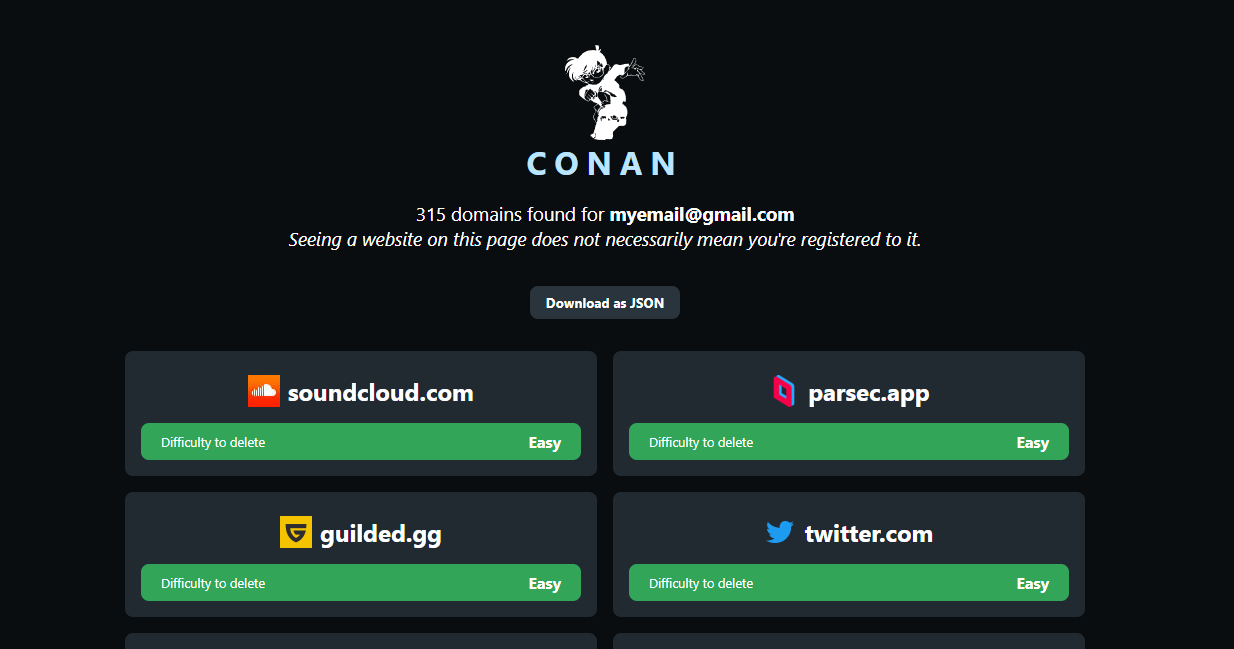
This tool aims at finding the websites where you could have created an account in the past. It does so by logging into your email account and looking for emails that sent you mails. You'll get a complete list of all the domains that sent you emails. The informations related on how to delete accounts are provided by JustDeleteMe.
If you tend to regularly delete your mails, this tool will not be very useful to you.
It's point is to find the websites where you created an account in the past, and to help you delete them. If you regularly delete your mails, you won't have any emails from these websites, and the tool won't be able to find them.
📦 Installation
You can either install it from Github (recommended):
git clone https://github.com/Gobutsu/Conan
cd Conan
python setup.py install
Or from Pypi:
pip install conanmail
Installation can be confirmed by typing conan in a terminal.
🚀 How to use it?
pip install conanmail
conan [-h] [-r FILE] [-e EMAIL] [-m FILE]

-r is for restoring an exported json file
-e is for specifying the email address you want to explore - this will require a password
-m is for importing a .mbox file
When using Conan, you should choose between -e and -m.
-m is ideal if you've got a lot of emails in your mailbox, as it will be significantly faster.
-e is ideal if you don't want to export your mailbox to a file.
📥 Using -e
You will need to enter a password to login to your mailbox. If you have a gmail address, an app password will be required. You can find more information about it here (it takes like 3min to set up, just make sure you have A2F enabled).
📥 Using -m
Using this option will require you to export your mailbox to a .mbox file.
It's also a fairly simple process. You can read a tutorial on doing it on gmail here.