MaskPLAN
September 2, 2026 · View on GitHub
MaskPLAN: Masked Generative Layout Planning from Partial Input
Hang Zhang, Anton Savov, Benjamin Dillenburger
Digital Building Technologies, ETH Zurich

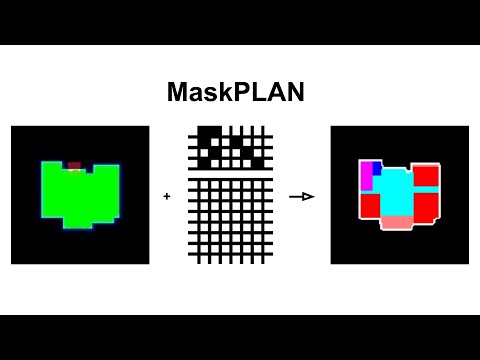
MaskPLAN allows users to influence layout generation with just the features they prioritize, using partial inputs in a Graph-structured Dynamic Masked Autoencoder (GDMAE), predicting layouts from incomplete design ideas.
Video:
Installation
1. install the requirements:
Clone the repo and install conda env:
cd MaskPLAN
conda env create -f MaskPLAN.yaml
conda activate MaskPLAN
The released environment was tested on Windows 10 with an NVIDIA RTX 4090. We
recommend Windows for reproducing the released inference setup; Linux has not
been validated and may encounter conda dependency-version mismatches. On
Windows, a few pip dependencies may still need to be installed manually if
conda does not resolve them on a particular machine. MaskPLAN.yaml does not
contain a machine-specific conda prefix; remove or adjust that line if using
an older copy of the file.
System requirements:
- a. GPU with at least 24GB Memory.
- b. System RAM at least 32GB.
- c. Hard-drive free storage at least 20GB.
2. prepare the dataset:
The original RPLAN dataset is from RPLAN project page. Our data preprocess inherited the implementation from RPLAN-Toolbox and Graph2Plan-DataPreparation. We've offered the pre-processed data in folder Processed_data. If you would like to walk through our data processing, follow the steps:
-
a. download the dataset from this link, put in [your_downloaded_path]. run through the RPLAN_DataProcess.ipynb in folder
Processed_data, where the dataset path should follow [your_downloaded_path]. -
b. pretraining the vqvae by run through the VQVAE_Prior_Training_5564_B.ipynb and VQVAE_Prior_Training_5564_R.ipynb in folder
VQVAE_Pretrain. We've also offered our checkpoints, see folderVQ_Pretrained. -
c. run dynamic masking data processing in folder
Processed_data. We offer the process of vector-only attributes representation (as ablation), and the img-vec hybrid attributes representation (as in our paper).
# data in vector-only format
python Processed_data/FP_DataProcess_vec.py

# data in vec-img hybrid format
python Processed_data/FP_DataProcess_cross.py
For inference, the boundary images produced by step (a) are required. As an
alternative, extract parsed_img/img_room_sqe/0.7z so that files such as
parsed_img/img_room_sqe/0/<site_id>.png exist. Steps (b) and (c) may be
skipped when using the released pretrained and preprocessed artifacts.
training
We've offered our checkpoints in this link with four ablations (two model sizes with vector-only or vec-img hybrid data). If you would like to train the model, run the following code:
# training small mdoel in vector-only format
python Train/MaskPLAN_Train_Allvec.py

# training large mdoel in vector-only format
python Train/MaskPLAN_Train_AllvecDeep.py

# training small mdoel in vec-img hybrid format
python Train/MaskPLAN_Train_Allcross.py

# training large mdoel in vec-img hybrid format
python Train/MaskPLAN_Train_AllcrossDeep.py
Inference
1. fast test iteration:
We offer fast test with random sampled iterations.
# Inference small mdoel in vector-only format
python Inference/MaskPLAN_Inference_iterate_vec_Single.py

# Inference large mdoel in vector-only format
python Inference/MaskPLAN_Inference_iterate_vec_Deep.py

# Inference small mdoel in vec-img hybrid format
python Inference/MaskPLAN_Inference_iterate_cross_Single.py

# Inference large mdoel in vec-img hybrid format
python Inference/MaskPLAN_Inference_iterate_cross_Deep.py
These commands can be run from the repository root without setting
PYTHONPATH. All four commands accept an optional --seed; omitting it keeps
the original random behavior, while a value seeds both NumPy and TensorFlow:
python Inference/MaskPLAN_Inference_iterate_cross_Deep.py --seed 123
The partial-input configurations used in Table 1 are:
- Our I: boundary B only (
--par_T 0 --par_L 0 --par_A 0 --par_S 0 --par_R 0). - Our II: B plus independently sampled 25% T, C/L, A, S, and R input (the defaults).
- Our III: B plus complete T, C/L, and A (
--par_T 1 --par_L 1 --par_A 1 --par_S 0 --par_R 0).
Partial-input ratios must be in [0, 1]. The old all_variants.7z run did not
record its NumPy random state, so its exact conditioning masks cannot be
reconstructed. The optional --seed makes future inference sampling
repeatable, although exact model outputs may still vary across platforms.
Notes:
(1) run dataset preparation step (a), or extract the uploaded processed site-boundary image archive. All other required preprocessed data have already been uploaded.
(2) please test on Windows using the provided environment. Running MaskPLAN_Inference_iterate_cross_Deep.py produces the partial-input image, raw result, and the original post-processed result.
(3) For convenience, we also upload inference results generated with random 25% partial input. Because the original random state was not retained, these archived images are examples rather than exactly reproducible seeded outputs.
2. UI interface:
real-time UI interface.
- requirement: install Rhino 8.
- code: TODO
Citation
@inproceedings{zhang2024maskplan,
  title={MaskPLAN: Masked Generative Layout Planning from Partial Input},
  author={Zhang, Hang and Savov, Anton and Dillenburger, Benjamin},
  booktitle={Proceedings of the IEEE/CVF Conference on Computer Vision and Pattern Recognition},
  pages={8964--8973},
  year={2024}
}