Workflow 插件
February 14, 2019 · View on GitHub
Macros是一系列的命令记录按顺序执行,而Workflow是Macros和Markdown的混合,同样规定了处理流程,但并不会自动顺序执行,而是每一步可以由用户自己调整参数,甚至过程中可以添加或跳过一些流程,此外每个过程开发者可以设定提示信息,宏是自动化流程,而工作流是向导作用,降低了自动化程度,但更具有指导作用。
硬币分割工作流
Coins Segment Workflow Demo
===========================
## Open Image
1. coins
open the coins demo image,we will segment and measure it.
## Segment
1. Up And Down Watershed
check "preview", slide to mark every coins red more or less, mark background green more or less, use "up area".
## Repair the mask
1. Fill Holes
Fill the holes in the conis.
2. Geometry Filter
check "preview", give "area" 100, small fragment less than 100 become dark, then give "back color" 0 to clear them.
## Measure
1. Geometry Analysis
check the indecate we need, here check the "cov", count the cov ellipse.
## Export Result
1. CSV Save
save the measure result as a csv file.

Workflow
我们在之前的硬币分割宏基础上编写工作流,按照markdown规范,加上必要的注释和章节,后缀为wf,保存到menus或其子文件夹下,加载时会是一个横向的分块面板,分为不同的章节,从左到右依次点击即可。鼠标放在每个小节会显示相应提示信息,点击右上角,可以浏览全部过程。
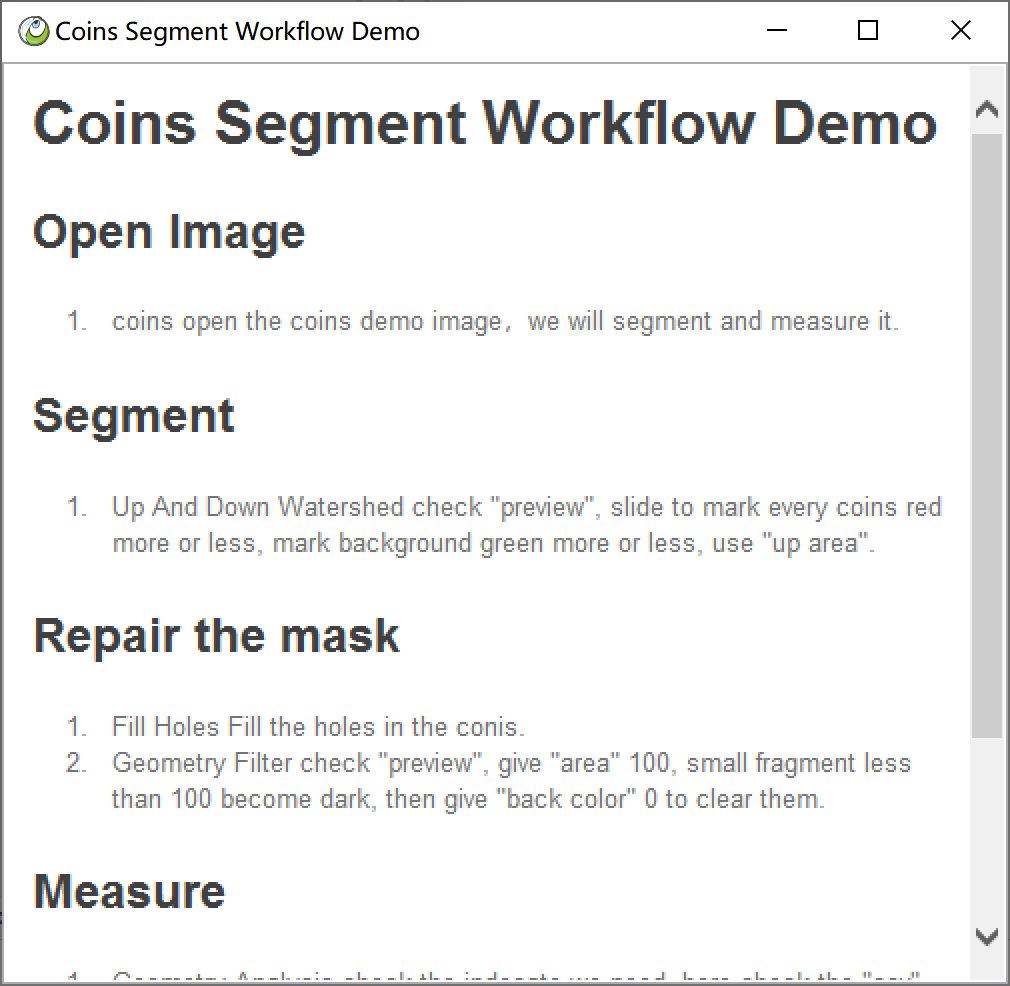
Workflow Demo
工作流编写及加载方式
- 工作流是一个markdown格式的文件,后缀为wf
- 前两行是主标题,解析成面板的主标题
- 二级标题代表章,是一个功能分块,解析为一个矩形面板
- 数字是要执行的命令,用数字序号开头,不带参数,解析为一个按钮
- 每个命令下面都可以添加一行注释,当用户鼠标移动到某个按钮上,会展示其对应的说明
- 可以拷贝到menus或其子菜单下,启动时被解析成菜单项
- 也可以拖拽到ImagePy最下方的状态栏加载工作流