Transparent Blue Theme for Home Assistant
January 16, 2026 · View on GitHub





Overview
Transparent Blue is a sleek, modern theme for Home Assistant featuring a transparent blue aesthetic.
It’s my first custom theme for Home Assistant and my first ever GitHub/HACS repository.
- Report issues: GitHub Issues
- Community & feedback: HA Community Thread
Screenshots
| Main | More Info |
|---|---|
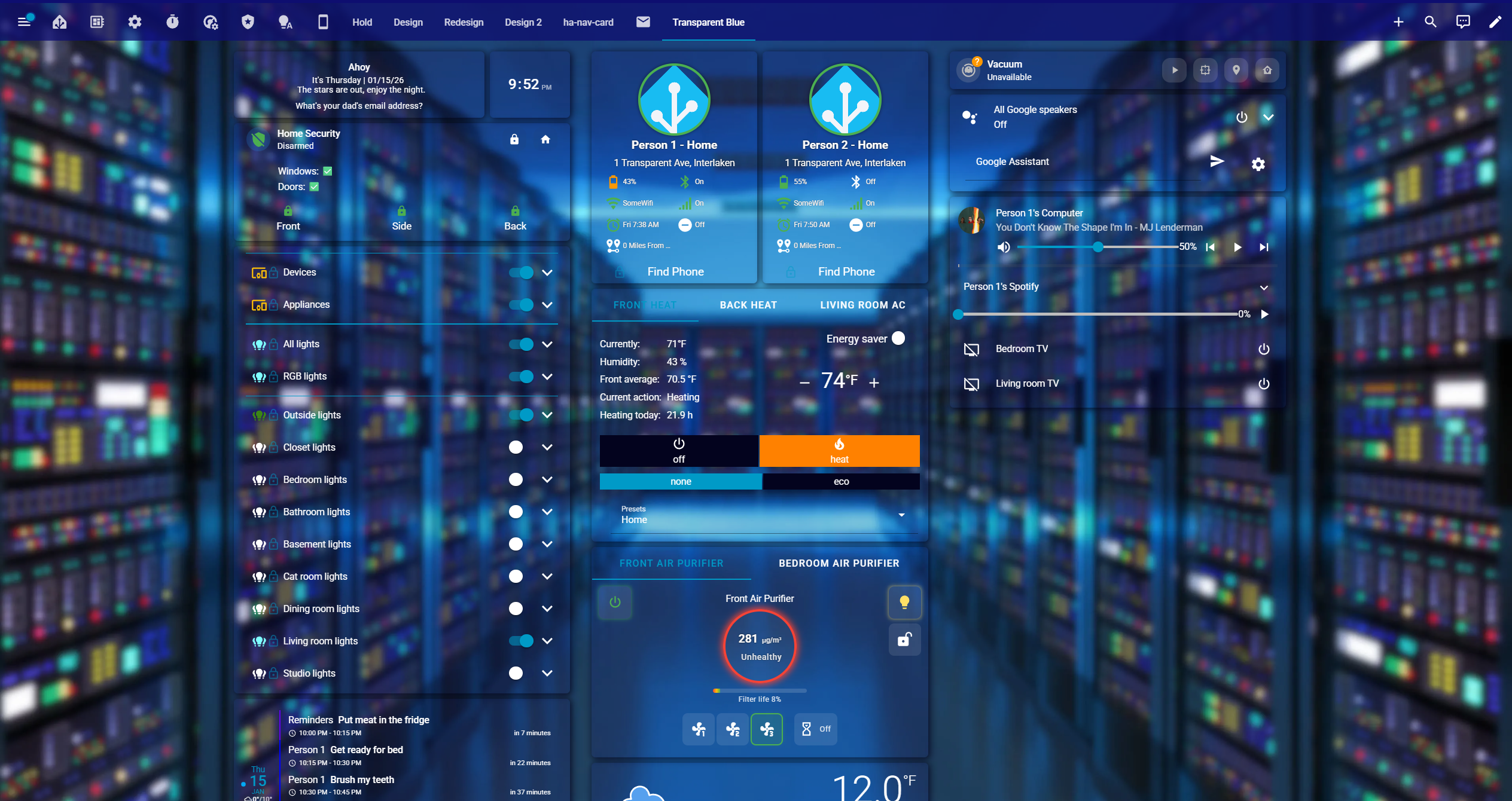 | 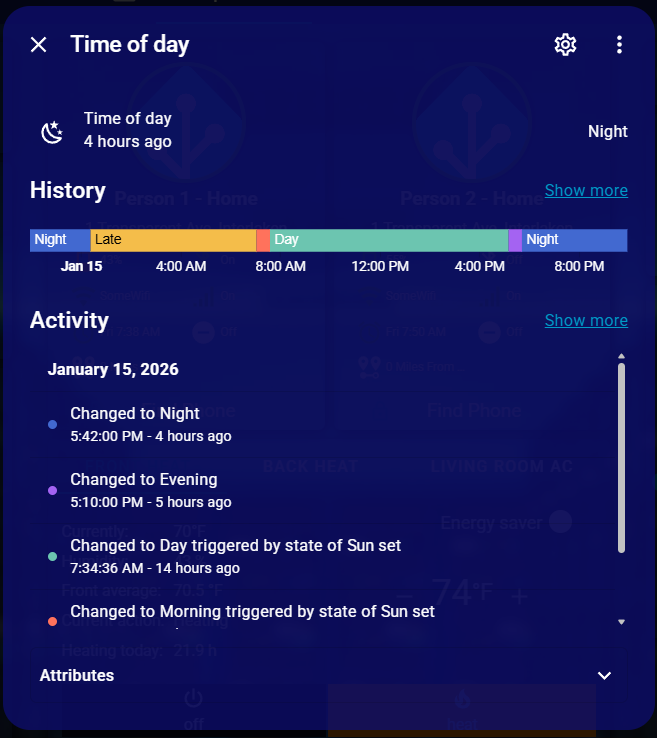 |
| Sidebar | Menu |
|---|---|
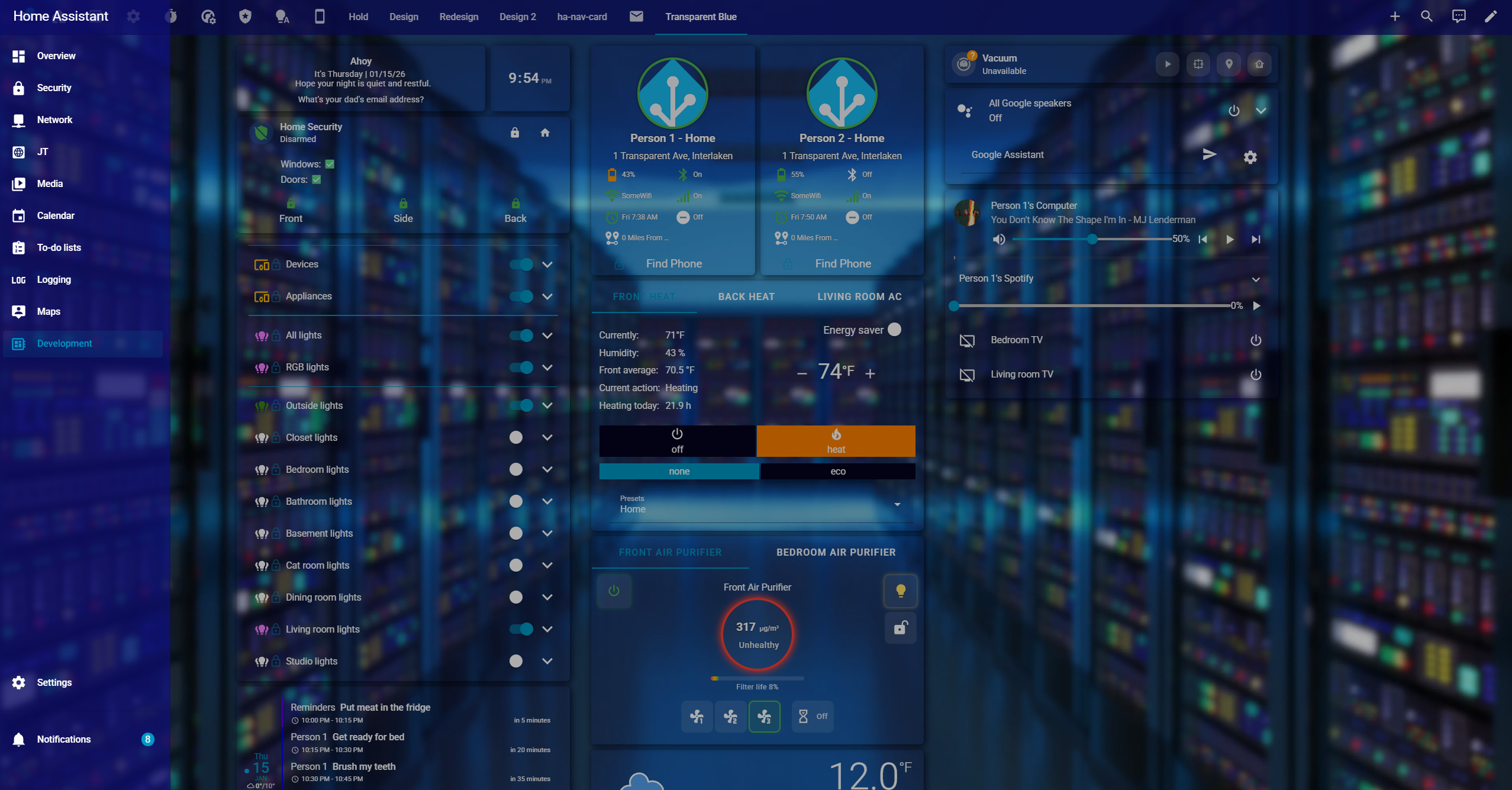 | 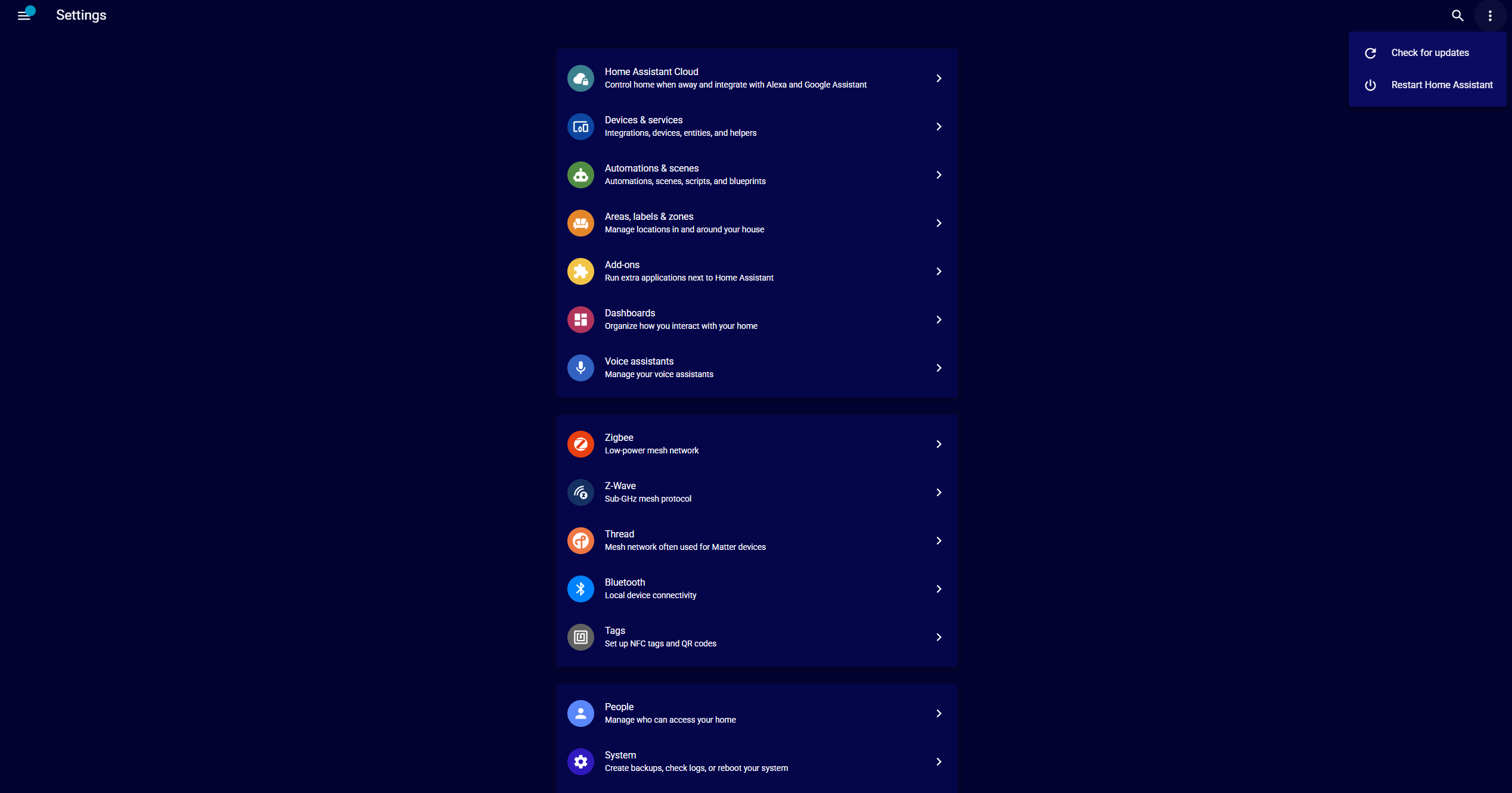 |

Quick Start
Recommended: Install via HACS for easiest setup and updates.

- Open HACS in Home Assistant
- Go to Frontend
- Click Add (+)
- Search for Transparent Blue
- Click Download
- Select the theme in Home Assistant
Manual Installation (not recommended)
- Download
transparentblue.yamlfrom the latest release. - Upload to your
themesdirectory. - Add the resource reference to your Lovelace config.
- Select the theme in Home Assistant.
Customizing the Background
To change your background, edit this line in your .yaml:
lovelace-background: 'center / cover no-repeat fixed url("")'
With local or remote image:
lovelace-background: 'center / cover no-repeat fixed url("/local/background.png")'
# or
lovelace-background: 'center / cover no-repeat fixed url("https://example.com/background.jpg")'
With base64:
lovelace-background: 'center / cover no-repeat fixed url("data:image/png;base64,YOURLONGSTRING")'
Beta Versions
Beta releases may be available for testing.
Enable/disable beta versions in HACS via Show beta versions setting.

Compatibility
Tested on Home Assistant 2026.x and newer.
Contributing
We welcome contributions to improve the Transparent Blue theme! Please read our Contributing Guidelines and Code of Conduct before submitting pull requests.
How to Contribute
- Report bugs via GitHub Issues
- Suggest features via Feature Requests
- Submit improvements via Pull Requests
Support
- Issues & Bug Reports: GitHub Issues
- Community Discussion: Home Assistant Community
- Documentation: This README and inline comments in the theme file
License
This theme is released under the MIT License. Feel free to use, modify, and distribute as per the license terms.
Other Cool Themes
Acknowledgments
- Thanks to the Home Assistant community for feedback and testing
- Inspired by various blue themes in the Home Assistant ecosystem
PRs, suggestions, and feedback are always welcome!