GeoTools Support
November 20, 2020 · View on GitHub
GeoTools is an open source Java GIS Toolkit.
Lets-Plot supports visualization of a set of SimpleFeature-s stored in SimpleFeatureCollection, as well as
individual Geometry (org.locationtech.jts.geom) and ReferencedEnvelope (org.geotools.geometry.jts) objects.
Lets-Plot API includes the SpatialDataset (jetbrains.letsPlot.spatial) class serving as a bridge between 'foreign'
spatial data-types and Lets-Plot geometry layers.
A set of Kotlin extension methods with signature toSpatialDataset(decimals: Int = 10): SpatialDataset is provided
to help to convert GeoTools objects to an instance of the SpatialDataset class like:
import jetbrains.letsPlot.spatial.SpatialDataset
import jetbrains.letsPlot.toolkit.geotools.toSpatialDataset

val data: SpatialDataset = featureCollection.toSpatialDataset()
The instance of SpatialDataset then can be passed to a plot geometry layer via the map or data parameter, like:
lets-plot() + geom_polygon(map = data, fill = "white", color = "gray")
The Lets-Plot library understands the following three 2D geometry types:
- Points
- Lines
- Polygons
These shapes can be plotted using various geometry layers, depending on the type of the shape:
- Points :
geom_point, geom_text - Lines :
geom_path - Polygons :
geom_polygon, geom_map.geom_rectwhen used with Polygon shapes will display corresponding bounding boxes.
All coordinates must be in decimal degree units, in "WGS 84" coordinates.
Creating maps in JVM-based applications
For general information on using the Lets-Plot library in JVM-based application see: README_DEV.md
Maven artifacts
In addition to the Maven artifacts that are required
for regular plots,
the artifact lets-plot-kotlin-geotools must be included to make the toSpatialDataset() method available.
You can include it in Gradle project like:
implementation 'org.jetbrains.lets-plot-kotlin:lets-plot-kotlin-geotools:1.1.0'

The gt-geojson artifact from GeoTools must be also included:
dependencies {
    ...
    implementation "org.jetbrains.lets-plot-kotlin:lets-plot-kotlin-geotools:1.1.0"
    implementation "org.geotools:gt-geojson:$geotools_version"
    ...
}
The lets-plot-kotlin-api artifact v1.1.0 was compiled with GeoTools v24.1, but it doesn't declare a run-time dependency, so
you are free to use other versions of the GeoTools toolkit.
JVM-based examples
The 'geotools-batik' sub-project contains a set runnable examples which are using Apache Batik SVG Toolkit for rendering.
Creating maps in notebooks
Lets-Plot can visualize maps in any notebook app that supports the Kotlin Jupyter Kernel.
At this moment, the apps supporting Kotlin kernel are Jupyther itself and JetBrains Datalore.
You can include all necessary dependencies to your notebook using the following "line magics":
%use lets-plot
%use lets-plot-gt
By default, the lets-plot-gt magic installs the latest version of GeoTools artifacts - it uses "[23,)" version specification.
Thus, when declaring additional GeoTools dependencies in your notebook, you can do it like:
@file:DependsOn("org.geotools:gt-shapefile:[23,)")
@file:DependsOn("org.geotools:gt-cql:[23,)")
In the case you must use a different (than the latest) version of GeoTools, you will have to use the 'gt' parameter in
the lets-plot-gt magic to avoid possible compatibility issues:
%use lets-plot
%use lets-plot-gt(gt=22.5)
@file:DependsOn("org.geotools:gt-shapefile:22.5")
@file:DependsOn("org.geotools:gt-cql:22.5")
Example notebooks
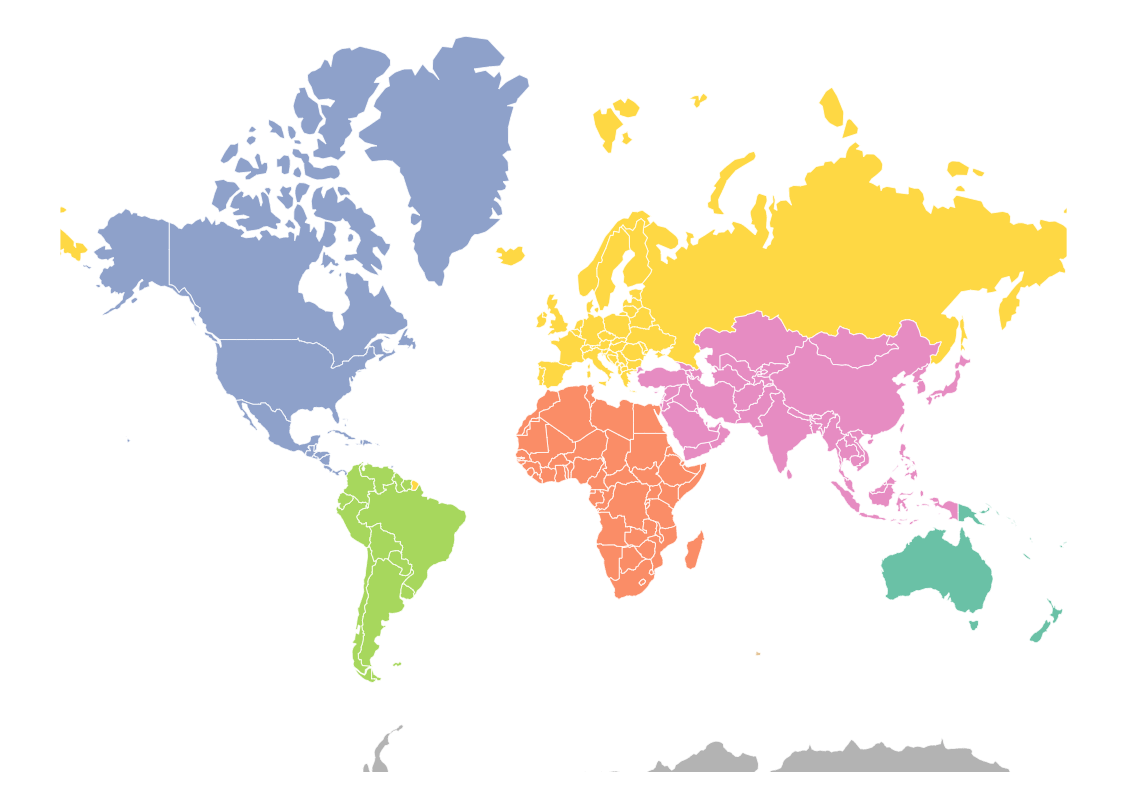
- The world map with Lets-Plot and GeoTools: geotools_naturalearth.ipynb