Kronuz Theme for Sublime Text
July 25, 2026 · View on GitHub
The Sublime Text edition of the Kronuz theme. Its Sublime UI is based on Soda Dark and Afterglow.
Design & Colors
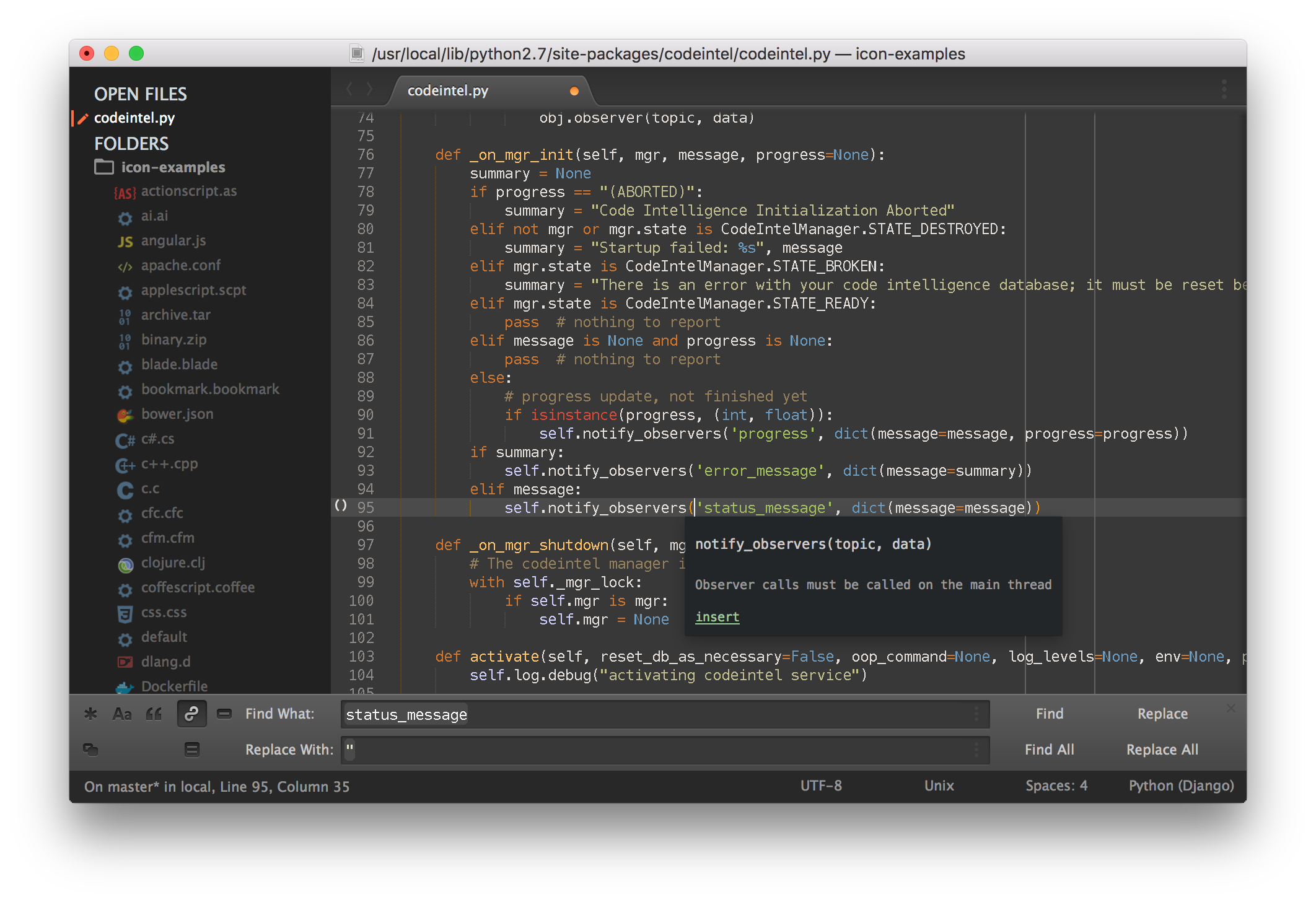

Highlighted console

*The font used in the screenshots is Menlo 12 with no antialias.
Color schemes
The package ships two generated syntax color schemes:
- Kronuz — the dark scheme (background
hsl(28, 9%, 18%)). - Kronuz Light — a light variant in the same spirit (warm off-white background, the same hues deepened for contrast).
Pick one under Preferences → Color Scheme. The canonical source and generator live
in KronuzTheme; this repository contains
only Sublime-specific packaging, UI assets, and generated Sublime outputs.
Installation
Package Control
The easiest way to install is using Sublime Package Control.
- Open
Command Paletteusing menu itemTools -> Command Palette..., or Cmd+Shift+P (OS X) Ctrl+Shift+P (Win/Linux) - Type
Package Control: Install Package - Search
Theme - Kronuz
Git Installation
Locate your Sublime Text Packages directory by using the menu item Preferences -> Browse Packages....
Then, clone the repository using this command:
git clone https://github.com/Kronuz/kronuz-theme-sublime/ "Theme - Kronuz"
Manual installation
- Download the GitHub .zip
- Unzip the files and rename the folder to
Theme - Kronuz - Find your
Packagesdirectory using the menu itemPreferences -> Browse Packages... - Copy the folder into your Sublime Text
Packagesdirectory.
Activating the Theme
Activate this theme and color scheme by modifying your user preferences file, which you can find using the menu item Sublime Text -> Preferences -> Settings - User.
Then add the following code settings, depending on the theme you choose. (After activating the theme, you must restart Sublime Text.)
Settings for Theme - Kronuz
{
    "theme": "Theme - Kronuz.sublime-theme",
    "color_scheme": "Packages/Theme - Kronuz/Kronuz.sublime-color-scheme"
}
Other settings you can use:
kronuz_theme_hide_fileicons - If true, prevents the theme from showing file icons in the sidebar.
kronuz_theme_no_folder_animation - If true, prevents the theme from using folder icon animation in the sidebar.
kronuz_theme_no_tree_indicator - If true, prevents the theme from showing the currently selected item in the sidebar.
Retina Resolution UI
Kronuz Theme supports retina display.