README.md
March 1, 2024 · View on GitHub

QOI Image Format Importer & Exporter for Unity






Features
- Supports RGB & RGBA Formats
anyTexture2D.EncodeToQOI() // Returns a byte array of the encoded Texture2D
anyTexture2D.SaveToFile(TextureEncodingFormat.QOI) // Opens a native window to save your file
Context Menu Action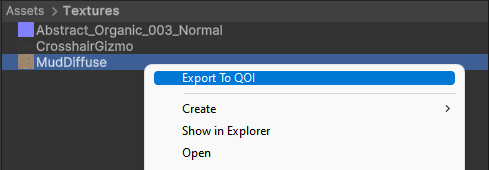
|
Output Folder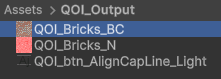
|
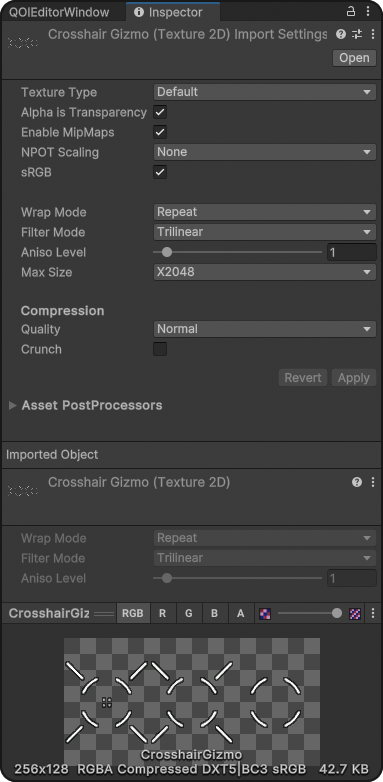
Importer Inspector Parameters
Most settings have been mapped from how unity imports other image formats, to ensure behaviour compatibility
Installation
UNITY PACKAGE MANAGER (recommended)
- Copy this URL:
https://github.com/LTMX/Unity.QOI.git - In Unity menu bar, go to
Window > Package ManagerHelp - In Unity Package Manager, click
(+ button) > Add package from Git URL...(info / troubleshooting Git URL packages in Unity) - Paste URL from step 1 into the URL box and click
Add - Unity.QOI will now automatically update from GitHub
Zip Package From Releases
- Or manually download the latest .ZIP from Releases
and unzip to
/<your project folder>/Packages/com.ltmx.unity.qoi/
Contribute
- please post bug reports or (small) feature requests as an Issue
- Pull Requests are welcome and encouraged !
Credits
LICENSE
This project is licensed under the MIT License (License)