Authme
January 15, 2026 · View on GitHub
- Simple cross-platform two-factor (2FA) authenticator app for desktop.



Features
- 🔒 Secure by design: Your codes are secured by AES 256bit encryption with your own password.
- 🔑 Import codes: Import form any 2FA TOTP QR code or import directly from Google Authenticator.
- 🖱️ Cross-platform: You can use Authme on every system you own. Available on Windows, Linux, macOS and web.
- 📡 Completely offline: You own your data, internet is only required for updates.
- 💻 Privacy in mind: Authme is hidden from video capture and screenshots.
- 📃 Easy export and backup: You can export your 2FA codes anytime and you can create a backup of your codes very easily.
- 🌐 Multi-language: Authme is available in 🇬🇧 English, 🇭🇺 Hungarian, 🇪🇸 Spanish, 🇫🇷 French, 🇷🇺 Russian, 🇩🇪 German, 🇨🇳 Chinese, 🇯🇵 Japanese and 🇵🇱 Polish.
Supported 2FA types
- TOTP: A TOTP QR code is that you find mostly everywhere, if you want to setup 2FA. Example: Google, Facebook, Microsoft, etc.
- Google Authenticator: If you are already using Google Authenticator you can export all of your exiting codes and import them to Authme.
- 2FAS Authenticator: You can create a backup of all your codes in 2FAS and import the backup in Authme.
- Aegis Authenticator: You can export your vault from Aegis and import it to Authme.
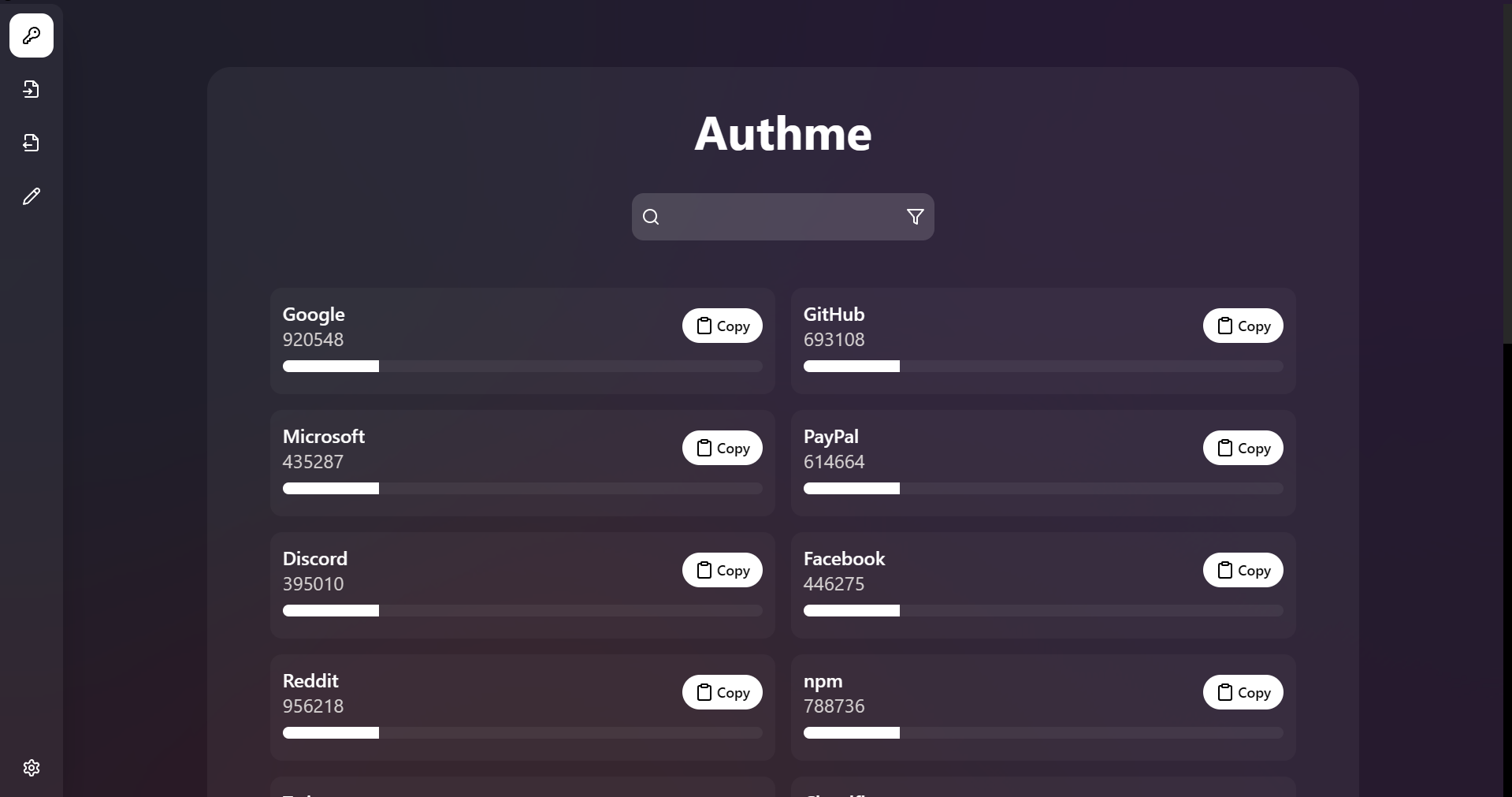
Screenshot
Downloads
- Latest release version for users that want a stable and polished experience.



- Also available on: Microsoft Store, Snapcraft, winget, and Scoop.
Migration
Tutorial on how to migrate to Authme 4 or 5 from Authme 3:
- Inside Authme: Top menu > Tools > Export.
- Click confirm, and export the .authme file.
- Go to the settings: Top menu > File > Settings.
- Inside the general options: Click Clear data and confirm.
- Now uninstall Authme from you computer.
- Download Authme 5 and install it.
- Go through the getting started wizard.
- In the codes page select Choose file and choose the .authme file you saved.
Contributing and development
- Contributions are always welcome! Read for development and building instructions: Contributing
- Do you want to translate Authme? Instructions
License
- This software is licensed under: GPL-3.0
- If you are planning to use this software as a business please contact me at: authme@levminer.com