FTCoreText
September 10, 2025 · View on GitHub
A Swift 6 refactor of the original Objective-C component with support for Swift Package Manager.
An open source Swift interface component that uses the CoreText framework to render static text content with a highly customisable markup syntax.

|
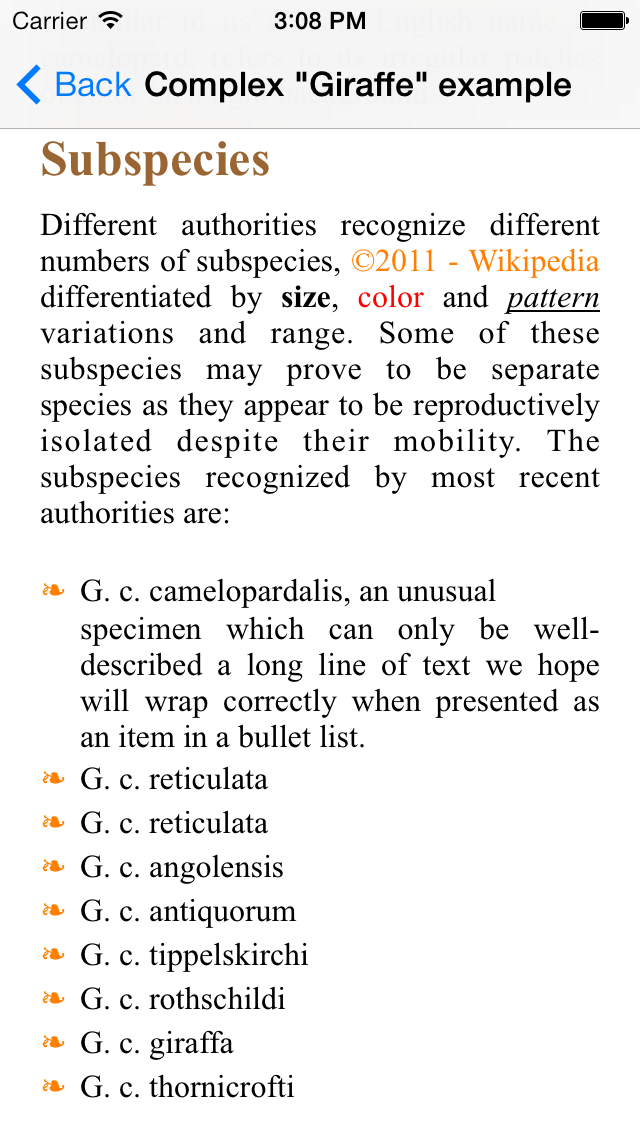
|
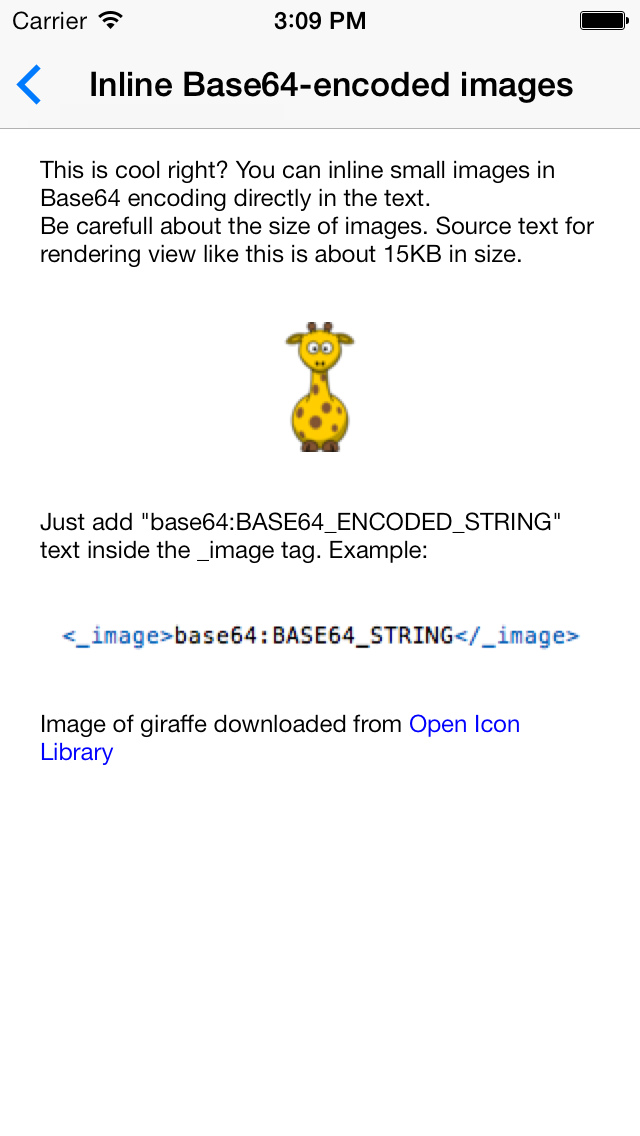
|
Usage
Implement FTCoreText into your project
Manually
- Download
FTCoreTextsources from repository - Add files in
Sources/FTCoreTextfolder to your project - Include
CoreText.frameworkin your project
Using Swift Package Manager
- In Xcode select "Add Packages..." and use the repository URL.
- Add "FTCoreText" to your target dependencies.
CocoaPods
CocoaPods is no longer supported. Please use Swift Package Manager or Tuist.
Demo App with Tuist
A minimal iOS application showcasing FTCoreTextView is included in the
repository and uses Tuist for project generation.
- Install Tuist:
curl -Ls https://install.tuist.io | bash - Run
tuist generate --openfrom the repository root. - Select the FTCoreTextDemo scheme and run on a simulator.
- Demo requires iOS 14.0+ (uses modern cell configuration APIs).
- Demo assets live under
DemoApp/Resources/Assets.xcassets. A placeholderDemoImageimageset is included; add your owndemo.pngthere to see the image example. - Add text examples under
DemoApp/Resources/Texts. Any*.txtfiles there automatically appear in the app under the “Resource:” section.
Use FTCoreTextView
1. Import FTCoreText
import FTCoreText
2. Create an instance of FTCoreTextView
3. Create styles to apply to the output by creating instances of FTCoreTextStyle
//  Draw text enclosed in <red> tag in red color
//  Example: <red>this will be drawn red</red>
var redStyle = FTCoreTextStyle(name: "red")
redStyle.color = .red
4. Once styles are defined, apply them to the view:
coreTextView.addStyles([style1, style2, style3])
4. Link tags (<_link>)
Links support either a raw URL or a url|display pair inside the tag. Tapping a link opens it with UIApplication:
coreTextView.addStyles(FTCoreTextDefaults.defaultStyles())
coreTextView.text = "See <_link>https://github.com/LiveUI/FTCoreText|FTCoreText</_link> on GitHub"
5. Set text with the markup to the FTCoreTextView instance
coreTextView.text = "My text with <red>red</red> word."
See the included examples project highlighting various features.
Supported Tags
The Swift version currently supports a focused subset of tags via the FTCoreTextTag names:
_default(FTCoreTextTag.default): base font/color applied to all text._paragraph(FTCoreTextTag.paragraph): paragraph styling (alignment, inset, spacing)._link(FTCoreTextTag.link): link styling; content supportsurl|display; links are tappable inFTCoreTextView._bullet(FTCoreTextTag.bullet): bullet styling (character/font/color). List layout with a simple hanging indent._image(FTCoreTextTag.image): inline images via either<_image>AssetName</_image>(asset catalog) or<_image>base64:...</_image>(Base64-encoded PNG/JPEG)._page(FTCoreTextTag.page): page-splitting utility viaFTCoreTextView.pages(from:)(not auto-paginated).
Notes:
- Custom tags are supported by creating an
FTCoreTextStylewith the tag name you want (e.g.,"_code") and using<_code>...</_code>in text. - For a left-floating image effect, place
<_image>...</_image>at the start and apply a left paragraph inset equal to the image width + padding (see the demo example). Full exclusion-path wrapping is not implemented.
Notes
- Demo app requires iOS 14.0+. The Swift package targets iOS 14.0+ and macOS 10.15+.
- Although
FTCoreTextViewuses an HTML-like markup, only the tags and attributes described above are supported.
License
Open Source Initiative OSI - The MIT License (MIT):Licensing [OSI Approved License] The MIT License (MIT)
Copyright (c) 2011-2018 LiveUI
Permission is hereby granted, free of charge, to any person obtaining a copy of this software and associated documentation files (the "Software"), to deal in the Software without restriction, including without limitation the rights to use, copy, modify, merge, publish, distribute, sublicense, and/or sell copies of the Software, and to permit persons to whom the Software is furnished to do so, subject to the following conditions:
The above copyright notice and this permission notice shall be included in all copies or substantial portions of the Software.
THE SOFTWARE IS PROVIDED "AS IS", WITHOUT WARRANTY OF ANY KIND, EXPRESS OR IMPLIED, INCLUDING BUT NOT LIMITED TO THE WARRANTIES OF MERCHANTABILITY, FITNESS FOR A PARTICULAR PURPOSE AND NONINFRINGEMENT. IN NO EVENT SHALL THE AUTHORS OR COPYRIGHT HOLDERS BE LIABLE FOR ANY CLAIM, DAMAGES OR OTHER LIABILITY, WHETHER IN AN ACTION OF CONTRACT, TORT OR OTHERWISE, ARISING FROM, OUT OF OR IN CONNECTION WITH THE SOFTWARE OR THE USE OR OTHER DEALINGS IN THE SOFTWARE.
Quick Example
import FTCoreText

let coreTextView = FTCoreTextView(frame: .zero)

// 1) Start from defaults
coreTextView.removeAllStyles()
var styles = FTCoreTextDefaults.defaultStyles()

// 2) Add/override styles in code (no alignment tags in the string)
let heading = FTCoreTextStyle(
    name: "_h1",
    font: .boldSystemFont(ofSize: 28),
    color: .label,
    textAlignment: .center
)
let paragraph = FTCoreTextStyle(
    name: FTCoreTextTag.paragraph,
    font: .systemFont(ofSize: 16),
    color: .secondaryLabel,
    textAlignment: .center,
    leading: 8
)
let code = FTCoreTextStyle(
    name: "_code",
    font: .monospacedSystemFont(ofSize: 15, weight: .regular),
    color: .systemPurple
)
styles.append(contentsOf: [heading, paragraph, code])
coreTextView.addStyles(styles)

// 3) Render
coreTextView.text = "<_h1>FTCoreText</_h1>\n<_paragraph>This paragraph is centered via styles.</_paragraph>\nInline <_code>val answer = 42</_code>."