README.md
March 23, 2026 · View on GitHub
Telegram Card - Widget



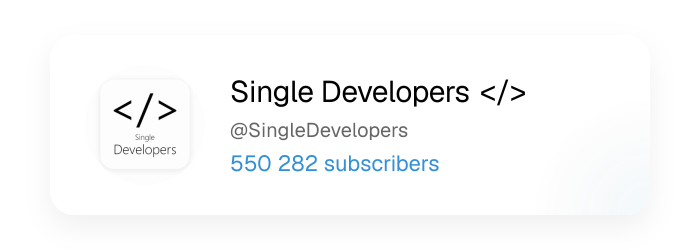
✨ Beautiful dynamic cards for Telegram profiles, channels, and groups! 🚀
Powered by Next.js OG Image API ツ
✨ Features
- 🎨 Beautiful, responsive design
- 🌓 Dark and light theme support
- 🚀 Fast generation using Next.js OG Image API
- 📱 Works with channels, groups, bots and personal profiles
- 📊 Shows subscriber count, member count, or monthly users
🛠️ Usage
Basic Usage
https://telegram-card.malith.dev/?username=SingleDevelopers
With Theme Specification
https://telegram-card.malith.dev/?username=SingleDevelopers&theme=dark
Advanced Customization
You can customize the colors and font of the card by passing the following query parameters:
bgColor: The background color of the card.textColor: The color of the text.subtleTextColor: The color of the subtle text.extraColor: The color of the extra text.shadowColor: The color of the box shadow.fontFamily: The font family of the text.
Example:
https://telegram-card.malith.dev/?username=SL_Developers&bgColor=rgba(30,41,59,1)&textColor=%23F1F5F9&subtleTextColor=%23CBD5E1&extraColor=%23F59E0B&shadowColor=rgba(0,0,0,0.2)&fontFamily=system-ui
For Github Readme.md
<img src="https://telegram-card.malith.dev/?username=SingleDevelopers" alt="@SingleDevelopers" style="width: 300px; max-width: 100%; height: auto;" />
or
📸 Examples
Example usage for Github Profile : https://github.com/Malith-Rukshan#-connect-with-me
🎨 Theme Support
🌝 Light Theme
🌚 Dark Theme
🎨 Custom Theme
🗂 Source Types Support
🔔 Channel
🤖 Bot
👥 Group
📦 Getting Started
🚀 Quick Deploy
The fastest way to get your own Telegram Card Widget is to deploy it directly to one of these platforms:
✅ Serverless - Free
- Click one of the deploy buttons above
- Follow the platform's setup instructions
- Your Telegram Card Widget will be online in minutes!
- Use it by visiting:
https://your-deployment-url/?username=YourTelegramUsername
🚀 Deploy on PaaS
Set all environmental variables before deployment if required by the platform.




🐳 Docker
The quickest way to run a self-hosted instance:
docker compose up -d --build
Then visit http://localhost:3000/?username=SingleDevelopers.
To expose on a different port, set
EXPOSE_PORTbefore running:EXPOSE_PORT=8080 docker compose up -d --build
💻 Local Development
If you want to run the project locally or customize it before deploying:
Prerequisites
- Node.js 16+
- npm or yarn
Installation
-
Clone the repository
git clone https://github.com/Malith-Rukshan/telegram-card.git cd telegram-card -
Install dependencies
npm install # or yarn install -
Run the development server
npm run dev # or yarn dev -
Open http://localhost:3000/?username=SingleDevelopers to see your card!
🌐 Use Cases
- Add to your GitHub profile README
- Embed in your personal website
- Create dynamic links to your Telegram presence
- Showcase your channel or group subscribers
📜 License
This project is licensed under the MIT License - see the LICENSE file for details.
🔧 Acknowledgements
- Built with Next.js
- OG Images powered by @vercel/og
- Crafted specifically for developers to showcase their Telegram presence
🤝 Contributing
Feedback and suggestions are always welcome! Feel free to open issues or submit pull requests to help improve the Telegram Card widget.
🌟 Support and Community
If you found this project helpful, don't forget to give it a ⭐ on GitHub. This encourages more innovative projects to thrive! 🫶
📬 Contact
If you have any questions, feedback, or just want to say hi, you can reach out to me:
- Telegram: @MalithRukshan
- Email: hello@malith.dev
🧑💻 Built with 💖 by Single Developers </>