vim-jsx-pretty
September 29, 2020 · View on GitHub
The React syntax highlighting and indenting plugin for vim. Also supports the typescript tsx file.
Features
- 📦 Support JSX highlighting and indenting out of the box. No dependencies.
- 💯 Fully implemented the JSX syntax specification. https://github.com/facebook/jsx
- ✨ Support React syntax highlighting and indenting for JSX and typescript TSX files.
- 🏷 Support JSX syntax highlighting and indenting inside the tagged template string.
- 🎨 Support highlighting the close tag separately from the open tag (set
let g:vim_jsx_pretty_highlight_close_tag = 1in your vimrc). - 💪 Many more corner test cases covered.
- 💅 Reasonable syntax highlight groups, easy for customization.
Demo
Syntax
| vim-jsx-pretty (add colorful config) | vim-jsx-pretty |
|---|---|
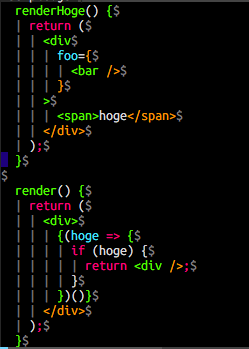 | 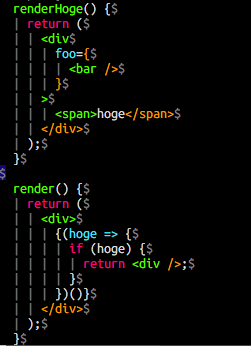 |
Auto indent
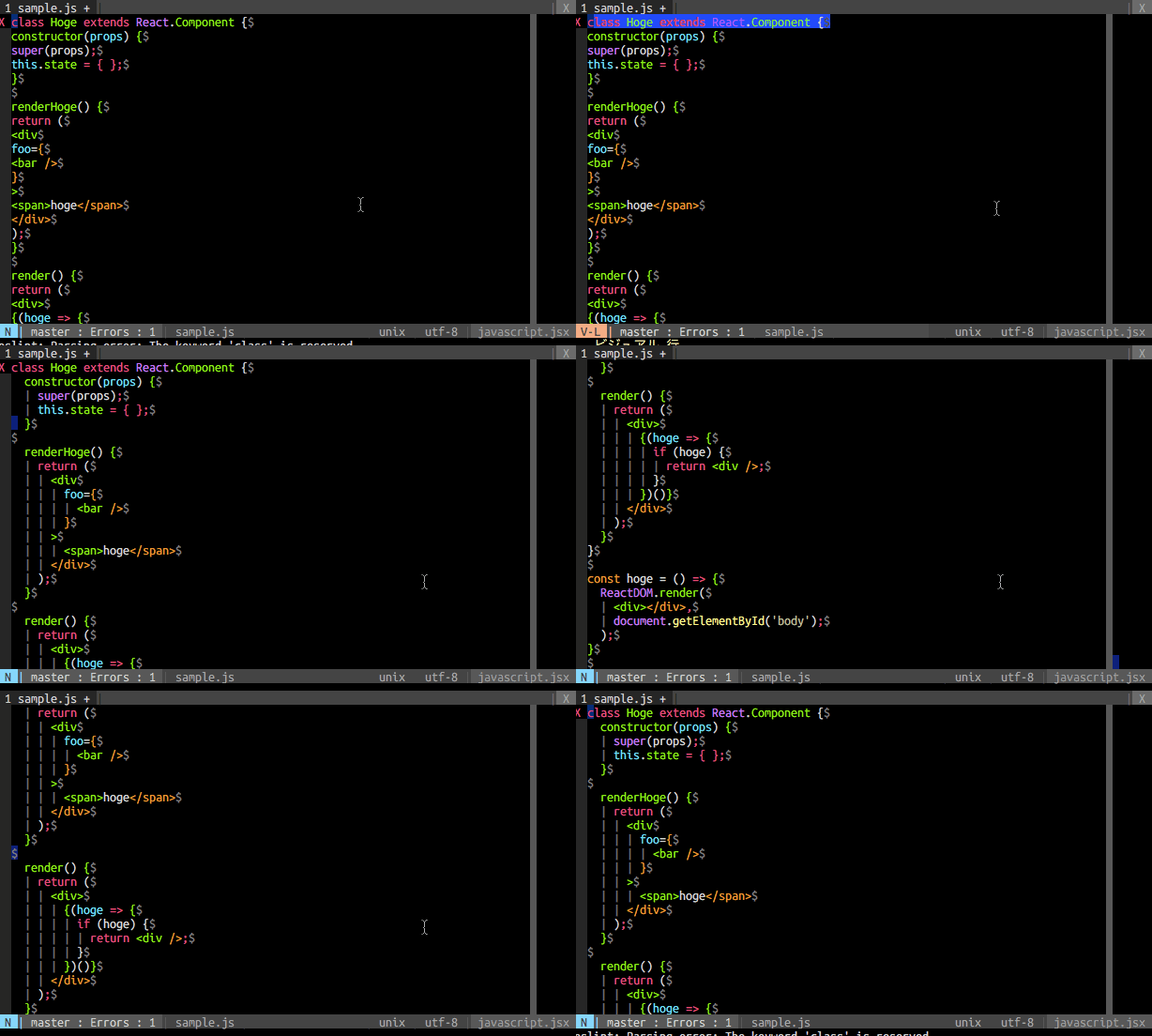
Support typescript

Installation
vim-plug https://github.com/junegunn/vim-plug
your ~/.vimrc:
-
No dependencies
Plug 'maxmellon/vim-jsx-pretty' -
with: yuezk/vim-js (Recommended but not required)
Plug 'yuezk/vim-js' Plug 'maxmellon/vim-jsx-pretty' -
if you want to highlight tsx files.
Plug 'HerringtonDarkholme/yats.vim' " or Plug 'leafgarland/typescript-vim' Plug 'maxmellon/vim-jsx-pretty' -
Execute command in vim:
:so ~/.vimrc
:PlugInstall
Using Vim8's package manager
mkdir -p ~/.vim/pack/vim-jsx-pretty/start
cd $_
git clone git@github.com:MaxMEllon/vim-jsx-pretty.git
For Neovim
mkdir -p ~/.local/share/nvim/site/vim-jsx-pretty/start
cd $_
git clone git@github.com:MaxMEllon/vim-jsx-pretty.git
⚠️ Work with vim-polyglot
Since vim-polyglot has already embedded this plugin, if you have installed vim-polyglot, you don't need to install this plugin anymore. But the bugfix for this plugin may not ship in vim-polyglot in time.
If you still want to use this plugin, make sure that you put this plugin ahead of vim-polyglot, and add let g:polyglot_disabled = ['jsx'] to your vimrc.
Syntax group list
| name | place |
|---|---|
| jsxElement | <tag id="sample">text</tag>~~~~~~~~~~~~~~~~~~~~~~~~~~~ |
| jsxTag | <tag id="sample">~~~~~~~~~~~~~~~~~ |
| jsxTagName | <tag id="sample">_~~~_____________ |
| jsxComponentName | <Capitals>_~~~~~~~~_ |
| jsxAttrib | <tag id="sample">_____~~__________ |
| jsxEqual | <tag id="sample">_______~_________ |
| jsxString | <tag id="sample">________~~~~~~~~_ |
| jsxCloseTag | </tag>~~~~~~ |
| jsxCloseString | <tag />_____~~ |
| jsxDot | <Parent.Child>_______~______ |
| jsxNamespace | <foo:bar>____~____ |
| jsxPunct | <tag></tag>~___~~~___~ |
Configuration
| name | default | description |
|---|---|---|
g:vim_jsx_pretty_disable_js | 0 | Disable the syntax highlighting for js files |
g:vim_jsx_pretty_disable_tsx | 0 | Disable the syntax highlighting for tsx files |
g:vim_jsx_pretty_template_tags | ['html', 'jsx'] | highlight JSX inside the tagged template string, set it to [] to disable this feature |
g:vim_jsx_pretty_highlight_close_tag | 0 | highlight the close tag separately from the open tag |
g:vim_jsx_pretty_colorful_config | 0 | colorful config flag |
Colorful style (vim-javascript only)
let g:vim_jsx_pretty_colorful_config = 1 " default 0