README.md
June 11, 2026 · View on GitHub

How to Install
pip install matplotlib librosa audioread pydub futures mutagen pillow eyed3 tinytag moviepy

git clone https://github.com/Michael-Sebero/Media-Tools

python3 /home/$USER/Media-Tools/media-tools.py
Requires
ffmpegandffprobeto be installed and available inPATHfor most tools.
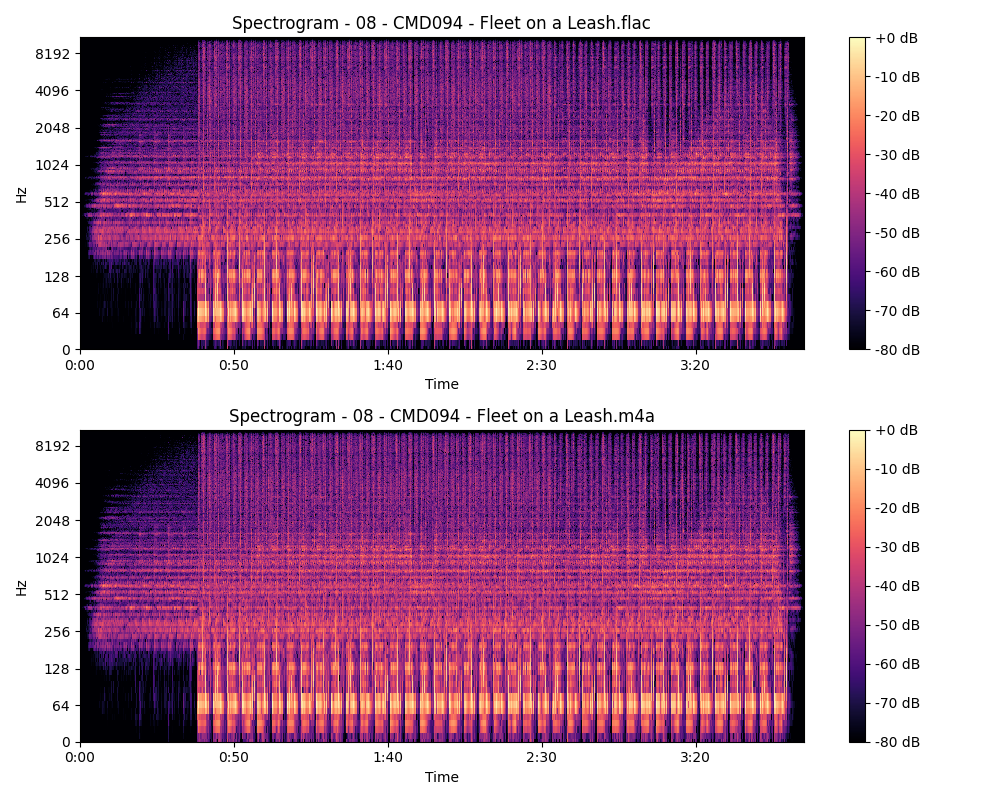
Compare Audio
This compares two audio files using a spectrogram during the first 8 minutes or less.
Change Volume
This changes the volume of audio files in a given directory to in a seperate folder.
Convert to Opus
This converts all audio files in a given directory to .opus in a seperate folder.
Convert to WebM
This converts video files in a given directory to .webm (VP9/Opus) in a separate folder with adjustable quality.
Extract Frames
This extracts every frame from a video file as .png images into an output folder.
Find HDR Videos
This recursively scans a directory for HDR video files and reports their HDR type (HDR10, Dolby Vision, HLG, HDR10+).
Generate Album Sections
This sorts songs in an album according to their CD metadata.
Lossless Separator
This separates .flac and .ape files based off of their metadata.
Mass Crop Images
This mass crops images to an output folder.
Mass Thumbnail
This adds thumbnails of the user's choice to .flac and .mp3 files in a given directory.
Recover Date
This renames files in the directory according to the month, day and year it was minted.
Remove Audio
This removes audio from video files in a given directory.
Remove Metadata
This removes metadata from video files in a given directory.
Rotate Video
This rotates a video by 90, 180 or 270 degrees depending on the user's choice.
Sample Rate Detector
This detects the sample rate of audio which is playing.
Scale Image
This scales an image to any given dimension.
Sort by Album
This organizes songs within a specified directory by creating folders named after their album metadata.
Sort by Artist
This organizes songs within a specified directory by creating folders named after their artist and album metadata.
Sort by Genre
This organizes songs by their genre, artist and albums associated with the artist.
Sort by Resolution
This organizes media based off their resolution.
View Metadata
This displays metadata associated with media files.