SuDokuL
June 16, 2024 · View on GitHub
This is a Sudoku game made in C++ and SDL1.2/SDL2. It's currently available for PC, Linux, Switch, Wii U, Wii, Gamecube, Vita, PSP, FunKey, and PortMaster. An older version is also available for Android.
Features
- Play Sudoku puzzles of Easy, Normal, Hard, or Very Hard difficulty
- These puzzles are generated on-demand using a built-in algorithm; however, to eliminate computation time on weaker devices, Hard and Very Hard puzzles have been pre-generated.
- Mouse, keyboard, controller, and touch screen support
- Supports any resolution from 240x240 and above (must be 1:1 aspect ratio or wider)
- Save data support
- Eight different scrolling backgrounds with customizable settings (size, scroll speed, angle)
- Calm and invigorating MOD music to suit your mood
- Shaded text for a nice 3D look
- Runs on a potato
- Optional auto-fill and erase-mistake cheats in case you get stuck
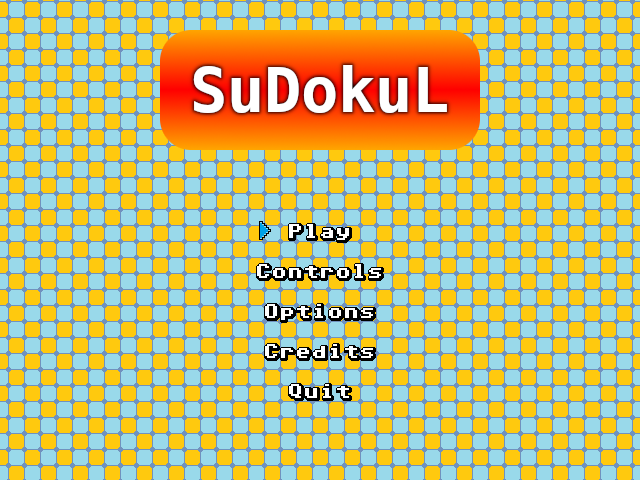
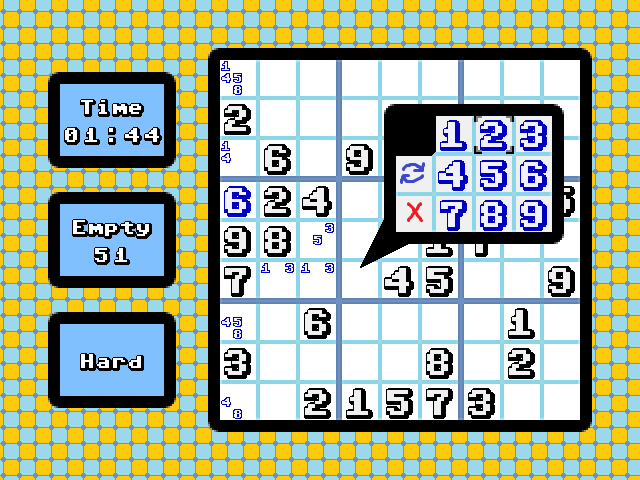
Screenshots (click for full size)
All screenshots are from PC version 1.11 (unless otherwise specified) and can be found in the screenshots folder.

This game was initially designed for 640x480 displays, but it is compatible with any resolution, and higher resolutions will utilize more detailed text and support for smaller background tiles.

How to Compile
PC
- Download the latest SDL2 development libraries (Visual C++ versions):
- Extract the above ZIP files into a folder called SDL2, which should be located in the SuDokuLVS2019 directory.
- From there, use the Visual Studio project file from the repo with Visual Studio 2022.
Android
Install Android Studio, then follow this tutorial.
Switch
Install devkitPro and switch-portlibs (which includes SDL2 for Switch), rename Makefile_switch to Makefile and move it out of the Makefiles directory into SuDokuLVS2019, then build with make.
Wii U
Install devkitPro, Wii U Toolkit, and SDL2 for Wii U, then build with CMake. I've included a make_wii_u.sh file for convenience once you have everything installed.
Wii
Install devkitPro and SDL2 for Wii, rename Makefile_wii to Makefile and move it out of the Makefiles directory into SuDokuLVS2019, then build with make.
Gamecube
Install devkitPro and SDL2 for Gamecube, rename Makefile_gc to Makefile and move it out of the Makefiles directory into SuDokuLVS2019, then build with make.
Vita
Install VitaSDK, then build with CMake. I've included a make_vita.sh file for convenience once you have everything installed.
PSP
Install psptoolchain, which should also come with SDL2, SDL2_image, SDL2_ttf, and SDL2_mixer (Linux or WSL is strongly recommended). Rename Makefile_psp to Makefile and move it out of the Makefiles directory into SuDokuLVS2019, then build with make.
Credits
Everything in this game is made by me except for the following assets:
Music
- Nuke of Anarchy - "Wonder Flow" (alternate version can be found here)
- Okeanos - "Sudoku Padawan"
- Nuke of Anarchy - "Electroquest"
- Soundscape - "Main Menu"
- Okeanos - "Insomnia"
- Solon - "Ontario"
- Noiseless - "Addiction"
- Magnar Harestad - "Ancient Days" (slightly edited by me for looping purposes)
Font
Commodore Pixelized v1.2 by by Devin Cook
Most Background Art
Sound Effects
Libraries / Tools
PC
- SDL2
- SDL2_image
- SDL2_ttf
- SDL2_mixer
- Visual Studio 2022
Android
- Android Studio
Switch
- devkitpro
- SDL2 for Switch
- Make
Wii U
- devkitPro
- Wii U Toolkit
- SDL2 for Wii U
- CMake
Wii
- devkitPro
- SDL2 for Wii
- Make
Gamecube
- devkitPro
- SDL2 for Gamecube
- Make
Vita
- VitaSDK
- CMake
PSP
- psptoolchain
- Make