WSABuilds
October 10, 2023 · View on GitHub
Guide: Changing the GPU used by Windows Subsystem For Android™
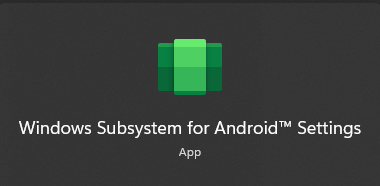
- Open up Windows Subsystem For Android™ Settings --> Either by going to the Start Menu and searching for it or by using the Search feature
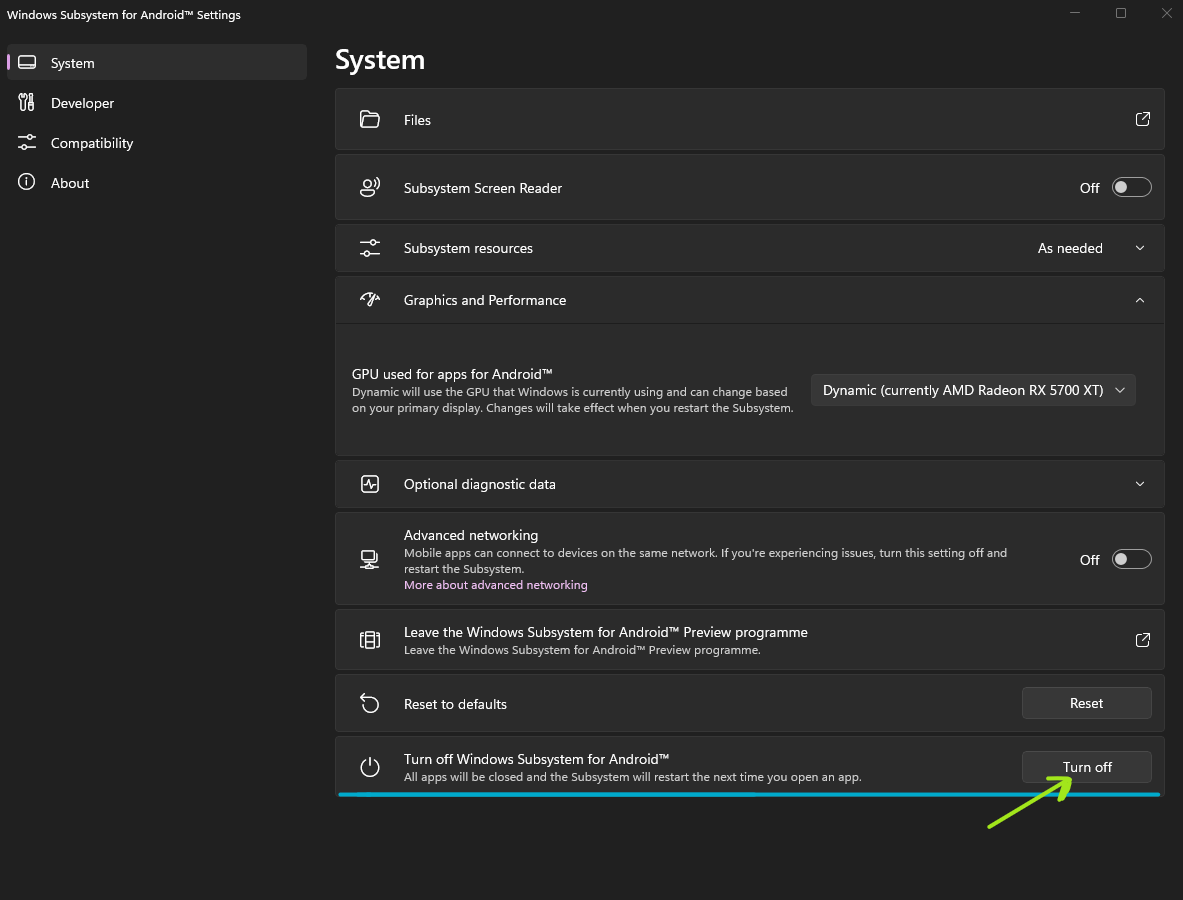
- Make sure to turn off Windows Subsystem For Android™ by pressing
Turn offin theTurn off Windows Subsystem For Android™tab
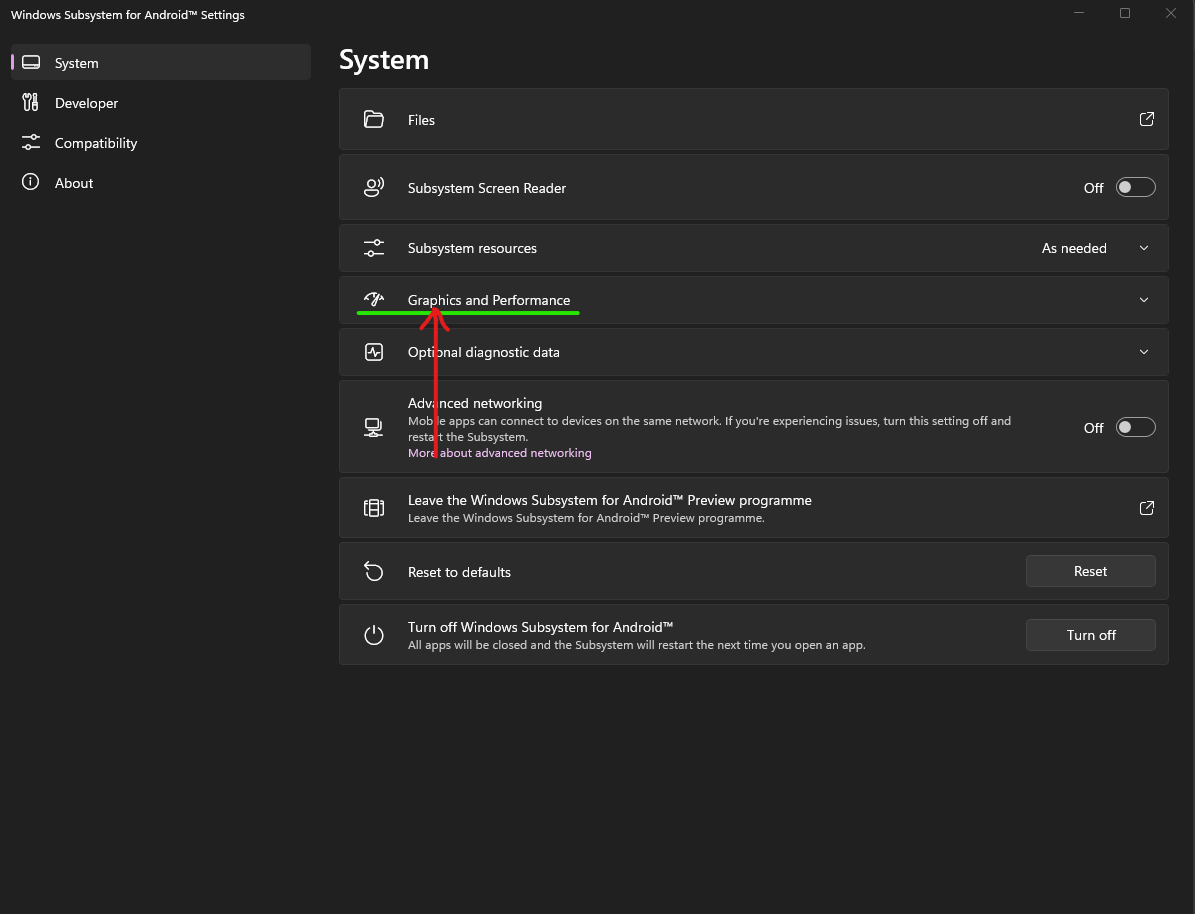
- In Windows Subsystem For Android™ Settings select the
Graphics and PerformanceTab
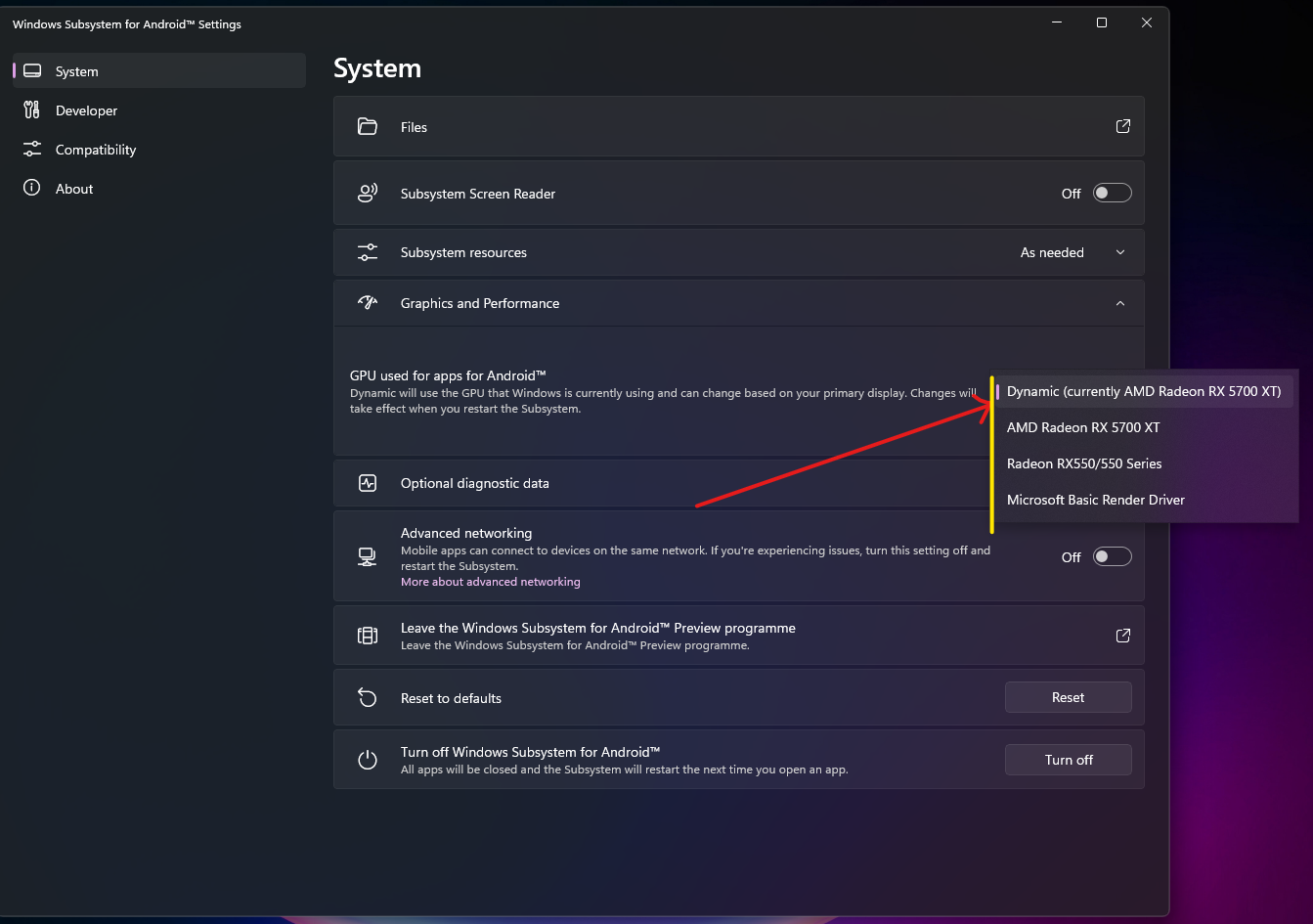
- Click on the selection for
GPU used for apps for Android™and select the GPU that you would like Windows Subsystem For Android™ to use.