Class Informer for Binary Ninja
April 30, 2026 · View on GitHub
Class Informer is a native port of the well known IDA Pro plugin by Sirmabus / kweatherman. It automates the tedious process of finding and reconstructing C++ class hierarchies in MSVC-compiled binaries, saving you from the manual "vtable-hunting" grind.
Features
- RTTI Analysis: Automatically scans for MSVC Run-Time Type Identification data, including
CompleteObjectLocator,TypeDescriptor, andClassHierarchyDescriptor. - Virtual Table Discovery: Locates vftables using a two-pass scanning approach: COL-anchored and heuristic segment sweeps.
- Hierarchy Reconstruction: Reconstructs complex inheritance patterns, including Single, Multiple, and Virtual inheritance.
- Automatic Annotation: Automatically renames identified structures and adds descriptive comments for class names and inheritance labels.
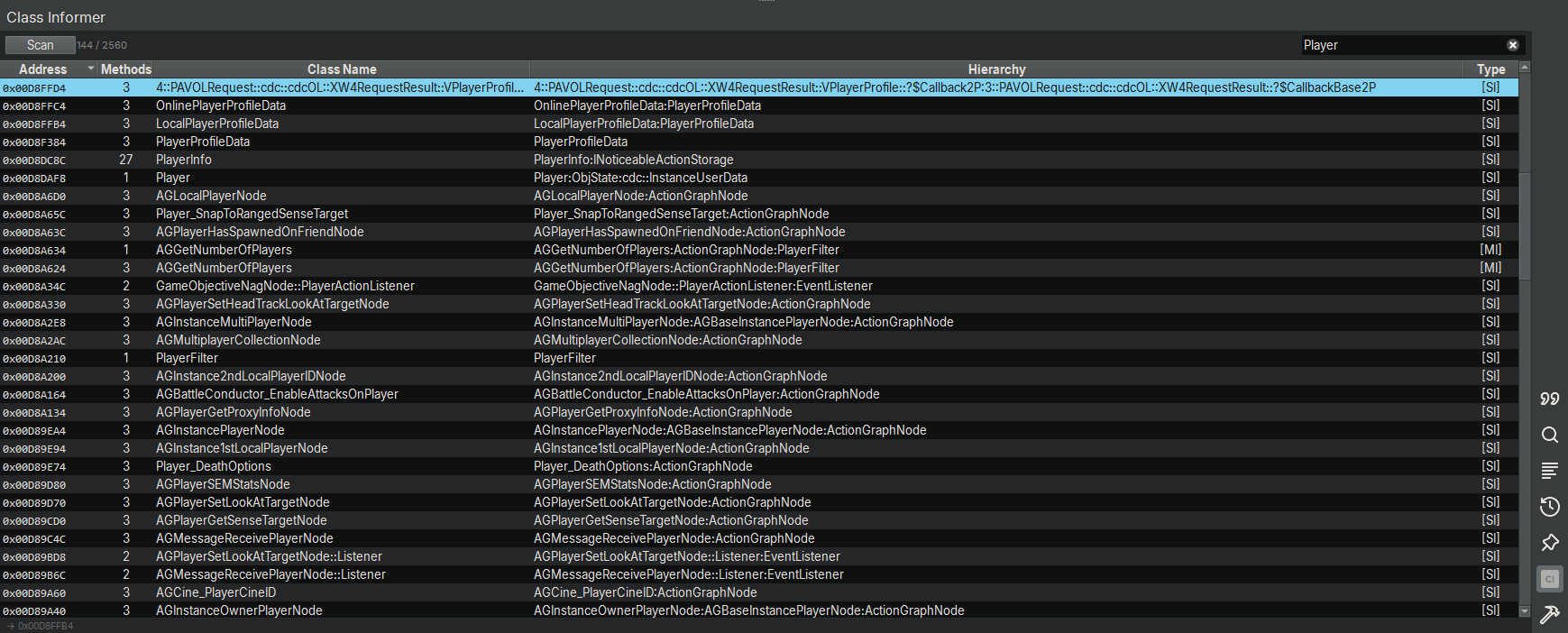
- Native UI Results Pane: Includes a searchable, sortable sidebar widget to browse discovered classes and navigate instantly to vftables.
File Structure
The plugin is organized into the following components:
| File | Description |
|---|---|
__init__.py | The main entry point that registers commands and handles background task threading. |
plugin.json | Metadata and configuration for the Binary Ninja plugin manager. |
rtti.py | Contains the core logic for scanning and parsing MSVC RTTI structures. |
ui.py | Implements the native SidebarWidget and results table using PySide6. |
vftable.py | Handles the discovery, validation, and annotation of virtual function tables. |
Installation
- Find your Binary Ninja user plugins directory.
- Copy the plugin folder (containing
plugin.json) into that directory. - Restart Binary Ninja or use the Plugins -> Refresh Plugins menu.
Usage
Once installed, access the tool via the Plugin Command menu or the command palette:
- Run Scan: Select
Class Informer \ Run Scanor press the "Scan" button in the Class Informer window.- This launches a background thread via
__init__.pyto keep the UI responsive while it processes the binary.
- This launches a background thread via
- Browse Results: A "Class Informer" sidebar widget (powered by
ui.py) will appear.- Filter: Search by class name to narrow down the results.
- Navigate: Double-click any row to jump directly to the vftable in the Linear View.
- About: Check
Class Informer \ Aboutfor version details and credits.
Video
https://www.youtube.com/watch?v=VdoSjZBfS5U
Image
Technical Details
RTTI & Vftable Logic
The scanning logic in rtti.py and vftable.py mirrors the original IDA Pro implementation:
- Pass 1 (COL-anchored): Validates the pointer directly following a known
CompleteObjectLocator. - Pass 2 (Segment Sweep): Uses a heuristic sweep of data segments to find tables missed by initial RTTI analysis.
- Architecture Support: Seamlessly handles both 32-bit (absolute addresses) and 64-bit (relative 32-bit offsets) binaries.
Credits & License
- Original Plugin: Sirmabus / kweatherman
- Binary Ninja Port: NightfallCT