How to Deploy FastAPI Application with AWS EC2 and Ngrok
July 11, 2022 · View on GitHub
This repository contains a shell script and an example of a FastAPI application. The shell script is used to deploy the application on the AWS EC2 instance and expose the IP address so that the application can be seen on the internet.
Steps on how to deploy application using the script
1. Fork this repository
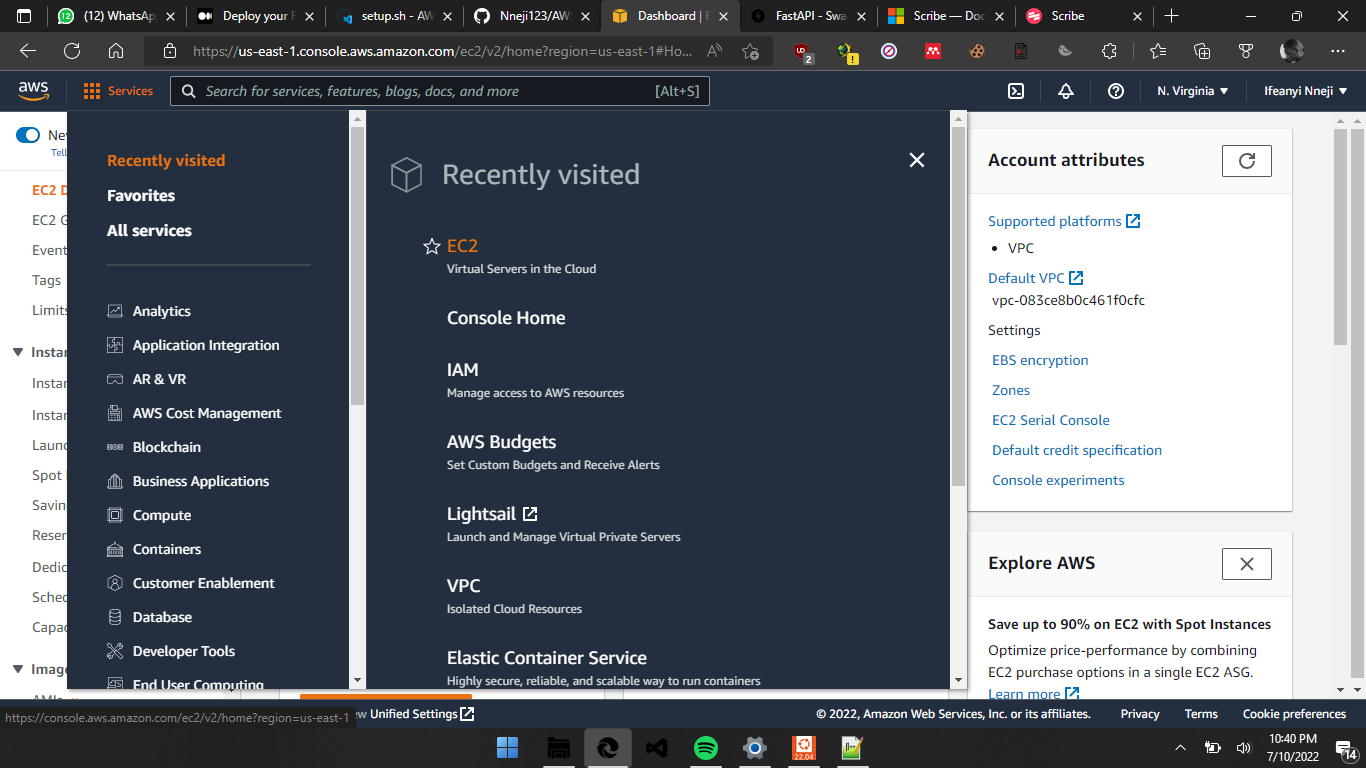
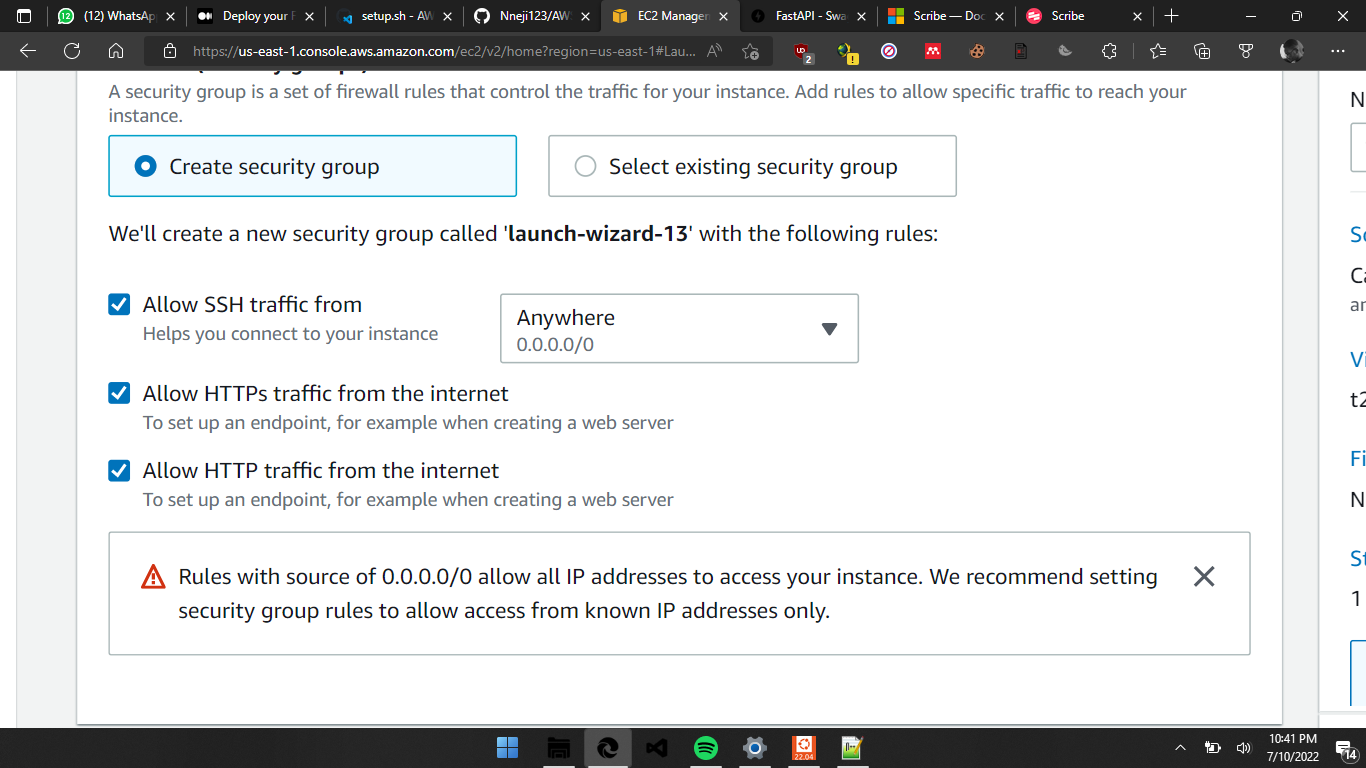
2. Login to AWS, create a new AWS EC2 instance and make sure to allow outside traffic as shown in the screenshots below:
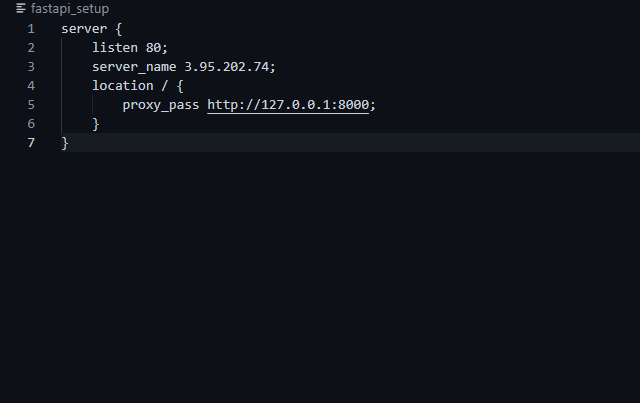
3. When the instance has been launched, copy the Public IP address of your instance and paste it in the 'fastapi_setup' file of your cloned repository as shown below
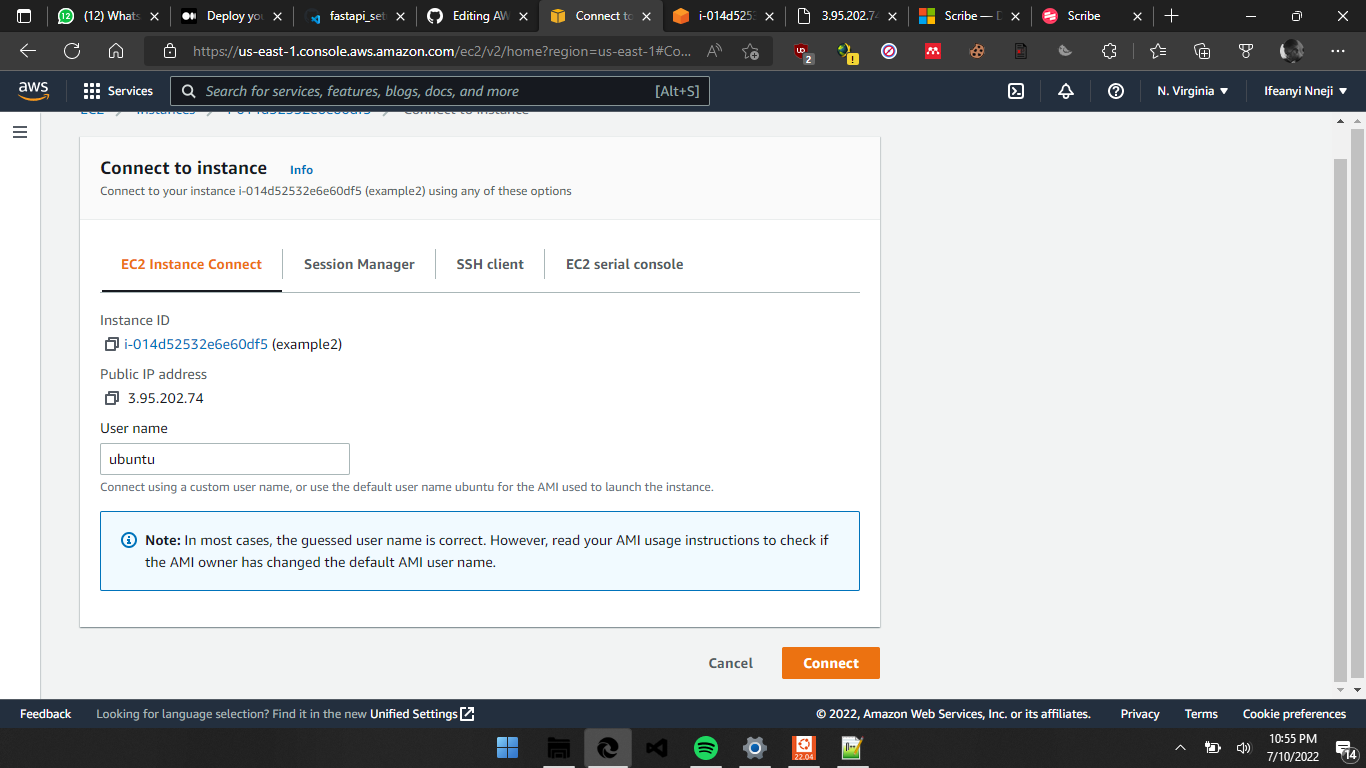
4. Connect to your instance and clone your forked repository, an example in my case:
git clone https://github.com/Nneji123/AWS-EC2-Setup-for-FastAPI-and-Ngrok-Deployment.git
5. cd into your repository which is probably named 'AWS-EC2-Setup-for-FastAPI-and-Ngrok-Deployment'. You can do that by running:
cd AWS-EC2-Setup-for-FastAPI-and-Ngrok-Deployment
6. Then run the setup.sh file to get your application up and running:
./fastapi-setup.sh