ONLYOFFICE Docs plugin for WordPress
May 20, 2026 · View on GitHub
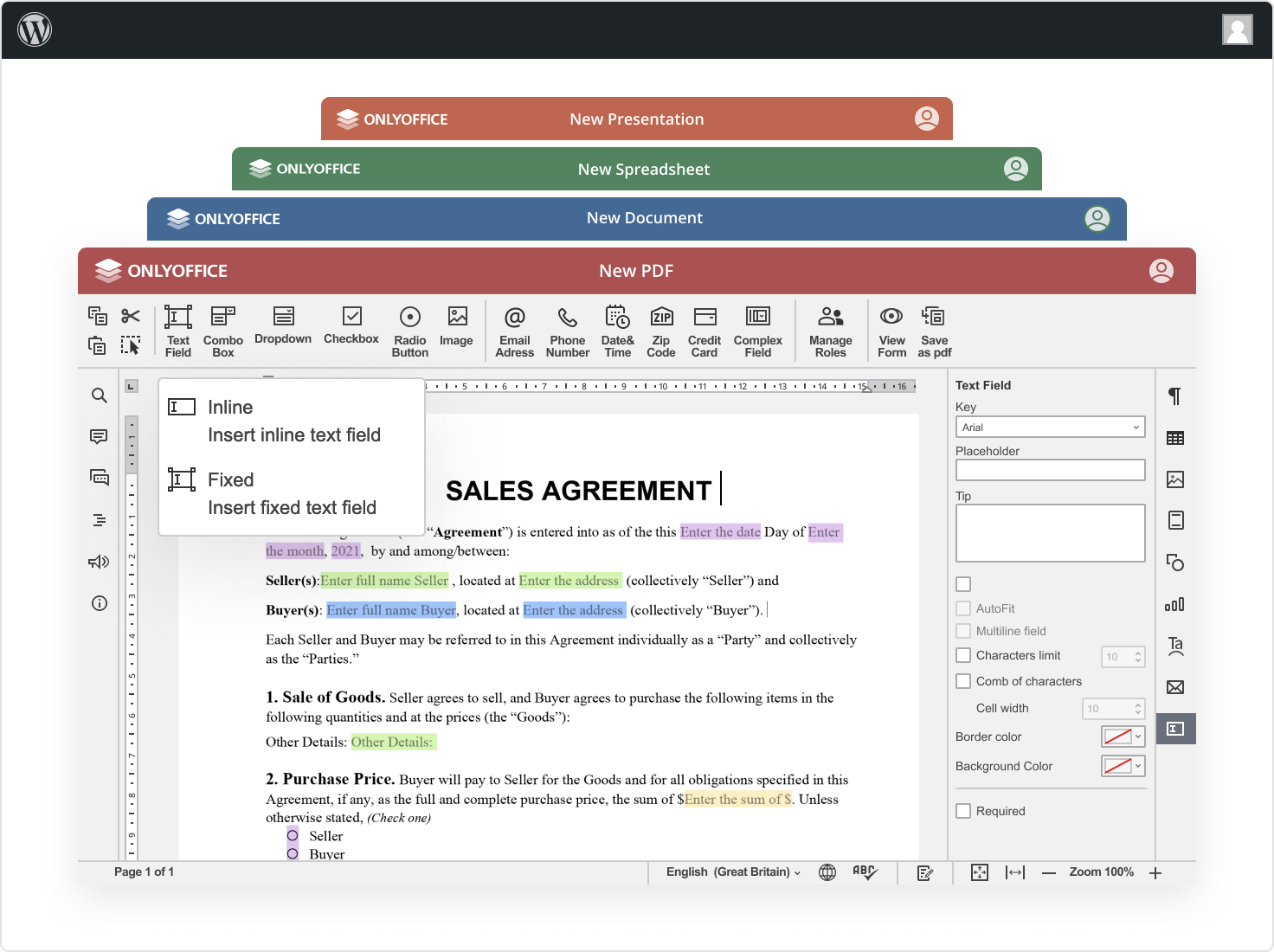
This plugin enables users to edit, view, and collaborate on office documents directly within WordPress using ONLYOFFICE Docs.
Features ✨
- Edit and view text documents, spreadsheets, presentations, and PDF forms.
- Collaborate on documents in real time using:
- Two co-editing modes (Fast and Strict);
- Track Changes and Version History;
- Comments and built-in chat.
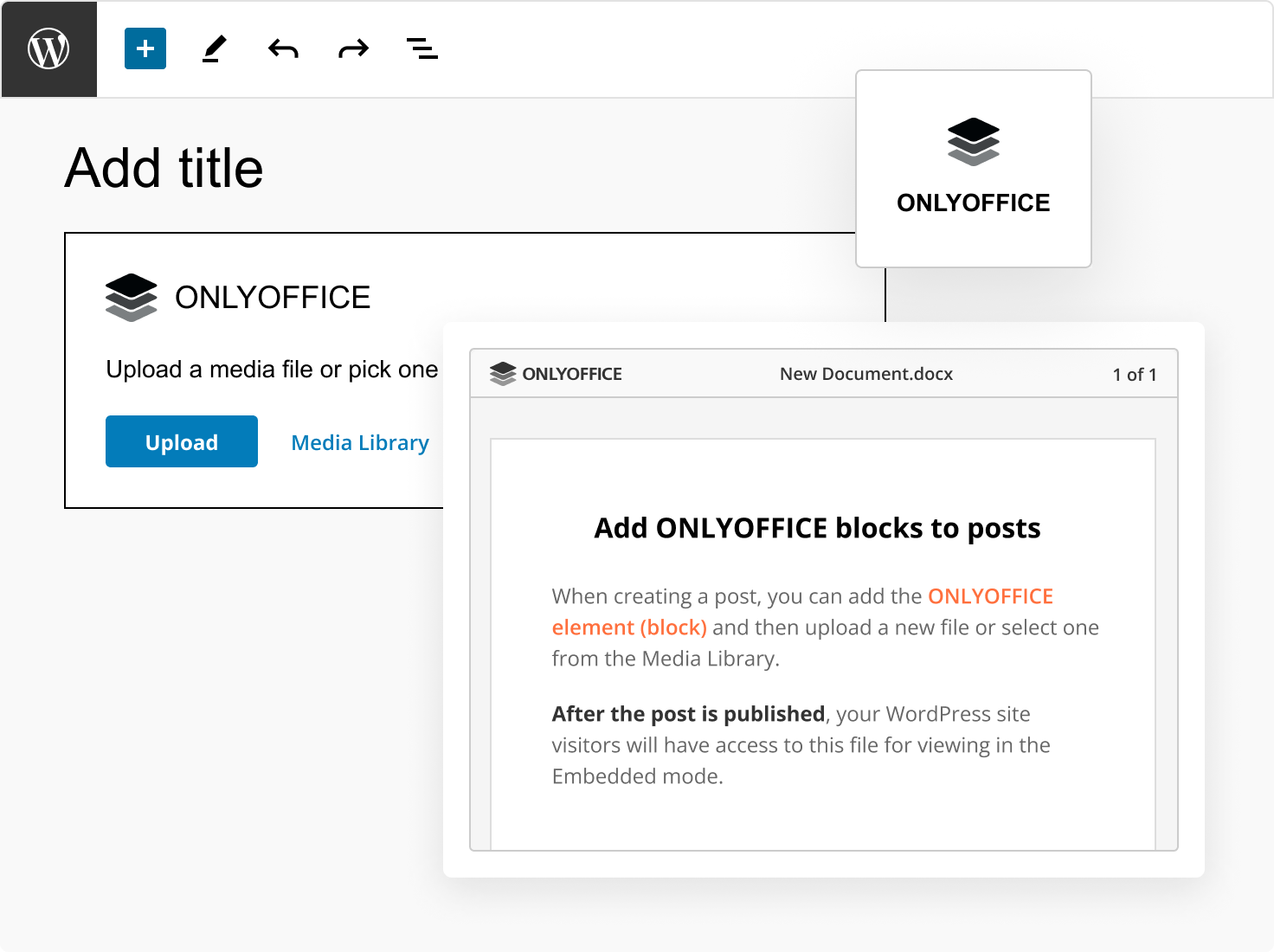
- Add ONLYOFFICE blocks to posts to insert documents in the embedded mode.
Supported formats
For viewing:
- WORD: DJVU, DOC, DOCM, DOCX, DOT, DOTM, DOTX, EPUB, FB2, FODT, HTM, HTML, MHT, MHTML, ODT, OTT, OXPS, PDF, RTF, STW, SXW, TXT, WPS, WPT, XML, XPS
- CELL: CSV, ET, ETT, FODS, ODS, OTS, SXC, XLS, XLSB, XLSM, XLSX, XLT, XLTM, XLTX
- SLIDE: DPS, DPT, FODP, ODP, OTP, POT, POTM, POTX, PPS, PPSM, PPSX, PPT, PPTM, PPTX, SXI
For editing:
- WORD: DOCM, DOCX, DOTM, DOTX
- CELL: XLSM, XLSX, XLTM, XLTX
- SLIDE: POTM, POTX, PPSM, PPSX, PPTM, PPTX
For filling:
- WORD: PDF
Installing ONLYOFFICE Docs
ONLYOFFICE Docs (Document Server) must be accessible from both WordPress and client browsers, and must support sending POST requests to WordPress.
🖥️ Self-hosted
- Community Edition (Free): Docker guide or manual installation
- Enterprise Edition: Installation guide
Community Edition vs Enterprise Edition comparison can be found here.
☁️ Cloud
If you prefer not to maintain your own server, use ONLYOFFICE Docs Cloud, which requires no installation or configuration.
Installing ONLYOFFICE Docs plugin for WordPress
Minimum version of ONLYOFFICE Docs plugin for WordPress is 5.9.0.
- Download the zipped plugin.
- Navigate to the Plugins section in your WordPress administrative dashboard.
- Click Add New at the top of the page.
- Click Upload Plugin at the top of the page.
- Click Choose File and select the downloaded zipped plugin.
- Once the plugin is installed, click Activate.
Alternatively, you can clone the master branch (and then activate the plugin from the WordPress administrative dashboard as well):
cd wp-content/plugins
git clone https://github.com/ONLYOFFICE/onlyoffice-wordpress
Configuring ONLYOFFICE Docs plugin for WordPress
Configure the plugin via the WordPress interface. Go to WordPress administrative dashboard -> ONLYOFFICE Docs -> Settings and specify the following parameters:
-
Document Editing Service address: The URL of the installed ONLYOFFICE Document Server.
-
Document server JWT secret key: JWT is enabled by default and the secret key is generated automatically to restrict the access to ONLYOFFICE Docs and for security reasons and data integrity. If needed, specify your own secret key in the WordPress administrative configuration. In the ONLYOFFICE Docs config file, specify the same secret key and enable the validation.
Using ONLYOFFICE Docs plugin for WordPress
ONLYOFFICE Docs plugin allows WordPress administrators to open files for collaborative editing using ONLYOFFICE Docs (online document editors). In published posts, the editors are visible to all WordPress site visitors (both authorized and unauthorized) in the Embedded mode only.
Editing files uploaded to WordPress
All uploaded files from the Media section will appear on the ONLYOFFICE Docs -> Files page. The editor opens in the same tab by clicking on the file name. Users with administrator rights are able to co-edit documents. All the changes are saved in the same file.
Creating a post
When creating a post, you can add the ONLYOFFICE Docs element (block) and then upload a new file or select one from the Media Library. The added file will be displayed as the ONLYOFFICE logo with the file name in the currently edited post. After the post is published (when you press the Publish or Update button), your WordPress site visitors will have access to this file for viewing in the Embedded mode.
ONLYOFFICE Docs editions
ONLYOFFICE offers different versions of its online document editors that can be deployed on your own servers.
- Community Edition 🆓 (
onlyoffice-documentserverpackage) - Enterprise Edition 🏢 (
onlyoffice-documentserver-eepackage)
The table below will help you to make the right choice.
| Pricing and licensing | Community Edition | Enterprise Edition |
|---|---|---|
| Get it now | Start Free Trial | |
| Cost | FREE | Go to the pricing page |
| Number of users | up to 20 recommended | As in chosen pricing plan |
| License | GNU AGPL v.3 | Proprietary |
| Support | Community Edition | Enterprise Edition |
| Documentation | Help Center | Help Center |
| Standard support | GitHub or Community | 1 or 3 years support included |
| Premium support | Contact us | Contact us |
| Services | Community Edition | Enterprise Edition |
| Conversion Service | + | + |
| Live Viewer | + | + |
| Document Builder Service | - | - |
| Automation API | - | - |
| Interface | Community Edition | Enterprise Edition |
| Tabbed interface | + | + |
| Dark theme | + | + |
| 125%, 150%, 175%, 200% scaling | + | + |
| White Label | - | - |
| Integrated test example (node.js) | + | + |
| Admin Panel | - | + |
| Mobile web editors | - | +* |
| Plugins & Macros | Community Edition | Enterprise Edition |
| Plugins | + | + |
| Macros | + | + |
| Collaborative capabilities | Community Edition | Enterprise Edition |
| Two co-editing modes | + | + |
| Comments | + | + |
| Built-in chat | + | + |
| Review and tracking changes | + | + |
| Display modes of tracking changes | + | + |
| Version history | + | + |
| Document Editor features | Community Edition | Enterprise Edition |
| Font and paragraph formatting | + | + |
| Object insertion | + | + |
| Adding Content control | + | + |
| Editing Content control | + | + |
| Layout tools | + | + |
| Table of contents | + | + |
| Navigation panel | + | + |
| Mail Merge | + | + |
| Comparing documents | + | + |
| Multipage View | + | + |
| Spreadsheet Editor features | Community Edition | Enterprise Edition |
| Font and paragraph formatting | + | + |
| Object insertion | + | + |
| Functions, formulas, equations | + | + |
| Table templates | + | + |
| Pivot tables | + | + |
| Data validation | + | + |
| Conditional formatting | + | + |
| Sparklines | + | + |
| Sheet Views | + | + |
| Solver | + | + |
| Presentation Editor features | Community Edition | Enterprise Edition |
| Font and paragraph formatting | + | + |
| Object insertion | + | + |
| Transitions | + | + |
| Animations | + | + |
| Presenter mode | + | + |
| Notes | + | + |
| Slide Master | + | + |
| Form creator features | Community Edition | Enterprise Edition |
| Adding form fields | + | + |
| Form preview | + | + |
| Saving as PDF | + | + |
| Role-matching colors for fields | + | + |
| PDF Editor features | Community Edition | Enterprise Edition |
| Text editing and co-editing | + | + |
| Work with pages (adding, deleting, rotating) | + | + |
| Inserting objects (shapes, images, hyperlinks, etc.) | + | + |
| Text annotations (highlight, underline, cross out, stamps) | + | + |
| Redact | + | + |
| Comments | + | + |
| Freehand drawings | + | + |
| Form filling | + | + |
| Get it now | Start Free Trial |
* If supported by DMS.
Need help? User Feedback and Support 💡
- 🐞 Found a bug? Please report it by creating an issue.
- ❓ Have a question? Ask our community and developers on the ONLYOFFICE Forum.
- 👨💻 Need help for developers? Check our API documentation.