How to generate Google API tokens
August 22, 2023 · View on GitHub
chrome-webstore-api invokes the official Chrome Web Store API.
Note: the names you enter here don't really matter. It's an app that only you will have access to. This will take approximately 10 minutes and Google likes to change these screens often 🤓...
Process
Here's how to get the 3 keys: clientId, clientSecret and refreshToken
-
Visit https://console.developers.google.com/apis/credentials
-
Create a project:

-
Enter
chrome-webstore-uploadand Create -
Visit https://console.cloud.google.com/apis/credentials/consent
-
Select on External and Create

-
Only enter the Application name (e.g.
chrome-webstore-upload) and required email fields, and click Save
-
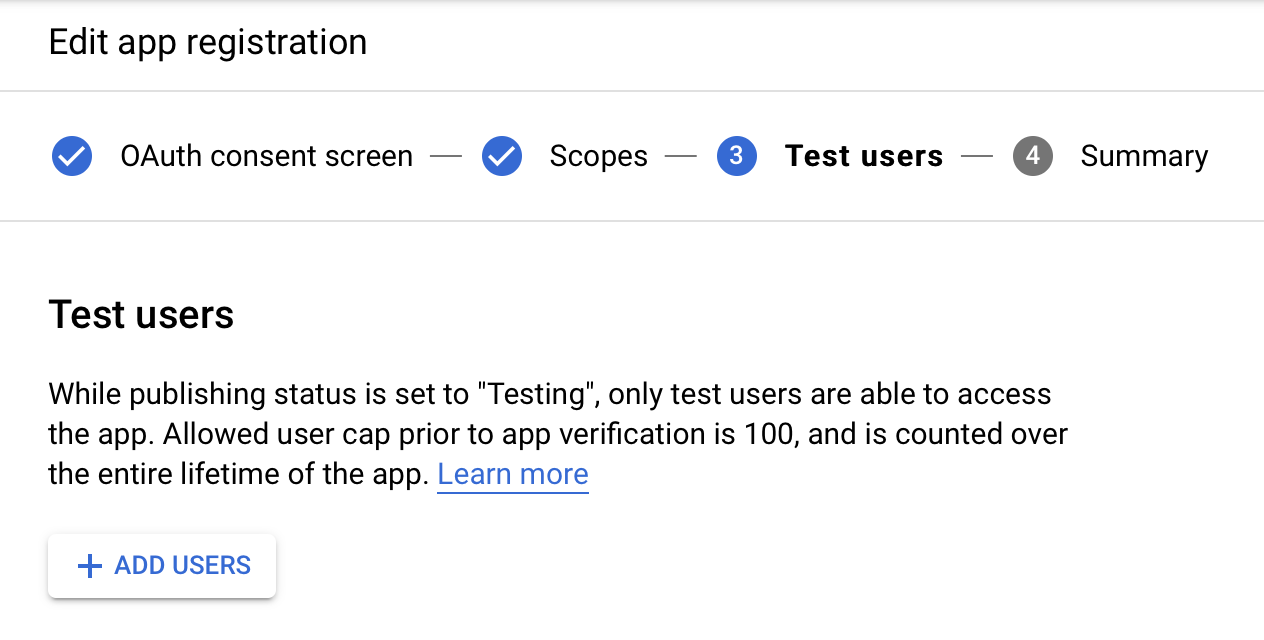
On the 3rd screen, add your own email address:
-
Visit https://console.developers.google.com/apis/library/chromewebstore.googleapis.com
-
Click Enable
-
Visit https://console.developers.google.com/apis/credentials
-
Click Create credentials > OAuth client ID:

-
Select Desktop app, enter
Chrome Webstore Upload, and click Create
-
Download the OAuth client JSON key, save it into a
key.jsonfile:
-
Visit https://console.cloud.google.com/apis/credentials/consent
-
Click PUBLISH APP and confirm

-
Download the credentials and save it as
key.json. -
Open a console/terminal where you stored your
key.jsonfile. Run the following, replacingpnpm dlxwithnpxoryarn dlxas needed:pnpm dlx gcp-refresh-token
-
The command will open an OAuth consent screen on the web. Follow its steps and warnings (this is your own personal app). Make sure the local
portis correct. -
Done. Now you should have ✅
clientId, ✅clientSecretand ✅refreshTokeninkey.json. You can use these for all your extensions, but don't share them!