uncursed
June 7, 2026 · View on GitHub
A cross-platform library for writing terminal interfaces with minimal dependencies (terminfo on unix, recent conhost with VT support on windows). A higher-level buffered drawing abstraction and low-level utilities are provided. Supported implementations will include sbcl, ccl and ecl.
Some useful features are provided beyond stock curses functionality: while this library doesn't aim to provide a full async i/o loop, it does support input timeouts and thread-safe wakeups to integrate with other event sources. The buffer abstraction allows stateless color drawing (no leaky color pairs) while internally optimizing output sequences and makes an attempt to account for wide unicode characters, detecting attempts to overwrite them or draw them beyond the window edge. However width calculations are done character-wise which misses some combining rules and ambiguous characters are not yet localised. This will be improved as needed, PRs welcome!
Some basic examples can be found in the examples directory.
n.b. sand-game.lisp features the color/timer functionality of the library and displays flashing colors.
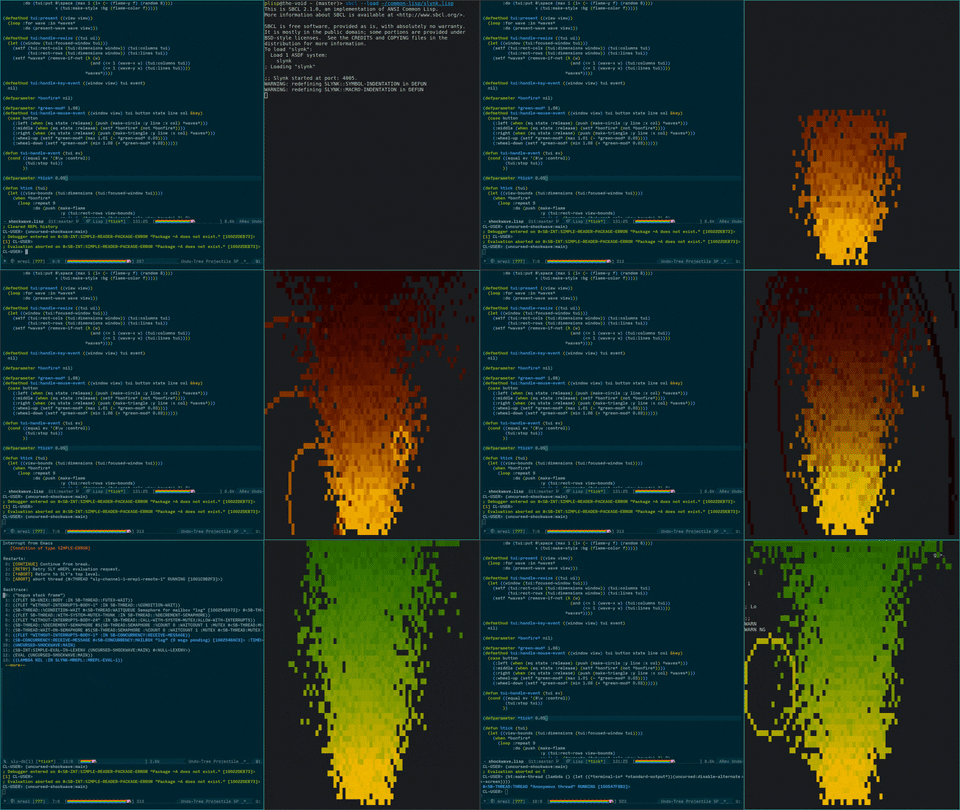
capabilities
- direct-color (truecolor) support
- palette fallback (init_color or approximation)
- comprehensive input handling
- any-event mouse tracking (SGR 1006 only), including modifiers
- special keys, including modifiers (nonstandard st sequences unsupported)
- basic unicode support (width calculation, overwrite signals)
- timers
- terminal resize hook
- thread-safe
wakeup - basic documentation
- Windows support (new!)
- [.] layout abstraction
- account for network character delays
- high-level widget modules
Getting started
For interactive development, a output terminal device is necessary but the SLIME repl within emacs does not emulate a terminal.
To work around this, start a swank server in a terminal session and connect using M-x slime-connect or sly-connect in emacs.
(ql:quickload :swank) ; for sly users, this is slynk
(swank:create-server :dont-close t)
(loop (sleep 1))
Assuming you're not interested in dealing with terminal horrors, the exported tui class is an easy way to get started (see examples). Further documentation of the elemental classes will be written later.
All addressing is done relative to rects. rows and cols get the toplevel terminal dimensions from a tui instance.
(defstruct (rect (:conc-name rect-) (:copier nil))
  (x (error "rect X not provided") :type fixnum :read-only t)
  (y (error "rect Y not provided") :type fixnum :read-only t)
  (rows (error "rect ROWS not provided") :type fixnum :read-only t)
  (cols (error "rect COLS not provided") :type fixnum :read-only t))
(put char line col rect &optional style)which writescharat 1-based line/col coordinates relative torect.(puts string line col &optional rect style)same thing with a string, with truncating behavior at rect edges.(fill-rect style region &optional rect char)appliesstyleto the region (relative torect) and fills with a character if provided.
These functions may raise a view-bounds-error when attempting to draw outside the view's dimensions and optionally accept an immutable style struct with the following fields, corresponding the terminal attributes of rendered text where supported.
(defstruct (style (:conc-name nil) (:copier nil))
  (fg nil :type (or null (integer #x000000 #xffffff)) :read-only t)
  (bg nil :type (or null (integer #x000000 #xffffff)) :read-only t)
  (boldp nil :type boolean :read-only t)
  (italicp nil :type boolean :read-only t)
  (reversep nil :type boolean :read-only t)
  (underlinep nil :type boolean :read-only t))
The main function looks like this. If you are using the remote server trick mentioned previously, be sure to start the terminal thread in a separate thread to avoid slime redirecting output to the REPL, which cannot process terminal escape sequences.
(defun main ()
  (if (member :slynk *features*)
      (bt:make-thread (lambda () (tui-main)))
      (tui-main)))
extra tips
- Call
wakeupon a tui instance to safely trigger a redisplay from another thread, possibly doing some long running computation or i/o - Use a mailbox-popping loop on the main/slime thread to log messages from drawing code to slime and not the terminal screen, see
examples/shockwave.lisp - Use the
use-paletteinitarg to control whether the terminal palette is used. The library makes a best effort to avoid messing up user colors on exit, prefer approximation to modifying the palette.