CatBar
May 4, 2026 · View on GitHub
English | 简体中文

CatBar
A macOS menu bar control panel for mihomo, built for people who want to manage proxies, rules, connections, logs, and core operations from one place.






Requirements
- macOS 13 or later
- Xcode / Swift toolchain compatible with Swift 6.2 for local builds
- A compatible
mihomoexecutable if you want to start the core from CatBar
Quick Start
Install a release build
CatBar currently publishes no-core DMG releases only. The app is distributed without bundling a Clash / mihomo core binary.
- Download the DMG that matches your Mac from GitHub Releases.
- Move
CatBar.appintoApplications. - Launch CatBar from
Applications. - Before first use, place an executable named
mihomointo:
~/Library/Application Support/catbar/core/
CatBar loads the core from that folder.
Build from source
- Clone the repository.
- Build the app bundle:
make build
- To build the app and DMG package together:
make dist
Features
Proxy, node, and rule inspection
- Browse proxy groups and switch nodes inline.
- Inspect provider-backed nodes, subscription usage, and expiry information.
- Search nodes and rules, expand providers, and refresh providers individually or in batches.
- Filter proxy groups by runtime mode such as
Rule,Global, andDirect.
Connection and log monitoring
- Monitor active connections with protocol filters, traffic sorting, and searchable host / IP fields.
- Inspect matched rules, upstream proxy chains, upload / download totals, and connection start times.
- Close one connection or all active connections.
- View CatBar and
mihomologs with source, level, and text filtering.
Core lifecycle and maintenance
- Start, stop, restart, and reload the core.
- Validate selected configs with
mihomo -tbefore launch. - Clear DNS cache or FakeIP cache, check the core version, restart the core API, and update GEO data.
- Detect missing core binaries and guide users to the managed core directory.
Menu bar workflows and settings
- Show runtime state, traffic speed, connection count, memory usage, and traffic totals in the menu bar.
- Import local YAML configs or remote subscriptions.
- Toggle system proxy and TUN mode from the popup panel.
- Configure language, appearance, launch behavior, ports, logging level, and startup options.
Remote controller support
- Add, edit, test, and remove remote
mihomocontrollers. - Switch between local and remote targets.
- Open the remote Web dashboard with generated connection parameters.
Build Locally
Common commands
make build
make dist
swift test
Packaging notes
make buildcreatesdist/CatBar.app.make distbuilds the app and DMG package.WITH_CORE=1is still supported by the build scripts for legacy bundled-core packaging, but the release workflow publishesno-coreartifacts.- Release automation builds separate Apple Silicon and Intel DMGs.
For release maintenance details, see docs/DEVELOPER.md.
Acknowledgements
- CatBar is forked from Sitoi/ClashBar.
- Thanks to MetaCubeX/mihomo for the core runtime capabilities.
Contributors
Thanks to everyone who has contributed to the project.
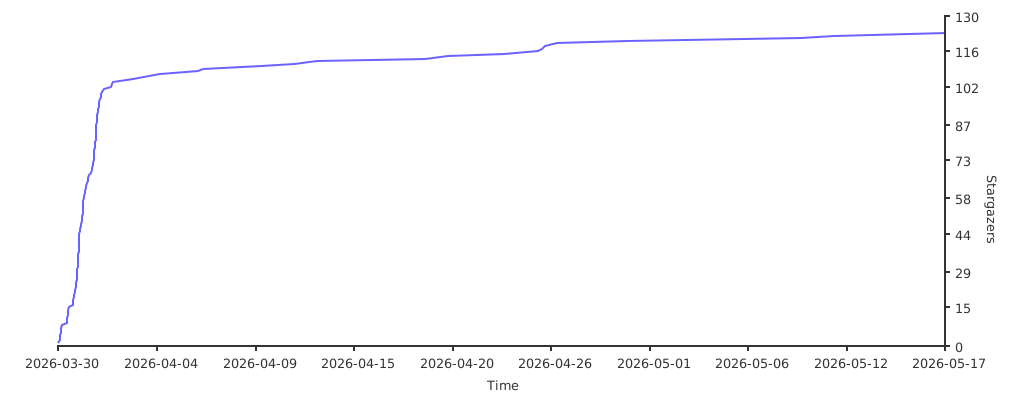
Star History
License
Licensed under GNU GPL v3.0.