Radoslav Bukov
February 6, 2026 · View on GitHub
Live site: https://radoslavbukov.eu/ 🌐
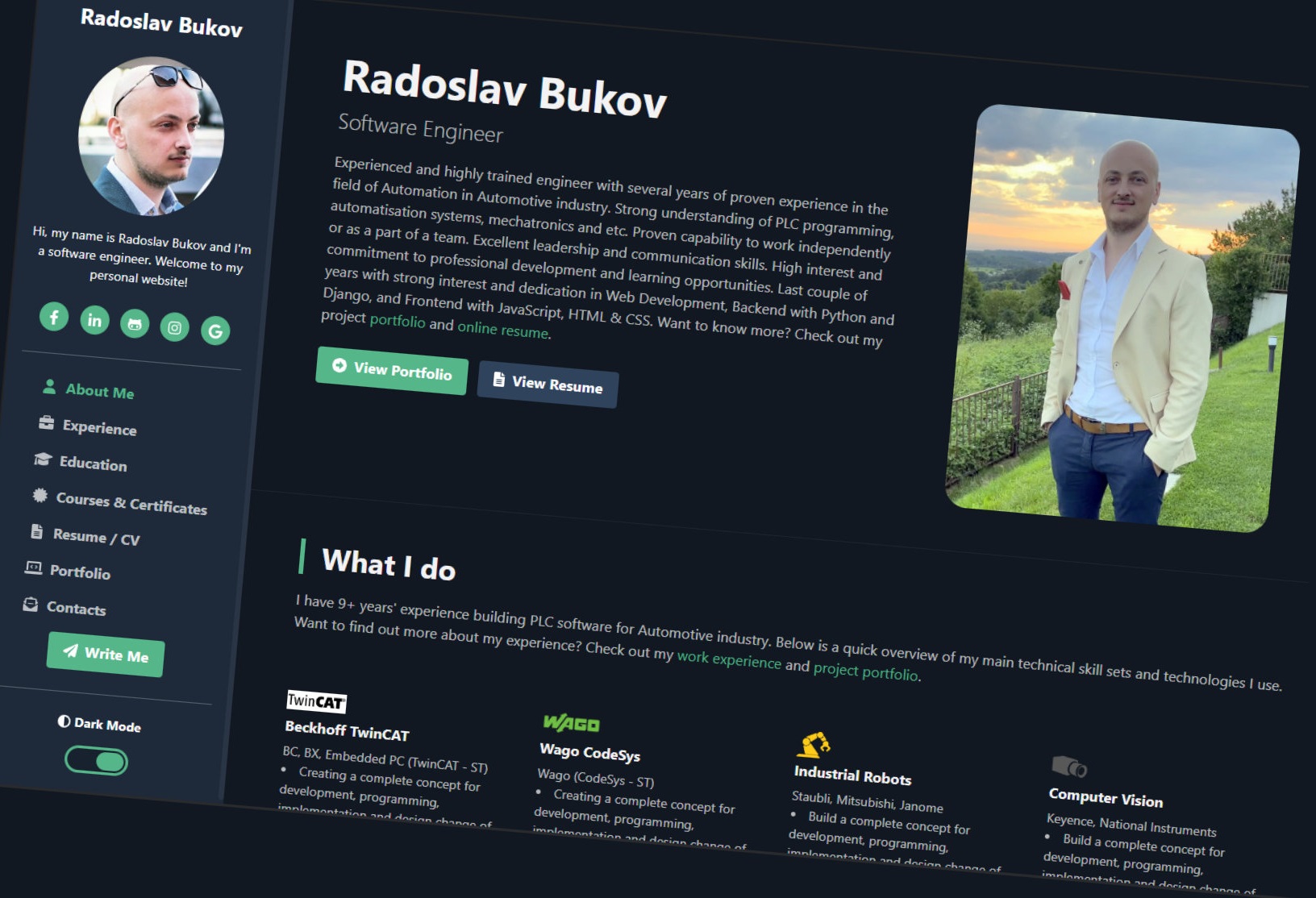
Short description ✨
This repository contains a lightweight, responsive static personal portfolio website for Radoslav Bukov. It is built with HTML, CSS and JavaScript and is suitable for GitHub Pages or any static host.
Key features ⭐
- Responsive layout with a profile sidebar and navigation to About / Experience / Education / Portfolio / Resume / Contact pages.
- Dark mode toggle (preference stored with
js-cookie). - Project pages with screenshots and short descriptions.
Technologies 🧰
- HTML5, CSS3, JavaScript
- Bootstrap (bundle)
- FontAwesome icons
- Tiny Slider, Isotope, imagesLoaded
- js-cookie (for remembering dark-mode preference)
Repository structure 📁
index.html— main landing / about pageexperience.html,education.html,portfolio.html,resume.html,contact.html— content pagescss/— stylesheets (style.css, print/media styles)js/— scripts (includingdark-mode.js,script.js)plugins/— third-party libraries (bootstrap, tiny-slider, isotope, js-cookie, etc.)images/— profile image, project screenshots and favicons
Quick start (local preview) 🧪
Open index.html in your browser, or serve the directory with a simple static server.
Python (PowerShell):
# From the repository root
python -m http.server 8000
# Open http://localhost:8000
Node (http-server):
npx http-server -c-1 . -p 8000
Linting and developer tools 🛠️
This repository includes package.json dev scripts for quick linting. Install dev dependencies and run the linters:
# install dev dependencies
npm ci

# run all linters
npm run lint

# or run individual checks
npm run lint:html
npm run lint:js
npm run lint:css
Dark mode details 🌙
- The toggle input with id
darkmodecontrols dark mode. The site usesjs-cookieto save the preference. - Default theme behavior is implemented in
js/dark-mode.jsand thecheckedattribute on the#darkmodeinput inindex.html.
Customizing the site 🎨
- Edit the HTML pages directly to update text, links, projects and images.
- Update styles in
css/style.css. - Replace images in
images/for project screenshots or the profile picture.
CI / Workflows ⚙️
This repository includes GitHub Actions workflows for pre-deploy checks and deployment (cPanel via FTP/SFTP):
-
.github/workflows/check.yml— "Pre-deploy Checks"- Trigger:
pushonmainbranch. - Steps: checkout, run JS lint (eslint), HTML lint (htmlhint), CSS lint (stylelint).
- Trigger:
-
.github/workflows/deploy.yml— "Deploy to cPanel via FTP/SFTP"- Trigger: runs after the
Pre-deploy Checksworkflow completes successfully (workflow_run trigger). - Uses
SamKirkland/FTP-Deploy-Actionto upload files to the target server's web root.
- Trigger: runs after the
Required repository secrets 🔑
Set the following in GitHub → Settings → Secrets → Actions:
FTP_HOST— hostname or IP of your FTP/SFTP serverFTP_USER— username for FTP/SFTPFTP_PASSWORD— password for FTP (or leave empty when using key auth)FTP_PROTOCOL— protocol to use (ftporsftp)
Optional / advanced 🔒
The SamKirkland action supports private-key based SFTP. If you prefer key authentication, follow the action docs and set the appropriate secret variables (e.g. PRIVATE_KEY). See: https://github.com/SamKirkland/FTP-Deploy-Action
How it works (high level) 🔁
- Push changes to
main(or merge a PR intomain). check.ymlruns linting steps to validate JS/HTML/CSS.- If
check.ymlcompletes successfully,deploy.ymluploads the repository files to the configured server.
Security / dev-dependencies note 🐛➡️🛡️
Dev dependencies (linters) are included in package.json. When installing or updating dev deps, run npm ci and check npm audit. If vulnerabilities appear in dev dependencies, you can update them with:
npm audit fix
# or to upgrade across breaking changes
npm audit fix --force
Recommended repository additions ✅
CONTRIBUTING.md— contribution guidelines and PR workflowCHANGELOG.md— track versions and changesLICENSE— clarify reuse permissions (if you want to allow reuse)docs/orassets/— store high-resolution screenshots and source assets
Contact ✉️
See contact.html for the contact email and social links.
License 📜
This repository contains the personal website for Radoslav Bukov. Add a LICENSE file to specify reuse terms if desired.