GPUTUM: StructuredEikonal
May 12, 2016 · View on GitHub
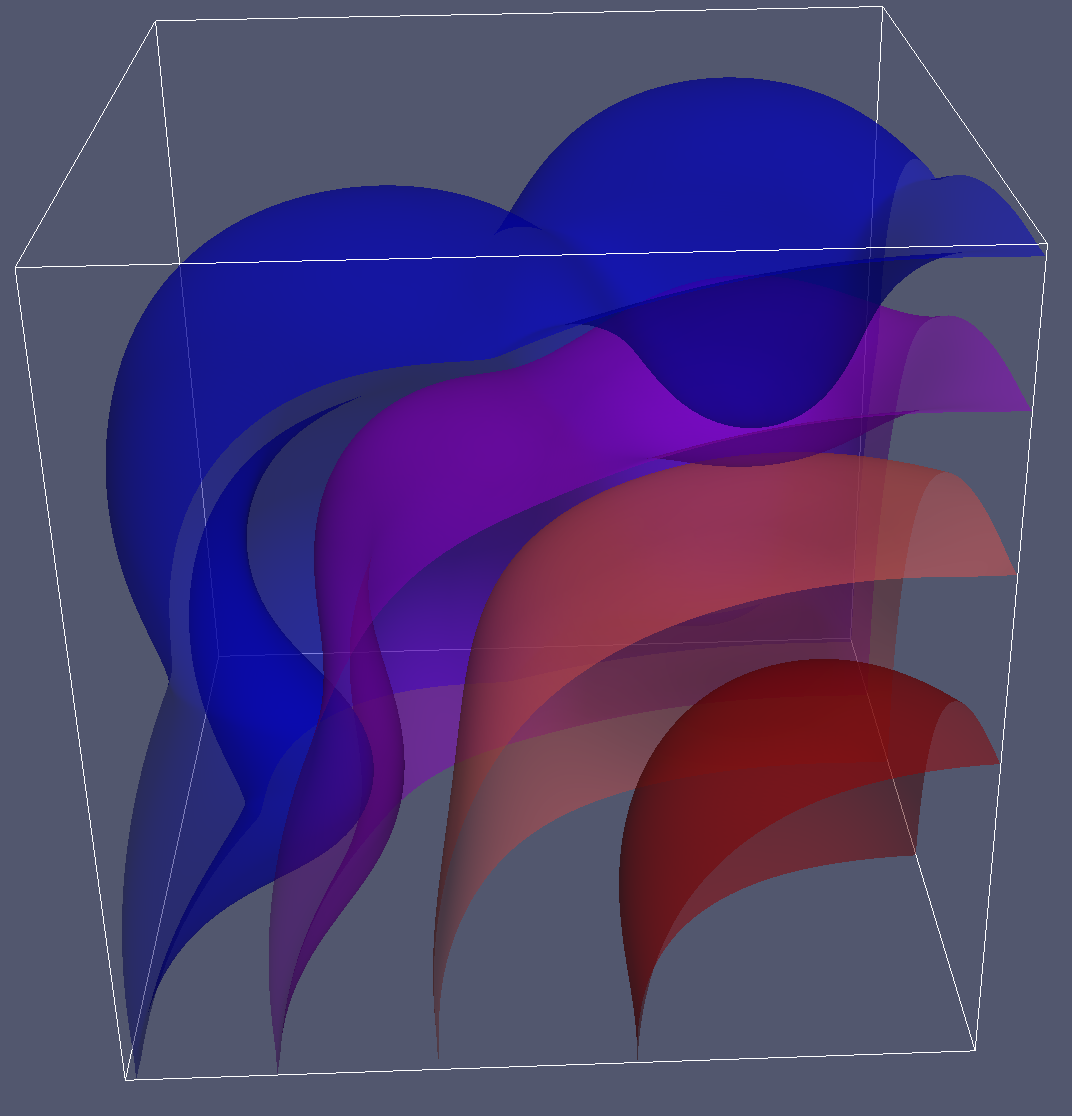 GPUTUM: StructuredEikonal is a C++/CUDA library written to solve the Eikonal equation on
structured meshes. It uses the fast iterative method (FIM) to solve efficiently, and uses GPU hardware.
GPUTUM: StructuredEikonal is a C++/CUDA library written to solve the Eikonal equation on
structured meshes. It uses the fast iterative method (FIM) to solve efficiently, and uses GPU hardware.
The code was written by Won-Ki Jeong at the Scientific Computing and Imaging Institute, University of Utah, Salt Lake City, USA. The theory behind this code is published in the papers linked below. Table of Contents
- Aknowledgements
- Requirements
- Building
- Linux / OSX
- Windows - Running Examples
- Using the Library
- Testing
Aknowledgements
**A Fast Iterative Method for Eikonal Equations**AUTHORS:
Won-Ki Jeong(b)
Ross T. Whitaker(a)
This library solves for the Eikional values for voxels within a volume.
Requirements
- Git, CMake (2.8+ recommended), and the standard system build environment tools.
- You will need a CUDA Compatible Graphics card. See here You will also need to be sure your card has CUDA compute capability of at least 2.0.
- StructuredEikonal is compatible with the latest CUDA toolkit (7.5). Download here.
- This project has been tested on OpenSuse 13.1 (Bottle) on NVidia GeForce GTX 680 HD, Windows 7 on NVidia GeForce GTX 775M, and OSX 10.10 on NVidia GeForce GTX 775M.
- If you have a CUDA graphics card equal to or greater than our test machines and are experiencing issues, please contact the repository owners.
- Windows: You will need Microsoft Visual Studio 2010+ build tools. This document describes the "NMake" process.
- OSX: Please be sure to follow setup for CUDA here. There are several compatability requirements for different MAC machines, including using a different version of CUDA (ie. 5.5).
Building
Linux and OSX
In a terminal: ```c++ mkdir StructuredEikonal/build cd StructuredEikonal/build cmake ../src make ```Windows
Open a Visual Studio (32 or 64 bit) Native Tools Command Prompt. Follow these commands: ```c++ mkdir C:\Path\To\StructuredEikonal\build cd C:\Path\To\StructuredEikonal\build cmake -G "NMake Makefiles" ..\src nmake ```Note: For all platforms, you may need to specify your CUDA toolkit location (especially if you have multiple CUDA versions installed):
cmake -DCUDA_TOOLKIT_ROOT_DIR="~/NVIDIA/CUDA-7.5" ../src
(Assuming this is the location).
Note: If you have compile errors such as undefined reference: atomicAdd, it is likely you need to
set your compute capability manually. CMake outputs whether compute capability was determined automatically, or if
you need to set it manually. The default minimum compute capability is 2.0.
cmake -DCUDA_COMPUTE_CAPABILITY=20 ../src
make
Running Examples
You will need to enable examples in your build to compile and run them.
cmake -DBUILD_EXAMPLES=ON ../src
make
You will find the example binaries built in your build directory.
Run the examples in the build directory:
./Example1
-or-
Example1.exe
...
Each example has a --help flag that prints options for that example.
Follow the example source code in src/example1.cu to learn how to use the library.
Depending on your device architecture, the default volume size may be too large. Make it smaller for
Example1 with the option -s 128 or a smaller number if necessary. You can try this if you
get a CUDA error when running the example.
Using the Library
A basic usage of the library links to the STRUCTURED_EIKONAL
library during build and includes the headers needed, which are usually no more than:
#include <StructuredEikonal.h>
Then a program would setup the Eikonal parameters using the
StructuredEikonal object object and call
object.solveEikonal() to generate
the array of voxel values that represent the solution.
Here is a minimal usage example (in 3D).
#include <StructuredEikonal.h>
#include <iostream>
int main(int argc, char *argv[])
{
  StructuredEikonal data(true);
  //Run the solver
  data.solveEikonal();
  //now use the result
  data.writeNRRD("myfile.nrrd");
}
The following helper functions are available before running the solver:
void StructuredEikonal::setDims(size_t w, size_t h, size_t d);  //set the volume dimensions
void StructuredEikonal::setMapType(size_t t); //pre-generated speed functions (sphere or egg-carton)
void StructuredEikonal::setItersPerBlock(size_t t); //set the iterations per block
void StructuredEikonal::setSpeeds(std::vector<std::vector<std::vector<double> > > speed); //set the voxel speeds
void StructuredEikonal::setSeeds(std::vector<std::array<size_t, 3> > seeds); //set list of seed voxels
The following helper functions are available after running the solver:
void StructuredEikonal::writeNRRD(std::string filename); //write the result as a volume NRRD.
std::vector< std::vector< std::vector<double> > > getFinalResult(); //get the resulting volume voxel values.
You can also access the results and the mesh directly after running the solver:
std::vector<std::vector<std::vector<double> > > StructuredEikonal::answer_;
Eikonal Options
  class StructuredEikonalEikonal {
      bool verbose_;                    //option to set for runtime verbosity [Default false]
      size_t itersPerBlock_;            //# of iters / block                  [Default 10]
      size_t width_;														  [Default 256]
      size_t height_;													      [Default 256]
      size_t depth_;													      [Default 256]
      size_t solverType_    ;           //auto speed fuctions,
	                                              0=sphere, 1=eggcarton       [Default 0]
  };
You will need to make sure your CMake/Makfile/Build setup knows where to point for the library and header files. See the examples and their CMakeLists.txt.
Testing
Testing has not yet been implemented.