🏗️ Prompt Architect
June 10, 2026 · View on GitHub
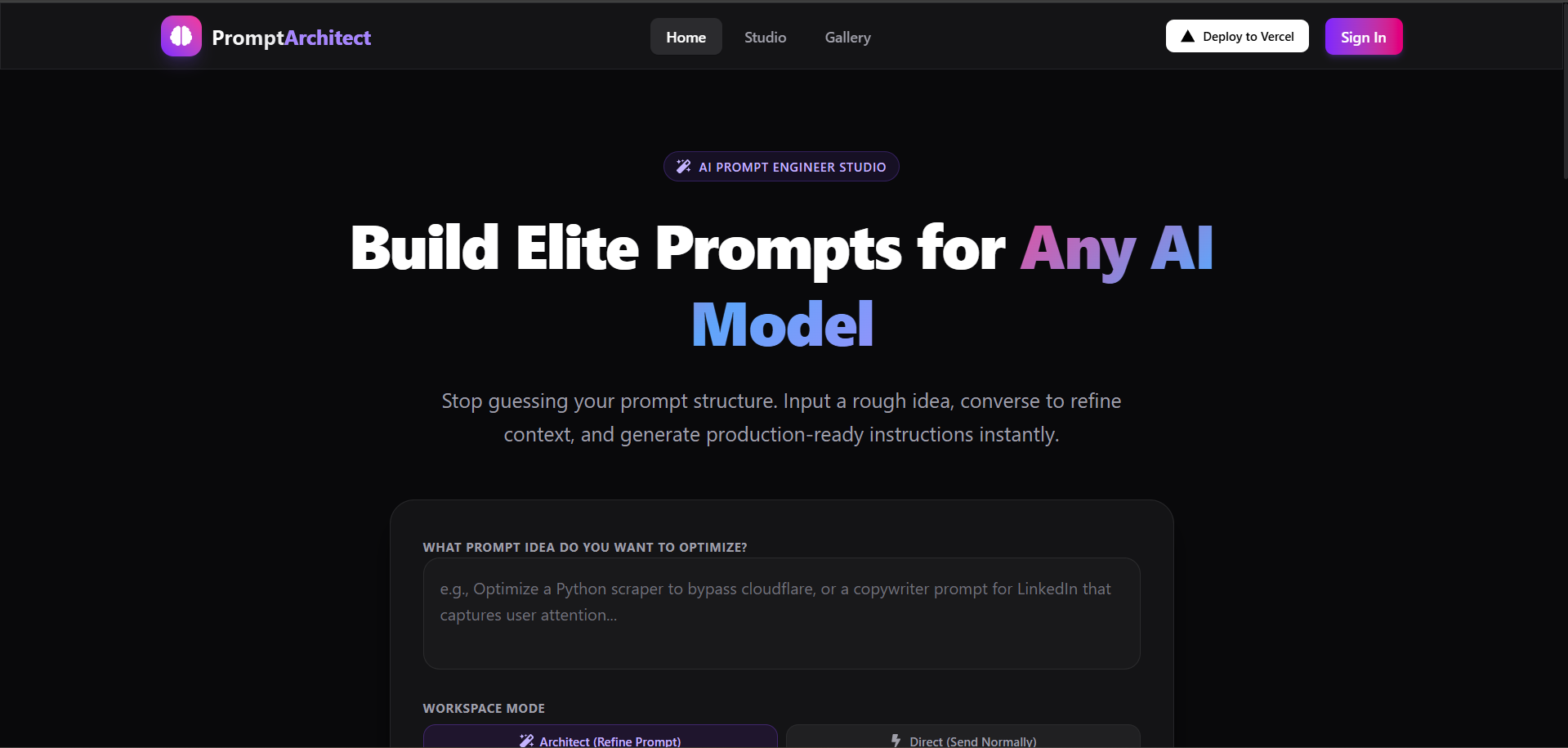
Engineer, refine, and save professional AI prompts for ChatGPT, Claude, Midjourney, and Stable Diffusion in seconds. A production-ready, self-hostable Next.js SaaS boilerplate with conversational refinement threads, a saved prompt library, multi-engine targeting, and built-in Stripe billing. A free open-source alternative to PromptBase, PromptPerfect, PromptHero, and FlowGPT — powered by the MuAPI AI engine.
Tech stack: Next.js 14 (App Router) · Prisma · PostgreSQL · NextAuth (Google OAuth) · Stripe · Tailwind CSS · MuAPI any-llm Use cases: AI developers · Prompt engineers · ChatGPT power users · Content creators · Midjourney artists · LLM workflow builders · AI product teams · Technical writers

🌐 Try the Live Workspace
Hosted Demo: prompt-architect-one-nu.vercel.app
Experience the full glassmorphic, responsive workspace. Sign in with Google to explore the Prompt Architect Studio, refinement threads, and pricing credit packages directly from your browser.
AI Prompt Architect is a production-ready, highly-optimized prompt design workspace. Out of the box, it seamlessly manages User Authentication, Credits & Billing, Conversational Prompt History, and asynchronous AI generation polling using a sleek Next.js App Router architecture. It empowers developers and prompt designers to build professional-grade AI instructions with built-in mobile optimization, making it the perfect SaaS application template.
Why use AI Prompt Architect?
- Production-Ready SaaS — Complete with Google OAuth and Stripe Checkout workflows built-in.
- Conversational Refinement — Engage in iterative Q&A rounds with the AI to discover constraints, context, and goals before prompt generation.
- Historical Library — All completed prompt frameworks are securely persisted to a PostgreSQL database for a custom search-ready gallery.
- Responsive UX — Custom select dropdowns, sliding toggle switches, micro-animations, and complete mobile-stacked responsiveness.
- Extensible API — Easily swap out the underlying AI engine without breaking the application UI.
✨ Core Features
- Kinetic Prompt Studio — Input raw prompt ideas and choose the target AI engine (ChatGPT, Claude, Midjourney, Stable Diffusion) and custom style format (Professional, Creative, Academic, Technical).
- Refinement Chat timeline — Collaborate with the expert system AI. Iterative prompts charge 4 credits per call, polling results dynamically with automatic fallback support.
- ✨ Engineered System Prompt Card — Completed generations trigger confetti animations and present ready-to-use markdown codes with 1-click clipboard copies, direct ChatGPT intent redirects, and conversational refinement hooks.
- My Prompt Library (Gallery) — A dedicated archive for logged-in users. Displays past final prompts fetched from the database, filterable using a live search query.
- Credit Tiers & Billing — Complete Stripe checkout integration. Top up credits with Basic, Pro, or Business packs. Includes webhook completion callbacks.
- Premium Aesthetics — Vibrant purple/pink dark glow meshes, backdrop filters, custom slider toggles, and scroll-chaining isolation (
prevent-scroll-chaining).
⚡ Deployment: Vercel & Production
Deploying an instance of AI Prompt Architect to the web requires minimal configuration. The architecture is engineered explicitly for Vercel serverless environments.
One-Click Deploy
Pro Tip: Fork this repository, replace
YOUR_GITHUB_USERin the link above, to streamline deployments for your private forks.
🔑 Required Environment Variables
To successfully deploy and run, you must populate the following environment variables in your Vercel project settings:
| Service | Variable | Description & Source |
|---|---|---|
| Database | DATABASE_URL | PostgreSQL connection string (Supabase or Neon) |
DIRECT_URL | Direct DB connection for Prisma migrations | |
| NextAuth / Google | NEXTAUTH_SECRET | Secure random string generated via openssl rand -base64 32 |
NEXTAUTH_URL | Your production domain (e.g. https://my-app.vercel.app) | |
GOOGLE_CLIENT_ID | Get from Google Cloud Console | |
GOOGLE_CLIENT_SECRET | Get from Google Cloud Console | |
| Stripe Billing | STRIPE_SECRET_KEY | Get from Stripe Dashboard |
NEXT_PUBLIC_STRIPE_PUBLISHABLE_KEY | Get from Stripe Dashboard | |
STRIPE_WEBHOOK_SECRET | Webhook secret for resolving credit purchases | |
| AI Generator | MU_API_KEY | Create an account and get key from muapi.ai/access-keys |
🚀 Launching on Vercel: Step-by-Step
- Database Provisioning: Create a new Postgres database (via Supabase or Neon). Retrieve the pooling connection string (
DATABASE_URL) and direct connection string (DIRECT_URL). - Project Creation: Import your GitHub fork into the Vercel dashboard.
- Configure Environment Variables: Copy the variables above into the Vercel project settings environment tab.
- Deploy: Hit "Deploy". Vercel will automatically run the build steps (
npm run build). - Database Push: Since Prisma does not automatically migrate via Vercel builds by default, you may want to append
npx prisma db push &&to your Vercel build command, or manually run it locally pointing to your production database URL. - Integrations Setup:
- Establish a Google Cloud OAuth app, enabling the callback URL:
https://your-app.vercel.app/api/auth/callback/google - Setup a Stripe Webhook, pointing to
https://your-app.vercel.app/api/billing/webhookand selecting thecheckout.session.completedevent to grab your webhook signing secret.
- Establish a Google Cloud OAuth app, enabling the callback URL:
🛠️ Local Development
Ready to iterate locally? Setup is straightforward.
Prerequisites
- Node.js (v18 or higher)
- A local PostgreSQL instance or a free cloud Database URL.
Setup
# 1. Clone the repository
git clone https://github.com/SamurAIGPT/prompt-architect
cd prompt-architect/apps/prompt-architect

# 2. Install dependencies
npm install

# 3. Setup Environment
cp .env.example .env
# Open .env and insert your specific keys. You can use a local DB or your dev cloud DB.

# 4. Initialize Database Schema
npx prisma generate
npx prisma db push

# 5. Start the Development Server
npm run dev
The graphical console should now be heavily responsive on http://localhost:3000.
🏗️ Technical Architecture
This application decouples visually rich UI elements from core business logic layers, emphasizing modularization.
prompt-architect/
├── prisma/
│   └── schema.prisma           # Postgres tables: Users, Accounts, PromptSessions, PromptMessages
├── src/
│   ├── app/                    # Next.js 16 App Router
│   │   ├── api/                # Backend API Routes (Stripe, AI chat, Auth)
│   │   ├── chat/               # Conversational prompt refinement threads
│   │   ├── gallery/            # Saved Engineered Prompt Library
│   │   ├── pricing/            # Interactive tier and credit purchase view
│   │   ├── globals.css         # Styling, glassmorphic layout rules, overscroll isolation
│   │   ├── layout.js           # Wraps layout inside auth session provider
│   │   └── page.js             # Main kinetic prompt input workspace page
│   ├── components/             # Reusable UI components
│   │   ├── CustomSelect.jsx    # Custom dropdown selection cards
│   │   ├── CustomToggle.jsx    # sliding pill custom switches
│   │   ├── FeaturesSection.jsx # App features list grid
│   │   ├── PricingSection.jsx  # Credit billing packages
│   │   └── Navbar.jsx          # Sticky, responsive global navigation (Vercel button)
│   └── lib/
│       ├── auth.js             # auth session config (casing requirement updates)
│       ├── config.js           # stripe tiers, credits cost, model definitions
│       └── services/           # DB service controllers (AI generation, billing checkout)
├── next.config.mjs             # Next Configuration
└── package.json
📄 License
MIT Licensed.
AI Prompt Architect: A modular, mobile-ready, production-grade AI prompt workspace built for creators and builders.