🚀 Veo 3.1 Studio Generator
August 2, 2026 · View on GitHub
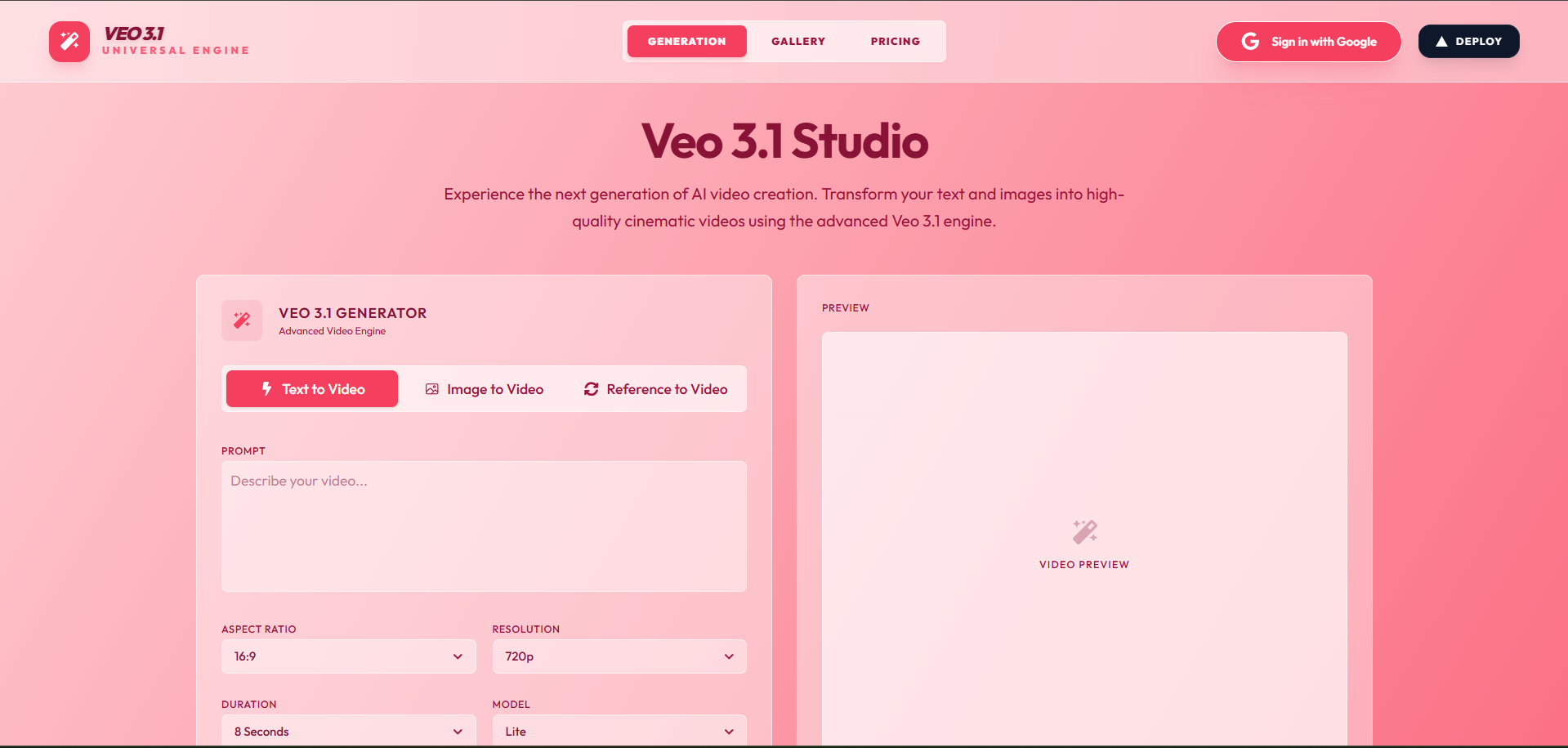
A beautifully designed, fully-integrated AI video playground. Built with Next.js, this open-source template serves as a complete, self-contained SaaS boilerplate for generating, editing, and managing high-quality AI videos fueled by the Veo 3.1 engine.

https://github.com/user-attachments/assets/d2257785-e50d-434c-969e-df0892da2385
Related Projects
- MuAPI — Unified API for image, video, and audio generation across hundreds of AI models. Explore the Veo 4 landing page or try Veo 4 text-to-video.
- Veo-4-API — Python wrapper for the Veo 4 API — use the model directly in scripts
- veo3.1-comfyui — Run Veo 3.1 inside ComfyUI
- awesome-ai-video-models — compare AI video models by API, price & speed
- flux-3-video-api — Python wrapper for Black Forest Labs' FLUX 3 Text-to-Video and Image-to-Video
🌐 Live Manifestation
Experience the Veo 3.1 engine live here
Sign in with Google to explore the Generation Studio, Edit Mode, and Credit Tiers directly from your browser. Our glassmorphic, high-fidelity interface is fully responsive and production-ready.
Veo 3.1 Studio Generator is not just another wrapper — it's a production-ready, highly-optimized AI web application. Out of the box, it seamlessly manages User Authentication, Credits & Billing, Media Persistence, and asynchronous AI video generation polling using a sleek Next.js (App Router) architecture. It empowers you to build professional-grade AI workflows with built-in mobile optimization, making it the perfect starting point for your next AI SaaS.
Why use Veo 3.1 Studio Generator?
- Production-Ready SaaS — Complete with Google OAuth and Stripe Checkout workflows built-in.
- Advanced Video Studio — Seamlessly toggle between prompt-based Text-to-Video generation, Image-to-Video generation, and Multi-Image Reference editing.
- Dynamic AI Models — Switch seamlessly between Lite, Fast, and Quality models for optimal control over rendering speed and cost.
- Historical Archive — All creations are securely persisted to a PostgreSQL database for a customized user gallery.
- Minimalist UX — Custom dropdowns, high-fidelity micro-animations, and complete mobile-stacked responsiveness.
✨ Core Features
- Kinetic Video Studio — Generate stunning visuals with text prompts. Includes options for advanced
Aspect Ratiotuning (16:9, 9:16), and tiered Resolutions (720p, 1080p, 4K) tied directly to a flexible credit cost system. - Image-to-Video Engine — Bring your static images to life by supplying start/end reference frames with accompanying prompts.
- Multi-Image Reference Mode — Transition smoothly to editing by uploading up to 3 reference images for dynamic storytelling.
- My Creations Archive — A dedicated history vault for logged-in users. Displays past generations securely fetched from the database, viewable in a detailed inspector modal with 1-click downloads.
- Credit Tiers & Billing — Complete Stripe integration. Start users off with a seed balance, map generations to credit deductions, and seamlessly route them to an interactive pricing page.
⚡ Deployment: Vercel & Production
Deploying an instance of Veo 3.1 Studio Generator to the web requires minimal configuration. The architecture is engineered explicitly for Vercel serverless environments.
🔑 Required Environment Variables
To successfully deploy and run, you must populate the following environment variables in your Vercel project settings:
| Service | Variable | Description & Source |
|---|---|---|
| Database | DATABASE_URL | PostgreSQL connection string (Supabase or Neon) |
DIRECT_URL | Direct DB connection for Prisma migrations | |
| NextAuth / Google | NEXTAUTH_SECRET | Secure random string generated via openssl rand -base64 32 |
NEXTAUTH_URL | Your production domain (e.g. https://veo4-video-generator.vercel.app) | |
GOOGLE_CLIENT_ID | Get from Google Cloud Console | |
GOOGLE_CLIENT_SECRET | Get from Google Cloud Console | |
| Stripe Billing | STRIPE_SECRET_KEY | Get from Stripe Dashboard |
NEXT_PUBLIC_STRIPE_PUBLISHABLE_KEY | Get from Stripe Dashboard | |
STRIPE_WEBHOOK_SECRET | Webhook secret for resolving credit purchases | |
| AI Generator | VEO31_API_KEY | Your MuAPI Key for Veo 3.1 generation. |
WEBHOOK_URL | The endpoint where MuAPI will send status updates (e.g., https://your-app.com/api/webhook/muapi) |
🛠️ Local Development
Ready to iterate locally? Setup is straightforward.
Prerequisites
- Node.js (v18 or higher)
- A local PostgreSQL instance or a free cloud Database URL.
Setup
# 1. Clone the repository
git clone https://github.com/SamurAIGPT/veo4-video-generator
cd veo4-video-generator

# 2. Install dependencies
npm install

# 3. Setup Environment
cp .env.example .env
# Open .env and insert your specific keys.

# 4. Initialize Database Schema
npx prisma generate
npx prisma db push

# 5. Start the Development Server
npm run dev
The graphical console should now be heavily responsive on http://localhost:3000.
Veo 3.1 Studio Generator: A modular, mobile-ready, production-grade AI video workspace built for creators and builders.