Python I2C Driver for Sensirion SEN66
June 5, 2026 · View on GitHub
This repository contains the Python driver to communicate with a Sensirion SEN66 sensor over I2C.
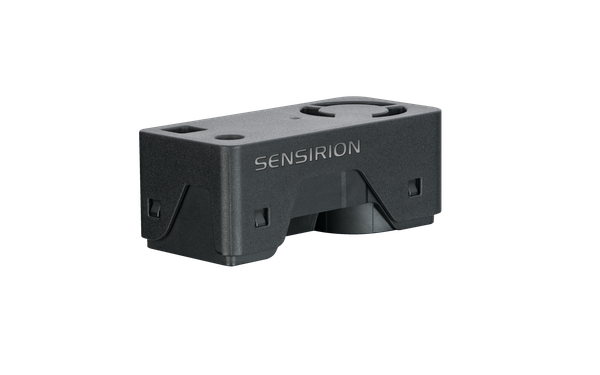
Click here to learn more about the Sensirion SEN66 sensor.
The default I²C address of SEN66 is 0x6b.
Connect the sensor
You can connect your sensor over a SEK-SensorBridge. For special setups you find the sensor pinout in the section below.
Sensor pinout
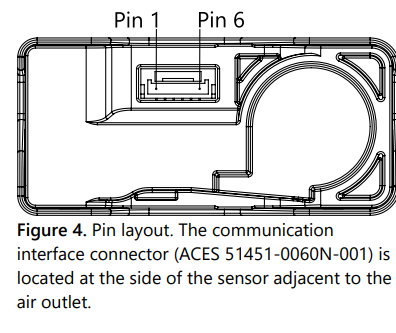
| Pin | Cable Color | Name | Description | Comments |
|---|---|---|---|---|
| 1 | red | VDD | Supply Voltage | 3.3V ±5% |
| 2 | black | GND | Ground | |
| 3 | green | SDA | I2C: Serial data input / output | TTL 5V compatible |
| 4 | yellow | SCL | I2C: Serial clock input | TTL 5V compatible |
| 5 | NC | Do not connect | Ground (Pins 2 and 5 are connected internally) | |
| 6 | NC | Do not connect | Supply voltage (Pins 1 and 6 are connected internally) |
Documentation & Quickstart
See the documentation page for an API description and a quickstart example.
Contributing
Check coding style
The coding style can be checked with flake8:
pip install -e .[test]  # Install requirements
flake8                  # Run style check
In addition, we check the formatting of files with
editorconfig-checker:
pip install editorconfig-checker==2.0.3   # Install requirements
editorconfig-checker                      # Run check
License
See LICENSE.