RAN! Documentation
April 5, 2018 · View on GitHub
Commands
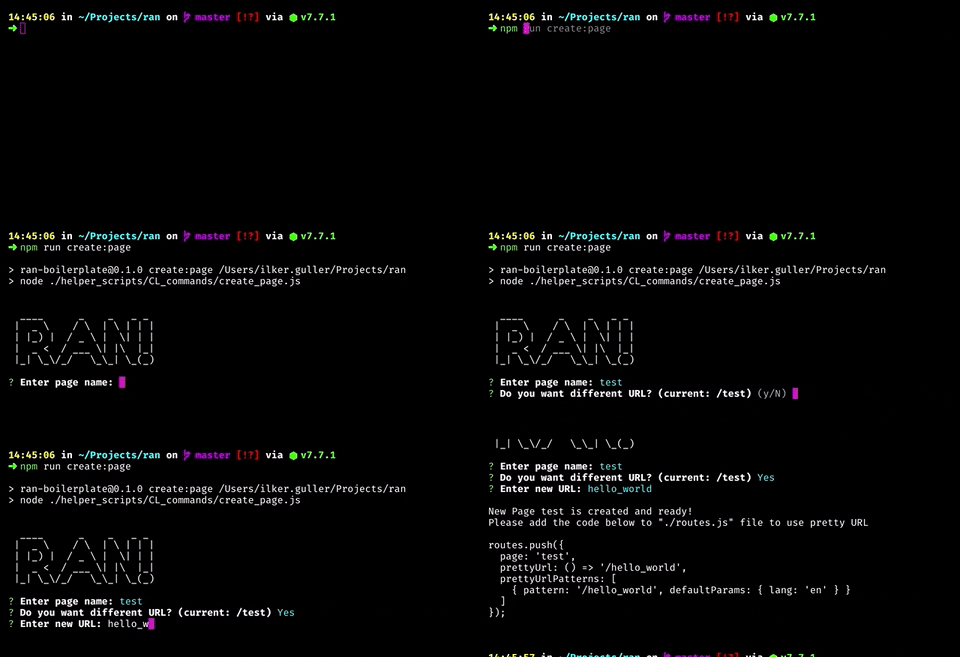
create:page
command: yarn run create:page (or npm run create:page)
It helps to create new page easiest way. After run this command, It will ask some questions and boom! It's ready.
create:route
command: yarn run create:route (or npm run create:route)
Create new route for your pages
create:container
command: yarn run create:container (or npm run create:container)
Create new container
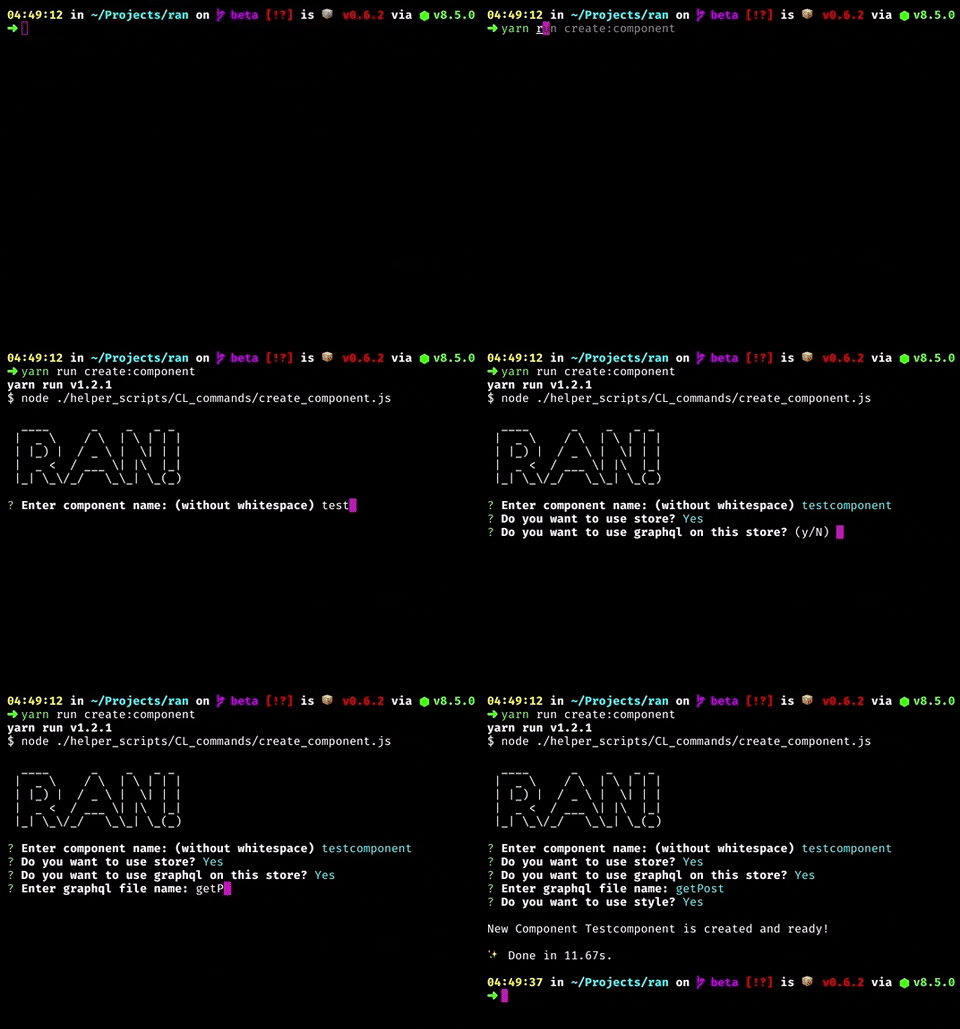
create:component
command: yarn run create:component (or npm run create:component)
Create new component with options (such as Style support, Store support, GraphQL support)
lint
command: yarn run lint (or npm run lint)
Fix & show lint errors (and prettier infos) automatically
lint:watch
command: yarn run lint:watch (or npm run lint:watch)
Watch the changes of graphQL files to show errors and warnings on eslint
Info: Basically, There is watcher for js files if you run dev command. This one is additional command for graphql files.
dev
command: yarn run dev (or npm run dev)
Run lint and then open the server on your local on development mode
analyze
command: yarn run analyze (or npm run analyze)
Analyze the packages and files that you used on your app
build
command: yarn run build (or npm run build)
Build the application for Production
build:static_export
command: yarn run build:static_export (or npm run build:static_export)
Build and export your application by using Static HTML Export feature of Next.js. To see limitations, Click here
start
command: yarn run start (or npm run start)
Start the application for Production
start:multicore
command: yarn run start:multicore (or npm run start:multicore)
Start the application for Production with multicore support (via PM2). You need to install PM2 globally.
setup
command: yarn run setup (or npm run setup)
Prepare the application with example project
setup:clean
command: yarn run setup:clean (or npm run setup:clean)
Prepare the application without example project. Recommended if you work on static application
GraphQL Commands
On these commands, RAN is using graphql-config, graphql-cli, graphql-voyager and grapql-cli-voyager. The important thing is that you need to update your /.graphqlconfig file with your real graphql url to work with them. For details info how to work with .graphgqlconfig file, please check graphql-config.
Important Info
Don't save secure information in .graphqlconfig file. Use Environment variables for that. On RAN toolkit, We are using hard-coded example graphql url inside of that but It doesn't mean it's secure way.
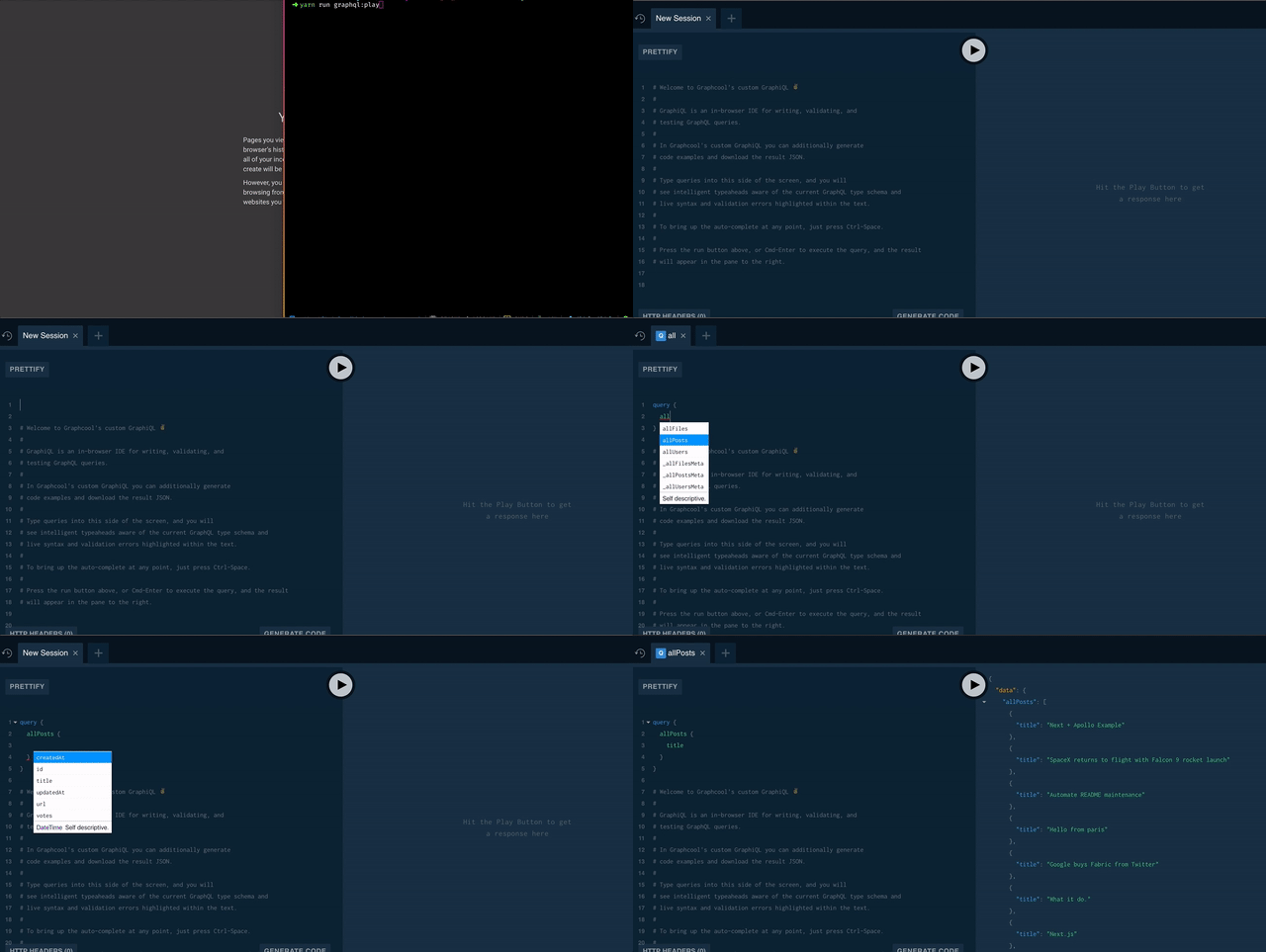
graphql:play
command: yarn run graphql:play (or npm run graphql:play)
It opens the browser to play (or work :) on your graphql server
graphql:update_schema
command: yarn run graphql:update_schema (or npm run graphql:update_schema)
Updates your local schema file with updated one from server
graphql:see_graph
command: yarn run graphql:see_graph (or npm run graphql:see_graph)
See your graphQL API as a interactive graph