README.md
July 24, 2026 · View on GitHub
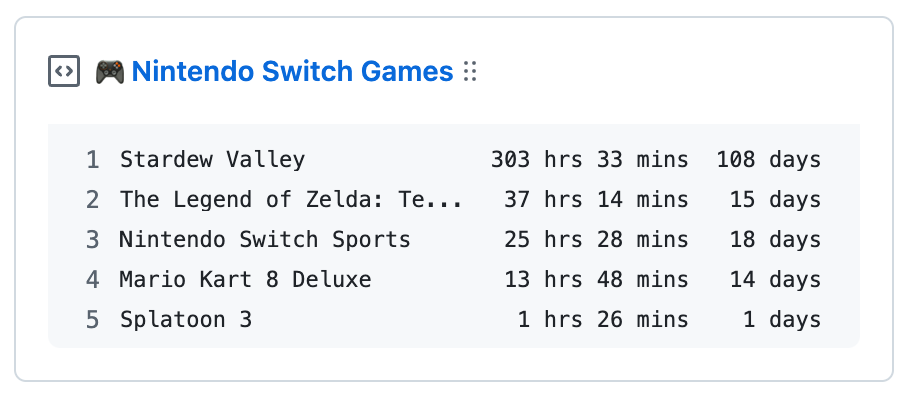
🎮 nintendo-switch-box
Update a pinned gist to contain your Nintendo Switch Game stats
Setup
-
Create a new repository (public or private) to run the action. It stores your Nintendo Switch stats and holds the required secrets.
-
Create a new public GitHub Gist at https://gist.github.com/.
-
Go to https://github.com/settings/tokens/new to create a token with only the gist permission.
-
Get your Nintendo session token. Clone this repository locally and run the helper script, then follow the prompts:
git clone https://github.com/sigming/nintendo-switch-box.git cd nintendo-switch-box uv run python src/get_session_token.py -
Go to your repository's Settings > Secrets and variables > Actions and add the following secrets:
NINTENDO_SESSION_TOKEN: The session token obtained in step 4.GH_TOKEN: The token created in step 3.GIST_ID: The ID portion of your gist URL:https://gist.github.com/your_name/<GIST_ID>.
-
Add a workflow file at
.github/workflows/nintendo-switch-box.ymlin your repository:name: Update gist with Nintendo Switch Game stats on: schedule: - cron: "0 23 * * *" workflow_dispatch: jobs: update-gist: runs-on: ubuntu-latest steps: - name: Update gist uses: sigming/nintendo-switch-box@v3 env: NINTENDO_SESSION_TOKEN: ${{ secrets.NINTENDO_SESSION_TOKEN }} GH_TOKEN: ${{ secrets.GH_TOKEN }} GIST_ID: ${{ secrets.GIST_ID }} -
Trigger the workflow once from the Actions tab (Run workflow), then pin the gist to your profile.