F8 Log
December 12, 2025 · View on GitHub



Introduction (Simply press F8 to start game development without distractions)
Unity F8 Log Component
A comprehensive logging system that handles console output, file logging, and error reporting in one integrated solution.
Plugin Installation (Requires Core Framework First)
Note! Built into → F8Framework Core: https://github.com/TippingGame/F8Framework.git
Method 1: Download files directly and import to Unity
Method 2: Unity → Menu Bar → Window → Package Manager → "+" → Add Package from git URL → Enter: https://github.com/TippingGame/F8Framework.git
Code Examples
/*----------Basic Log Functions----------*/
LogF8.Log(this);
LogF8.Log("Test {0}", 1);
LogF8.Log("3123 Test", this);
LogF8.LogNet("1123{0}", "Test");
LogF8.LogEvent(this);
LogF8.LogConfig(this);
LogF8.LogView(this);
LogF8.LogEntity(this);

LogF8.LogStackTrace("Log Stack Trace");

LogF8.LogToMainThread("Print log to main thread");
LogF8.LogErrorToMainThread("Print error log to main thread");

/*----------Other Log Functions----------*/
// Enable or disable log
LogF8.EnabledLog();
LogF8.DisableLog();

// Enable writing log to file
FF8.LogWriter.OnEnterGame();

// Enable capturing error logs
LogF8.GetCrashErrorMessage();

// Start monitoring code usage
LogF8.Watch();
LogF8.Log(LogF8.UseMemory);
LogF8.Log(LogF8.UseTime);

/----------LogViewer Interface Functions----------/
// Add a command to the LogViewer interface, where TestLog is a method of this class
Function.Instance.AddCommand(this, "TestLog", new object[] { 2 });

// Add cheat code to the LogViewer interface
Function.Instance.AddCheatKeyCallback((cheatKey) =>
{
LogF8.Log("Call cheat key callback with : " + cheatKey);
});
Extended Features
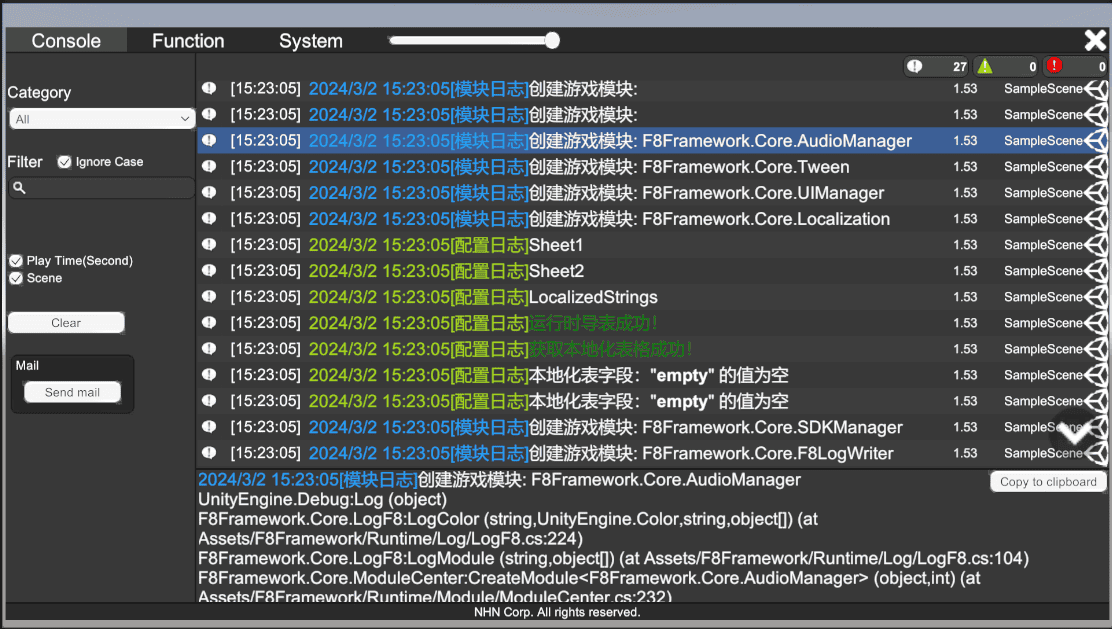
- LogViewer with built-in command system and system status monitoring(https://github.com/nhn/gpm.unity.git)
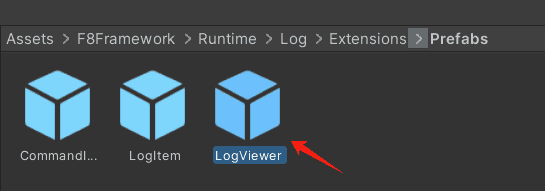
- Simply drag into scene or create as loadable asset
- Display trigger:
- PC: Tilde key (~)
- Mobile: 5-finger long press (1 second)