F8 UIManager
April 26, 2026 · View on GitHub



Introduction (Simply press F8 to start game development without distractions)
Unity F8 UIManager Component
Comprehensive UI management system that handles view lifecycle, hierarchy control, and animation with automatic component indexing.
- Standard Views:
- Modal Dialogs:
- Exclusive display (only oldest active dialog shown)
- Auto-shows next dialog when closed
- Non-Modal Dialogs:
- Multiple concurrent dialogs
- Newest dialog displays on top
- Manual close management required
Plugin Installation (Requires Core Framework First)
Note! Built into → F8Framework Core: https://github.com/TippingGame/F8Framework.git
Method 1: Download files directly and import to Unity
Method 2: Unity → Menu Bar → Window → Package Manager → "+" → Add Package from git URL → Enter: https://github.com/TippingGame/F8Framework.git
Unity F8 UIManager - Initialization and Setup Guide
- UI Prefab Preparation
- Place your UI prefab in either:
AssetBundles/folder (recommended for production)Resources/folder (for prototyping)
- Place your UI prefab in either:
- View Template Creation
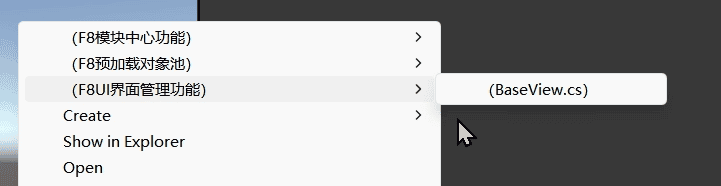
- Right-click in Project window
- Select F8UI Management Functions → Create
BaseViewTemplate - Attach generated script to root UI GameObject
- UI Component Indexing
- (Optional) Open DefaultCodeBindNameTypeConfig.cs Add your component naming conventions (e.g., "btn" for Button)
- May require double-clicking to refresh bindings
- Support combination types, such as:
Button_Image - Supports arrays, for example:
Image[0],Image[1] - C # variable names have strict restrictions, allowing only letters, numbers, underscores, and Chinese characters, with the first letter not being a number and the last being:
Simplified name + underline + component type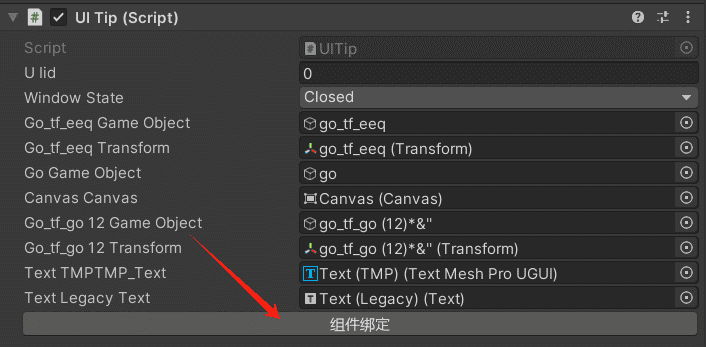
Code Examples
// UI Definition Enumeration
public enum UIID
{
    UIMain = 1, // Main Game Interface
}

// UI Configuration Dictionary (supports both int and enum keys)
private Dictionary<UIID, UIConfig> configs = new Dictionary<UIID, UIConfig>
{
    { UIID.UIMain, new UIConfig(LayerType.UI, "UIMain") } // Manual UI configuration
};

// Sample data payload
private object[] data = new object[] { 123123, "asdasd" };


IEnumerator Start()
{
    /*------------------UI Management Functions------------------*/
    // Initialization (must execute, supports both int and enum as keys for configs)
    FF8.UI.Initialize(configs);

    // Set UI Canvas properties (if unsure about properties, experiment with creating a Canvas)
    // null means applying to all Layers
    // sortOrder: layer hierarchy
    // sortingLayerName: layer name
    // RenderMode: rendering mode
    // pixelPerfect: pixel mode
    // camera: set main camera
    FF8.UI.SetCanvas(null, 1, "Default", RenderMode.ScreenSpaceCamera, false, Camera.main);

    // Set UI CanvasScaler properties (if unsure about properties, experiment with creating a Canvas)
    FF8.UI.SetCanvasScaler(null, CanvasScaler.ScaleMode.ConstantPixelSize, scaleFactor: 1f, referencePixelsPerUnit: 100f);
    FF8.UI.SetCanvasScaler(LayerType.UI, CanvasScaler.ScaleMode.ScaleWithScreenSize, referenceResolution: new Vector2(1920, 1080),
        CanvasScaler.ScreenMatchMode.MatchWidthOrHeight, matchWidthOrHeight: 0f, referencePixelsPerUnit: 100f);
    FF8.UI.SetCanvasScaler(LayerType.UI, CanvasScaler.ScaleMode.ConstantPhysicalSize, CanvasScaler.Unit.Points,
        fallbackScreenDPI: 96f, defaultSpriteDPI: 100f, referencePixelsPerUnit: 100f);


    /*---------------------Synchronous Loading---------------------*/
    // Open UI, supports both int and enum, optional parameters: data, new UICallbacks()
    FF8.UI.Open(UIID.UIMain, data, new UICallbacks(
        (parameters, id) => // onAdded
        {

        }, (parameters, id) => // OnRemoved
        {

        }, () => // OnBeforeRemove
        {

        }));
    // Alternative method, guid is unique ID
    string guid = FF8.UI.Open(1);


    /*---------------------Asynchronous Loading---------------------*/
    // async/await approach (no multithreading, works on WebGL too)
    // await FF8.UI.OpenAsync(UIID.UIMain);
    // Or
    // UILoader load = FF8.UI.OpenAsync(UIID.UIMain);
    // await load;
    // string guid2 = load.Guid;

    // Coroutine approach
    yield return FF8.UI.OpenAsync(UIID.UIMain);
    // Or
    UILoader load2 = FF8.UI.OpenAsync(UIID.UIMain);
    yield return load2;
    string guid2 = load2.Guid;

    /*---------------------Other Functions---------------------*/
    // Open Notify type UI
    FF8.UI.ShowNotify(UIID.UIMain, "tip");
    FF8.UI.ShowNotify(1, "tip");
    // Async loading
    // await FF8.UI.ShowNotifyAsync(UIID.UIMain, "tip");
    // yield return FF8.UI.ShowNotifyAsync(UIID.UIMain, "tip");

    // Check if UI exists
    FF8.UI.Has(UIID.UIMain);
    FF8.UI.Has(1);

    // Get UI object list by UIid
    FF8.UI.GetByUIid(UIID.UIMain);
    FF8.UI.GetByUIid(1);

    // Get UI object by guid
    FF8.UI.GetByGuid(guid);

    // Close UI, optional parameter: isDestroy
    FF8.UI.Close(UIID.UIMain, true);
    FF8.UI.Close(1, true);

    // Clear all UIs (except those of Notify type), optional parameter: isDestroy
    FF8.UI.Clear(true);
    FF8.UI.Clear(LayerType.Notify, true);
}


/*----------------------------How to use templates----------------------------*/

public class UIMain : BaseView
{
    // Awake
    protected override void OnAwake()
    {
    }

    // Parameter passing, executes every time UI is opened
    protected override void OnAdded(int uiId, object[] args = null)
    {
    }

    // Start
    protected override void OnStart()
    {
    }

    protected override void OnViewTweenInit()
    {
        //transform.localScale = Vector3.one * 0.7f;
    }

    // Customize the opening interface animation
    protected override void OnPlayViewTween()
    {
        // ViewOpenSequence?.Append(transform.ScaleTween(Vector3.one, 0.7f));
    }

    // Open interface animation to complete callback
    protected override void OnViewOpen()
    {
    }

    // Customize close interface animation
    protected override void OnPlayViewCloseTween()
    {
        // ViewCloseSequence?.Append(transform.ScaleTween(Vector3.zero, 0.7f));
    }

    // Before deletion, called every time before UI closes
    protected override void OnBeforeRemove()
    {
    }

    // Deletion, called every time after UI closes
    protected override void OnRemoved()
    {
    }

    // 自动获取组件(自动生成,不能删除)

    // 自动获取组件(自动生成,不能删除)
}
Extended Features
- Editor Utilities
- Auto 9-Slice Grid Cropping
- Automatically crops uniform center areas from images to reduce file size
- Atlas Slicing
- Requires pre-slicing via Sprite Editor's Slice function
- Enable Read/Write in texture settings
- Set compression to None
- 4x Pixel Alignment
- Resizes images to multiples of 4 for optimal texture compression
- Chinese Text Localization Collector
- Scans UI to extract all Chinese text for localization tables
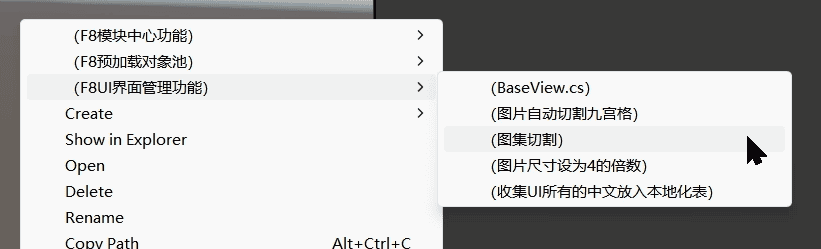
- Scans UI to extract all Chinese text for localization tables
- Auto 9-Slice Grid Cropping
- Common Components
- Rounded Image Mask SimpleRoundedImage.cs
- Notch-Safe Area Adapter SafeAreaAdapter.cs
- UI Particle System UIParticleSystem.cs
- Red Dot Notification System UIRedDot.cs
- Sprite Frame Animation SpriteSequenceFrame.cs
- UI Component Library https://github.com/nhn/gpm.unity.git(Built-in,Location: F8Framework/Tests/UI/Example)
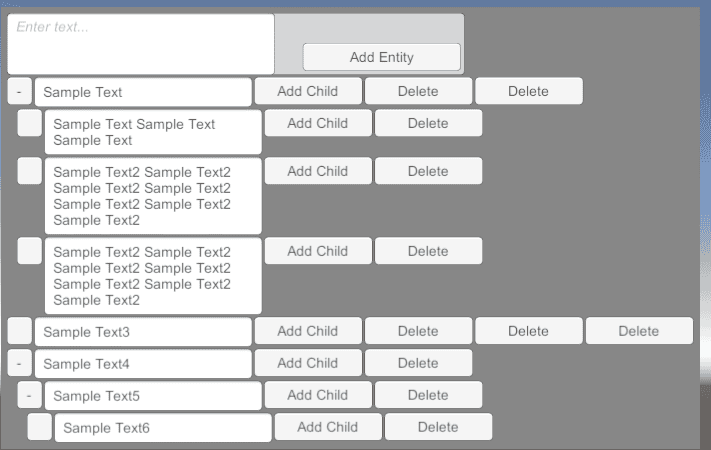
- Nested Layouts
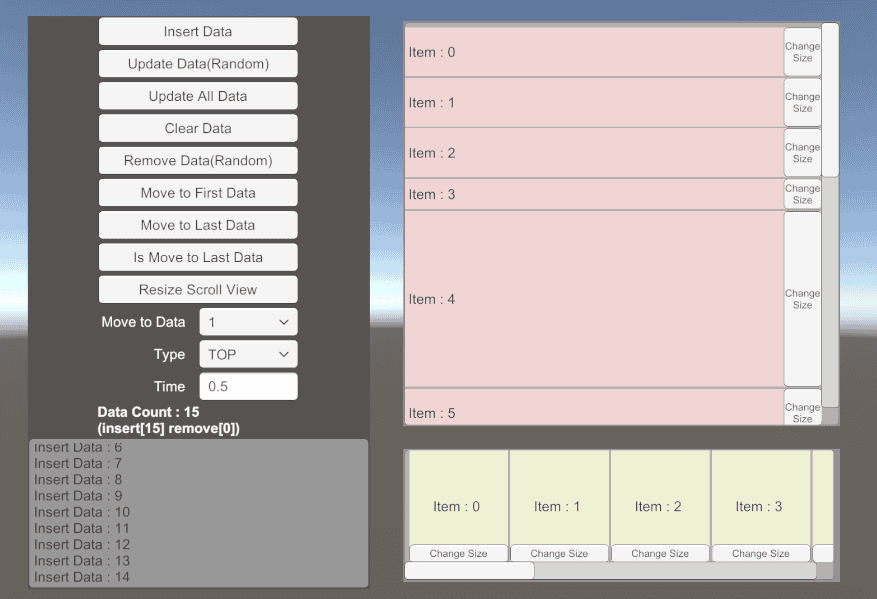
- Infinite Scroll
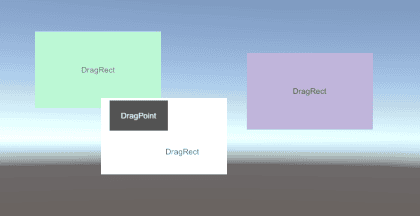
- Drag & Drop
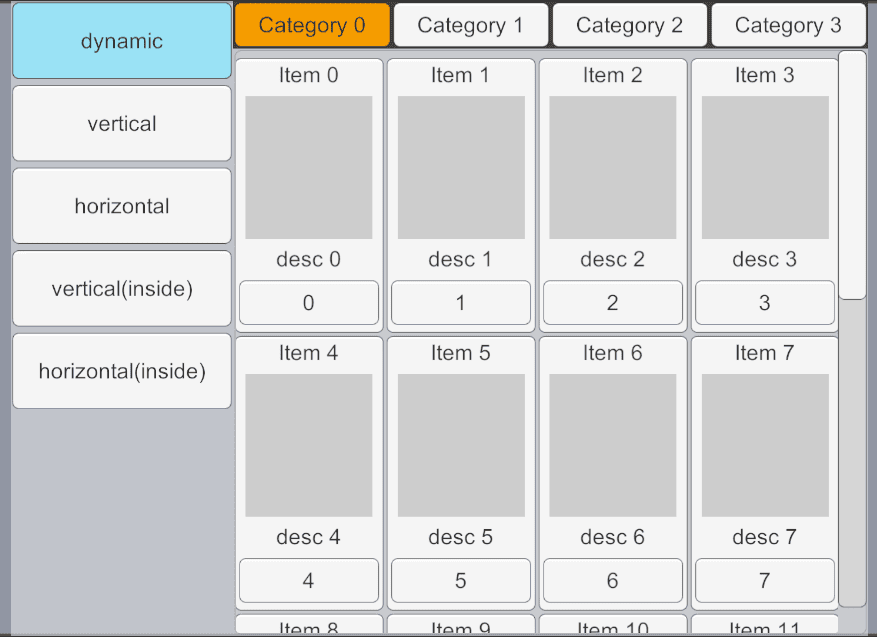
- Tab System
- UI Component Expansion:
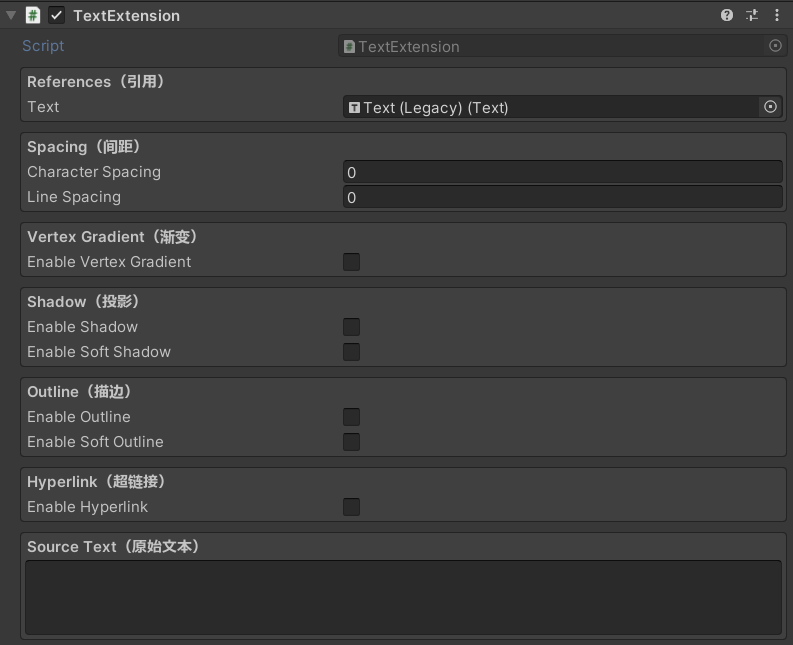
- TextExtension:
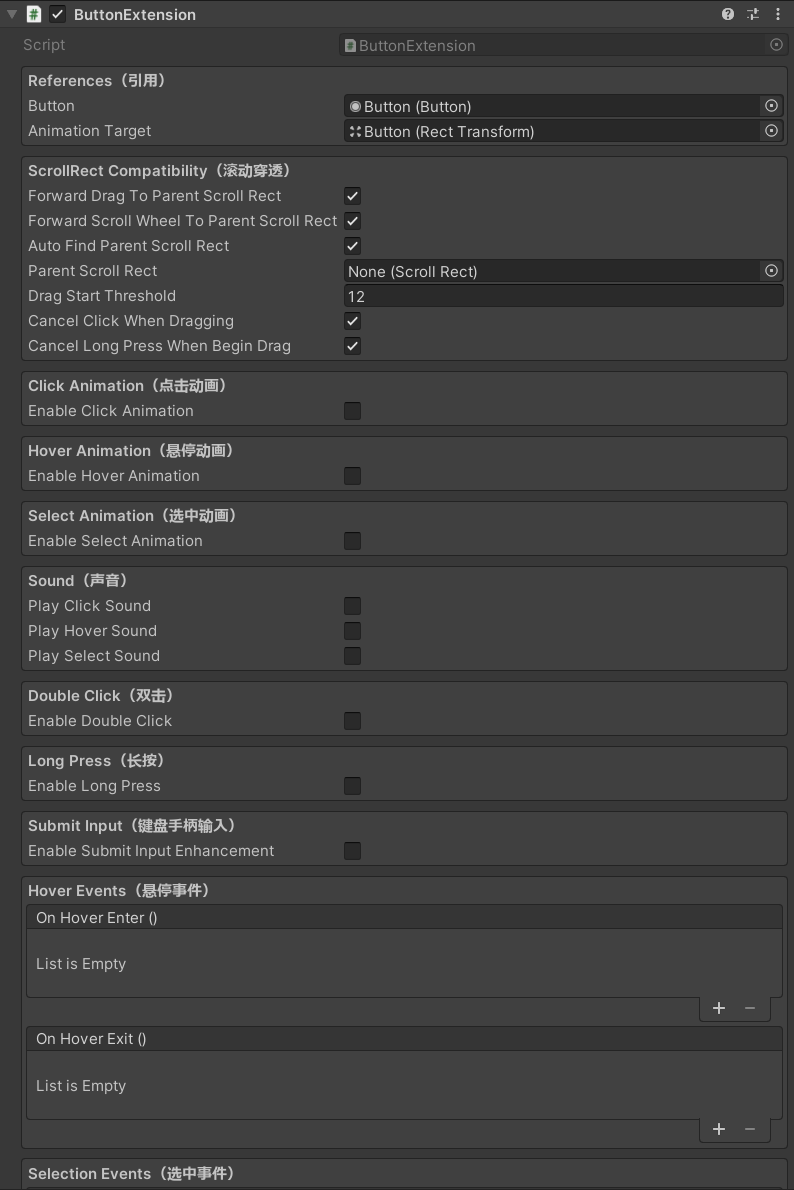
- ButtonExtension: