Notice
October 15, 2018 · View on GitHub
This is a fork of Keith Smiley's project, and its only difference (at this point) is the use of a different indent file as his was causing lots of issues with the Swift codebase I am working on (and no, it's not a horribly formatted one, so it shouldn't be a pathological example). The 'new' indent file that replaces Keith's is taken from Kevin Ballard.
In other words, I deserve no credit for owning this fork. Almost all the credit goes to Keith Smiley's great work, as well as Kevin Ballard for his indent file.
There is also a small change I have made by adding a match rule for column widths. This is useful for highlighting lines that exceed a column width. I use this personally, and it is cleaner for me if the rule is set externally and all I have to do is set the Highlight on the match rule name, but in either case, this is an exceedingly minor change and I still deserve no credit.
It is possible that I will make smaller changes in the future, but for the most part, I will just follow Keith's changes and fixes on his/the main project.
Swift.vim
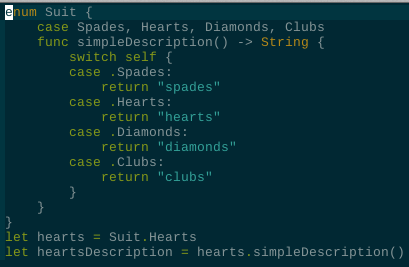
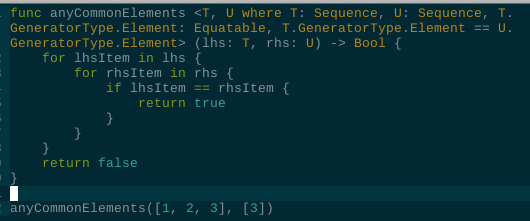
Syntax and indent files for Swift
If you don't have a preferred installation method check out vim-plug.
Examples
Syntastic Integration
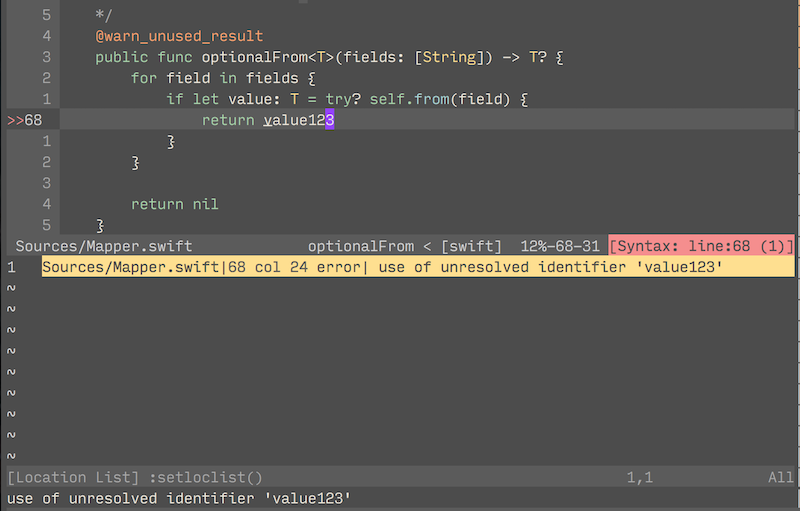
swift.vim can show errors inline from swift package manager or from swiftlint using syntastic.
Usage
-
Install syntastic
-
swiftpm integration will be automatically enabled if you're running vim from a directory containing a
Package.swiftfile. -
SwiftLint integration will be automatically enabled if you have SwiftLint installed and if you're running vim from a directory containing a
.swiftlint.ymlfile. -
To enable both at once add this to your vimrc:
let g:syntastic_swift_checkers = ['swiftpm', 'swiftlint']