DSH Chat Manager
September 23, 2026 · View on GitHub
The current preview targets DSH 0.1.7-alpha.2 through official session-menu extension slots. Archive search, unarchive and red permanent-delete actions appear in Settings. Compatible Portable builds provide the sidebar archive shortcut. Older cores require their corresponding plugin releases.
Note
This is an actively maintained, independently removable DSH plugin. It adds archive browsing, conversation-content search, restore, and safe permanent deletion. If this session workflow is not for you, uninstalling the plugin leaves existing sessions untouched.
DSH Chat Manager
Package: dsh-chat-manager. Awesome DSH listing · Image Viewer
Manage DeepSeek Harness chat history from the native sidebar: search archives, restore sessions, and delete safely.
Archive manager · Conversation search · One-click restore · Safe permanent deletion







中文 · Install · Use · Safety boundary
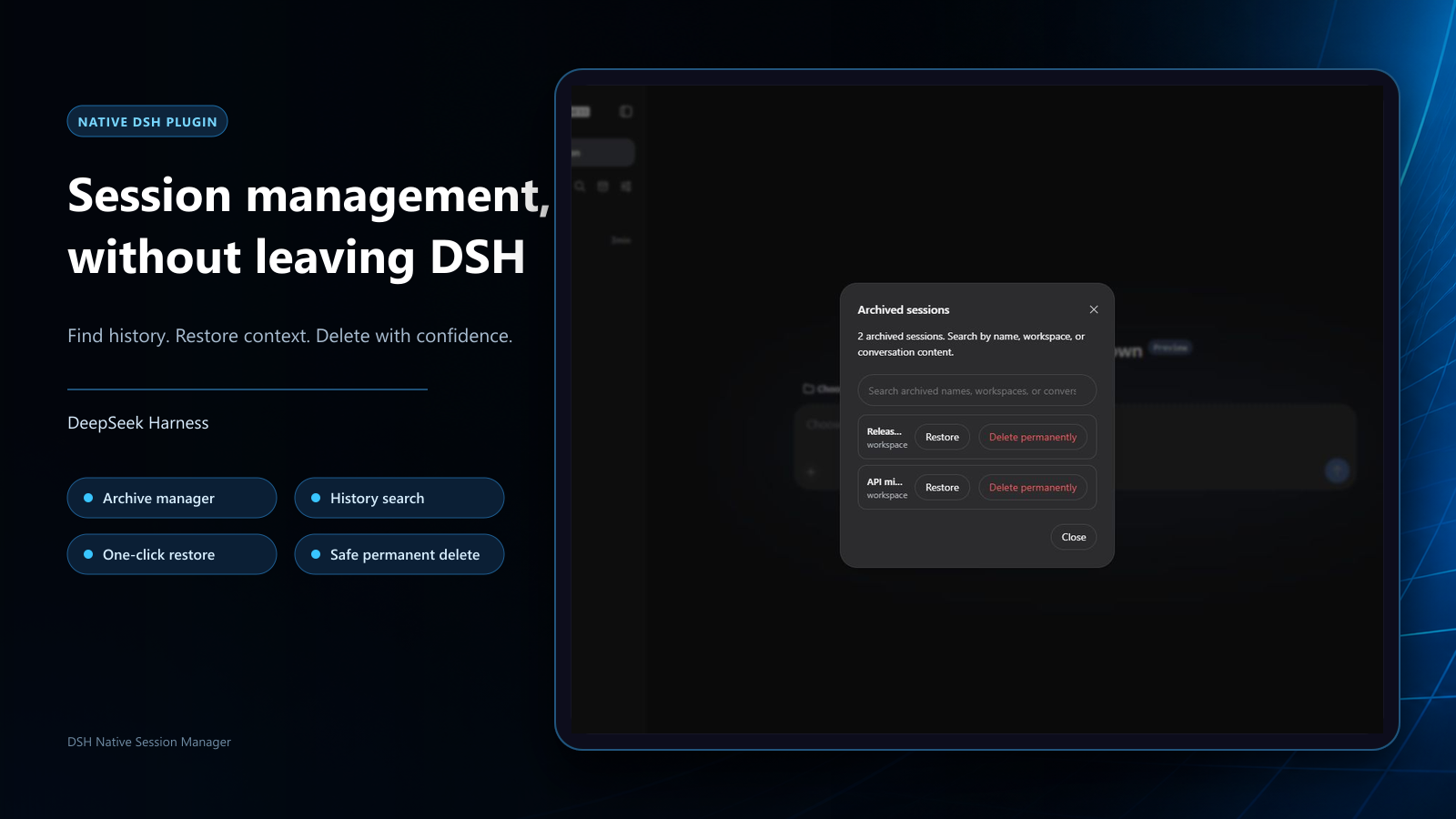
| Recover archives | Search conversations | Delete safely |
|---|---|---|
| Open the archive manager from the sidebar and restore hidden sessions | Search archived names, workspaces, and user/assistant conversation content | Keep native second confirmation; running work is stopped safely before local records are removed |
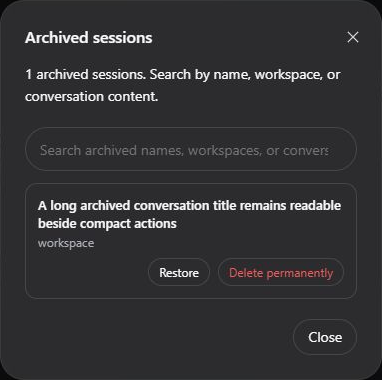
Native interface on DeepSeek Harness 0.1.1-rc.2
Install
Official plugin page (recommended)
- Open Plugins → Add plugin in DSH.
- Paste this line into Package name or address, then select Install:
dsh-chat-manager@1.5.2-beta.3
- Follow the result shown on the page. Refresh or restart only when requested. If installation fails, read its error before retrying.
Match the plugin to the core: use 1.5.2-beta.3 for DSH 0.1.7-alpha.2, 1.5.1 for 0.1.7-alpha.1, or 1.4.0-beta.3 for 0.1.6-alpha.2. Do not paste a complete dsh plugin ... command into the package field or treat the repository's main branch as a qualified release package.
Terminal installation (optional)
Run in the DSH or Portable terminal:
dsh plugin --profile web add dsh-chat-manager@1.5.2-beta.3
If DSH is running, save your work and restart after this terminal operation to load the change. For older cores, choose the plugin version verified in its release notes.
For Agent installation of the preview, use the fixed-version AGENTS.md.
Use
Manage archives
- Select the archive icon in the sidebar header to open Archived sessions.
- Browse every archive or search by session name, workspace, and user/assistant conversation content.
- Select Restore to return a session to its original workspace position. To remove it completely, start the permanent-delete confirmation from the same list.
Archive and restore only change DSH's hidden state; they do not delete conversation history. Content search is limited to current user and assistant messages inside archived sessions.
Delete permanently
- Open the native actions menu beside the target session in the sidebar.
- Choose the red Delete session action.
- Check the session name and select Delete permanently in the confirmation dialog, or select Cancel to leave it unchanged.
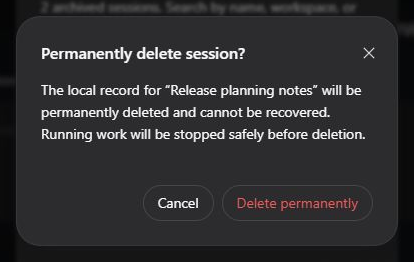
Permanent deletion cannot be undone; the dialog identifies the target session.
Once active, the plugin reuses DSH lifecycle and session-storage capabilities. If work is still running, it is stopped and allowed to settle before the target session is deleted. The session list then updates in place without reloading the whole DSH page.
Safety boundary
Warning
Permanent deletion cannot be undone. Check the session name before confirming and make a separate backup when needed.
The plugin is responsible for validating and removing only the explicitly confirmed session's dedicated directory within DSH's default per-session JSONL store and host lifecycle boundary. DSH currently exposes no public session-deletion API. The second confirmation is mandatory; cancelling sends no deletion request.
The following are outside the plugin's deletion scope and are not guaranteed to be removed:
- Other sessions, other plugin data, external attachments, caches, indexes, logs, backups, or cloud/sync copies;
- Non-JSONL storage or hosts without a safe stop capability; these are refused instead of force-deleted;
- Additional copies created by the operating system, filesystem, host updates, or third-party sync services.
If the operating system refuses cleanup, the plugin reports that deletion could not be confirmed rather than misreporting partial completion as success. You are responsible for having authority to delete the target data and for meeting applicable retention, audit, and privacy requirements. This is an unofficial community plugin, not affiliated with or endorsed by DeepSeek. It is provided under the MIT License, without warranty.
Compatibility
The installation examples target DSH 0.1.7-alpha.2 with plugin 1.5.2-beta.3; use the matching version above for other cores.
Archive browsing, restore, and content search use DSH's workspace registry and session-query capabilities. Permanent deletion supports DSH's default per-session JSONL storage. The current candidate preserves the official workspace service and extends menu/settings views; uninstalling removes those extensions.
Update and uninstall
Prefer the update or uninstall action for the installed plugin on the official Plugins page. If no update action is offered, use Add plugin with the published target package@version. Follow the page result; a restart is not always required. Terminal alternatives follow.
Install the target npm version with the same standard DSH command. For DSH 0.1.7-alpha.2:
dsh plugin --profile web add dsh-chat-manager@1.5.2-beta.3
Uninstall removes only this plugin's bundle layer and never deletes sessions:
dsh plugin --profile web remove dsh-chat-manager
DSH-Portable exposes the same standard dsh plugin commands. Restart DSH through its normal workflow
after installing, updating, or uninstalling so the configuration is recomposed.
Support and license
Use the bug report form for reproducible problems or the feature request form for focused improvements. Report security issues privately as described in SECURITY.md.
MIT. See THIRD_PARTY_NOTICES.md for the modified upstream client and its license notice.
Official interface and Portable
Stock DSH keeps its official archive page and gains a red Delete session menu action. Portable hosts with the settings extension also get archive search, restore, and permanent deletion under one archive tab. Disabling the plugin restores the official views without replacing session ownership.