Auddly Music Server
May 30, 2022 · View on GitHub

Auddly Music Server

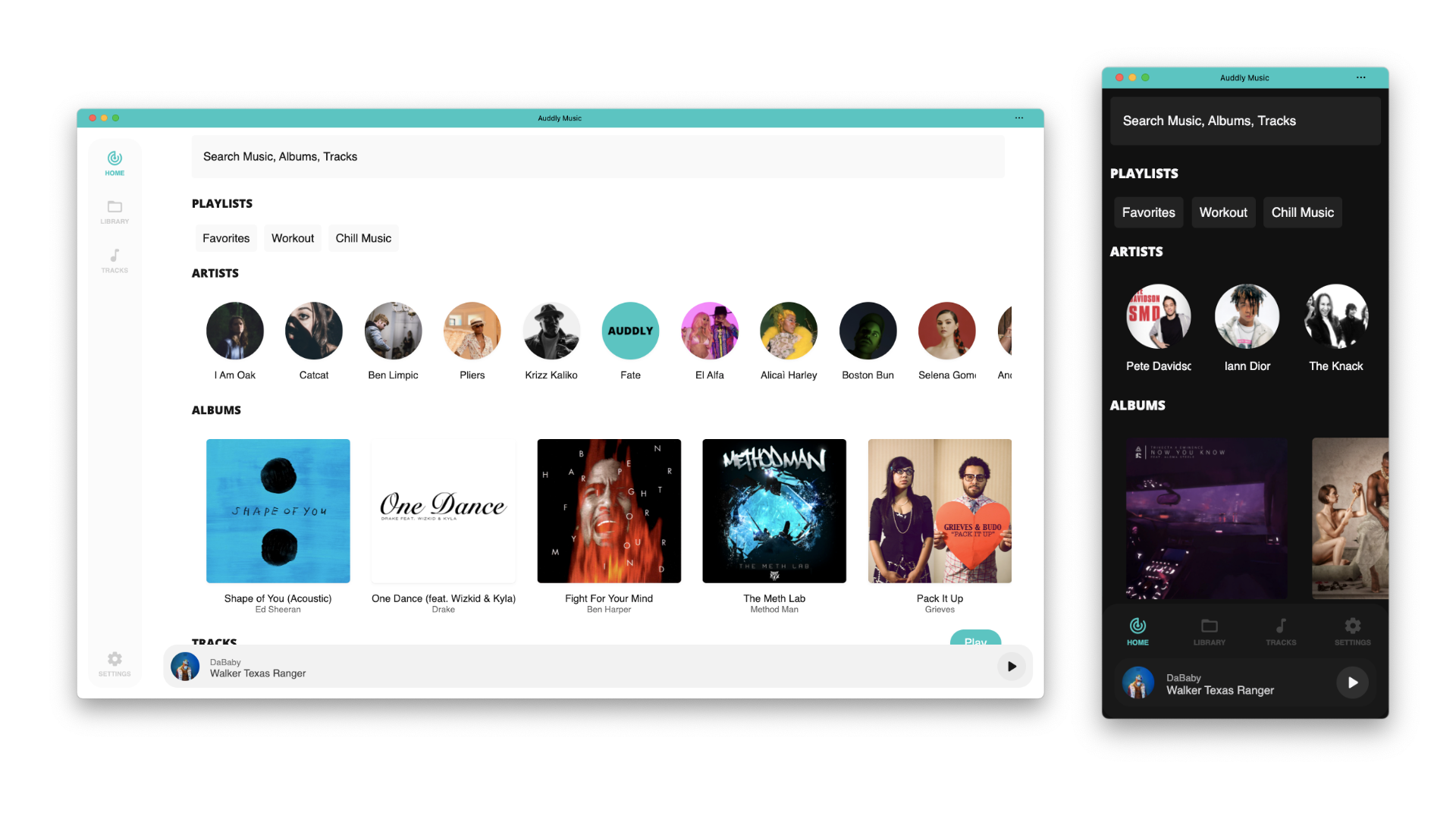
Getting Started
Auddly has built docker images. You can use docker compose to run all the required services.
Using Docker-Compose
version: "3"
services:
  app:
    container_name: auddly-server
    restart: always
    build:
      context: https://github.com/Wellenline/auddly-server.git
    environment:
      - MONGO_URL=mongodb://auddly:SUPER_SECRET_PASSWORD@mongodb/auddly?authSource=admin
      - MUSIC_PATH=/music
      - CACHE_PATH=/cache
      - SPOTIFY_ID= # YOUR SPOTIFY ID
      - SPOTIFY_SECRET= # YOUR SPOTIFY SECRET
      - LAST_FM_API_KEY=YOUR_LAST_FM_CREDENTIALS
      - LAST_FM_API_SECRET=YOUR_LAST_FM_CREDENTIALS
      - LAST_FM_USERNAME=YOUR_LAST_FM_CREDENTIALS
      - LAST_FM_PASSWORD=YOUR_LAST_FM_CREDENTIALS
      - PORT=5000
      - HOST=http://127.0.0.1:5000
	  - ADMIN_EMAIL=YOUR_ADMIN_EMAIL
	  - ADMIN_PASSWORD=YOUR_ADMIN_PASSWORD
	  - JWT_SECRET=YOUR_JWT_SECRET
    volumes:
      - ./CHANGE_THIS_TO_YOUR_MUSIC_PATH:/music # Mount your music inside docker
      - ./cache:/cache # Cache to store album art and transcoded audio
    ports:
      - 5000:5000
    links:
      - mongodb
    depends_on:
      - mongodb
  mongodb:
    image: mongo:latest
    container_name: "auddly-mongo"
    environment:
      - MONGO_DATA_DIR=/data
      - MONGO_LOG_DIR=/dev/null
      - MONGO_INITDB_ROOT_USERNAME=auddly
      - MONGO_INITDB_ROOT_PASSWORD=SUPER_SECRET_PASSWORD # Replace this
    volumes:
      - ./data/mongo:/data
    ports:
      - 27018:27017
    command: mongod --auth --logpath=/dev/null
docker-compose up -d
Building From Source
You'll need NPM and MongoDB installed before continuing.
Clone the repo:
git clone https://github.com/wellenline/auddly-server.git
cd auddly-server
Initialize the build using NPM:
npm i
npm run build
npm start
Sample .env file:
MONGO_URL=YOUR_MONGO_DB
MUSIC_PATH=PATH_TO_YOUR_MUSIC
CACHE_PATH=./cache
SPOTIFY_ID=YOUR_SPOTIFY_ID
SPOTIFY_SECRET=YOUR_SPOTIFY_SECRET
LAST_FM_API_KEY=YOUR_LAST_FM_CREDENTIALS
LAST_FM_API_SECRET=YOUR_LAST_FM_CREDENTIALS
LAST_FM_USERNAME=YOUR_LAST_FM_CREDENTIALS
LAST_FM_PASSWORD=YOUR_LAST_FM_CREDENTIALS
ADMIN_EMAIL=YOUR_ADMIN_EMAIL
ADMIN_PASSWORD=YOUR_ADMIN_PASSWORD
JWT_SECRET=YOUR_JWT_SECRET
PORT=5000
HOST=http://127.0.0.1:5000
Artist Pictures (from Spotify)
To display artist pictures you need to sign up for Spotify Developer Account and create a new application https://developer.spotify.com/dashboard/login
Artist Bio, similar artists, tags & scrobble (from Lastfm)
To display artist bio, get similar artists, tags and scrobble your music you need to create a new Lastfm application https://www.last.fm/api/account/create
API
System
| Description | |
|---|---|
GET /system/info | Get music library details |
Tracks
| Description | |
|---|---|
GET /tracks | All tracks (query: skip, limit, genre, popular, liked, artist, album) |
GET /tracks/play/:id | Stream audio |
GET /tracks/like/:id | Toggle track favourite |
GET /tracks/random | Get random tracks (query: limit) new |
Search
| Description | |
|---|---|
GET /search | Search (query: q) |
Albums
| Description | |
|---|---|
GET /albums | Get all albums (query: skip, limit, artist) |
GET /albums/:if | Get all album |
GET /albums/random | Get random albums (query: limit) new |
GET /albums/art/:id | Get Album art |
Artists
| Description | |
|---|---|
GET /artists | Get all artists (query: skip, limit) |
GET /artists/random | Get random artists (query: limit) new |
Playlists ()
| Description | |
|---|---|
GET /playlists | Get all playlists (query: skip, limit) |
POST /playlists | Create a new playlist { name: string, picture?: string } |
POST /playlists/:id | Add track to playlist { track: number } |
PUT /playlists/:id | Update playlist { name: string, tracks: [] } |
DELETE /playlists/:id | Delete playlist |
DELETE /playlists/:id/:track | Delete track from playlist |
Genres
| Description | |
|---|---|
GET /genres | Get all genres |